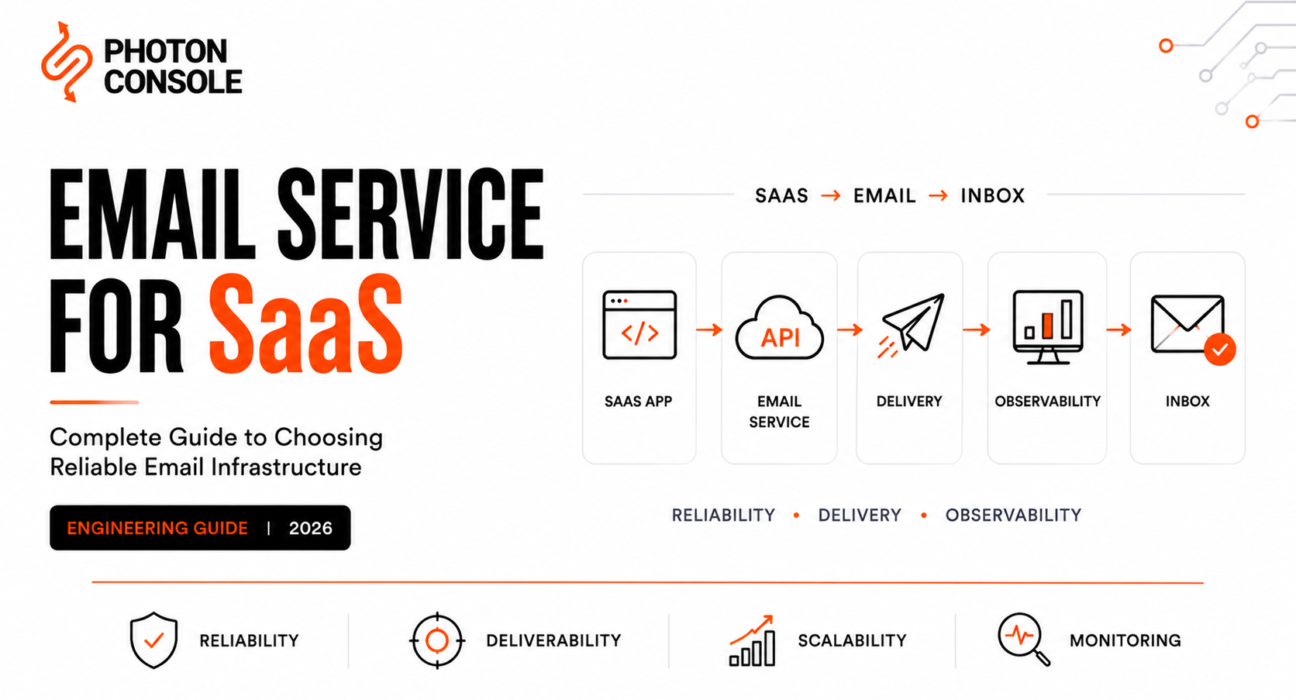
For a SaaS product, email is not a communication channel. It is a dependency of the product itself. Signup verification, password reset, OTP, team invitations, invoices, payment-failure notices, security alerts — each of these is a feature that stops working when email stops working. A user who never receives the verification link has not experienced a delayed email; they have experienced a broken signup.
That reframing is the whole argument of this guide. An email service for SaaS should be evaluated the way you evaluate a database or an auth provider: on reliability, operational burden, scaling behavior, and how expensive it is to leave. Not on a feature checklist.
This guide is organized around the two questions that actually change the answer: how much are you sending, and what kinds of email are you sending. Those two variables drive requirements far more than any provider’s feature list does.
Table of Contents
- Executive Summary
- What Is an Email Service for SaaS?
- What Email Infrastructure a SaaS Product Needs
- Types of Email a SaaS Product Sends
- Requirements by SaaS Stage and Volume
- Email Service Evaluation Framework
- Provider Fit for SaaS Teams
- Requirements by SaaS Category
- The True Cost of Email Infrastructure
- Common SaaS Email Mistakes
- Production Architecture
- Migration Strategy
- Pre-Production Checklist
- FAQ
- Final Decision Framework
Executive Summary
Quick answer: An email service for SaaS is the managed infrastructure that carries your product’s transactional messages — verification, authentication, billing, security, and notification email — from your application to a user’s inbox, including the queueing, retry, deliverability, and event-reporting layers around the send itself. The right choice is determined primarily by your monthly send volume, your compliance obligations, and how much operational work your team can absorb, not by which provider has the longest feature list.

The five decisions that matter most, in order:
- Separate transactional from marketing traffic. This is the single highest-leverage decision in SaaS email and it costs nothing to get right at the start. It is expensive to fix after complaints have damaged your sending reputation.
- Build the abstraction layer before you need it. An internal email service interface converts a future provider migration from a refactor into a config change.
- Buy for the volume stage you’ll reach in twelve months, not the one you’re in. Requirements change sharply at roughly 100k/month and again at 1M/month.
- Treat email as asynchronous. Any design where a user-facing request blocks on a provider API call inherits that provider’s worst-case latency as your own.
- Instrument before launch. Webhook consumption and bounce-rate alerting are not post-launch improvements; without them you have no way to detect degradation.
The outage test: Write down what breaks in your product if email stops for four hours. If the list includes signup, login recovery, or payment notification, your email service is production infrastructure and should be procured, monitored, and staffed accordingly. Most SaaS teams discover this list during their first incident rather than before it.
What Is an Email Service for SaaS?
The category terms overlap heavily and vendors use them loosely. What matters for a SaaS team is identifying which layer you’re actually buying, because buying one layer down from what you need means building the difference yourself.
| Layer | What You Get | What You Must Build Yourself | Right For |
|---|---|---|---|
| SMTP server (self-hosted) | The protocol, and nothing else | IP reputation, blocklist remediation, retry logic, deliverability monitoring, everything | Teams with dedicated mail-ops staff — rare in SaaS |
| SMTP relay | Hosted forwarding with managed IPs | Often: suppression management, deep analytics, templating | Replacing a failing self-hosted setup quickly |
| Email API | An HTTP send interface | Varies enormously by vendor — the interface says nothing about what’s behind it | New services with existing infrastructure decisions made |
| Transactional email service | Send interface tuned for one-to-one triggered mail | Marketing capability, if you need it | Most SaaS products, most of the time |
| Email platform | All of the above plus analytics, suppression, compliance tooling, support | Little | SaaS teams making a multi-year infrastructure commitment |
Most SaaS products need the transactional service or platform layer. Buying below that line means your engineering team inherits deliverability operations as an ongoing responsibility, which is a real staffing cost that rarely appears in the comparison spreadsheet. Our transactional email service overview covers the service layer in detail, and the transactional email platform buyer’s guide covers the platform layer and its procurement implications.
What Email Infrastructure a SaaS Product Needs
The full path from a product event to a monitored delivery outcome runs through twelve stages. Understanding which stages you own is what separates a maintainable integration from one that becomes unownable.
Diagram 1 — SaaS Email Infrastructure Stack™
Purpose: show the complete SaaS email path and mark the ownership boundary, so teams know which failures are theirs to fix.
Layout: vertical stack, twelve stages, with a shaded band marking provider-owned territory.
Application  (emits: UserRegistered, PaymentFailed, InviteSent)
   ↓
Email Service Layer  ← YOUR abstraction: send(type, recipient, vars)
   ↓
API / SMTP  ← provider adapter
   ↓
┌──────────── PROVIDER-OWNED ────────────┐
Authentication  (API key, SPF/DKIM validation)
   ↓
Queue
   ↓
Retry Engine
   ↓
Routing  (IP pool selection)
   ↓
Delivery Infrastructure  (outbound MTA)
   ↓
Mailbox Provider  (Gmail, Outlook, corporate MTA)
└─────────────────────────────────────────┘
   ↓
Webhook Events  ← returns to you
   ↓
Application Database  (normalized event history)
   ↓
Monitoring / Alerting
Designer notes: the shaded provider band is the point of the diagram — everything inside it is bought, everything outside it is built. Emphasize that the two boundary crossings (adapter out, webhook in) are where nearly all integration bugs occur.
Two stages deserve specific attention from SaaS teams because they are commonly skipped at launch and expensive to retrofit.
The email service layer. Your application should emit domain events, not provider calls. A billing service publishing PaymentFailed is correct; a billing service calling a provider SDK directly is a future migration problem distributed across your codebase.
The webhook path back. Without it you have no bounce data, no complaint data, and no way to suppress sends to dead addresses. Our webhook engineering guide covers the handling patterns, and email observability covers what to do with the events once you have them.
Types of Email a SaaS Product Sends
SaaS teams routinely treat “our email” as one thing. It isn’t. Different message classes have different latency requirements, different reputation profiles, and — critically — different consequences when they fail. Classifying them explicitly is what makes routing and alerting decisions possible.
| Type | Examples | Latency Tolerance | Failure Consequence | Complaint Risk |
|---|---|---|---|---|
| Authentication | OTP, magic link, 2FA code | Seconds | User cannot log in — functional outage | Very low |
| Account lifecycle | Signup verification, password reset | Under a minute | User cannot complete onboarding | Very low |
| Billing | Invoice, receipt, payment failure, dunning | Minutes | Revenue impact; involuntary churn | Low |
| Security | New device login, password changed, permission granted | Under a minute | Security incident goes unnoticed | Low |
| Product / collaboration | Team invitation, mention, comment, assignment | Minutes | Degraded collaboration; user disengagement | Moderate |
| Notification digest | Daily summary, weekly activity | Hours | Low direct impact | Moderate to high |
| Marketing | Feature announcements, newsletters, campaigns | Hours to days | Missed engagement | High |
Why transactional and marketing traffic should be separated
Mailbox providers evaluate sender reputation at the domain and IP level, not the message level. A marketing campaign that generates spam complaints degrades the reputation carrying your password reset emails. The failure is asymmetric and worth stating plainly: marketing email failing is a missed opportunity; authentication email failing is a product outage.
The standard mitigation is separation by subdomain and by sending stream — for example, transactional mail from mail.yourapp.com and marketing from news.yourapp.com, each with its own reputation. Some providers enforce this structurally; others leave it to you. Our guide to transactional vs marketing email covers the separation mechanics.
| Situation | Recommended Separation | Reasoning |
|---|---|---|
| Pre-launch / no marketing sends yet | Single transactional stream, but reserve a marketing subdomain now | DNS setup is trivial upfront and painful to retrofit |
| Low-volume marketing, same provider | Separate subdomain, separate stream or sub-account | Isolates reputation without vendor overhead |
| Significant marketing programme | Separate subdomain, ideally separate provider | Full isolation; different tooling needs anyway |
| User-generated notification volume (marketplaces) | Third stream, separate from both | UGC-triggered mail carries unpredictable complaint risk |
Requirements by SaaS Stage and Volume
This is the section that most changes the answer, and it’s the one most buying guides omit. Requirements do not scale linearly with volume — they change in steps, and each step introduces a new class of work. Buying for your current step means re-evaluating within a year.
Diagram 2 — Email Infrastructure Scaling Curve™
Purpose: show where requirement discontinuities occur, so teams can buy one step ahead of current volume.
Layout: stepped line chart, X-axis = monthly send volume (log scale), Y-axis = infrastructure requirement depth. Five distinct steps, not a smooth curve.
Requirement
   depth
     ^
     |                                          ┌──── Compliance, SLA,
     |                                          │     dedicated infra
     |                              ┌───────────┘     (1M+)
     |                              │  Dedicated IP + warming,
     |                              │  deliverability ownership
     |                  ┌───────────┘  (500k)
     |                  │  Suppression automation,
     |                  │  reputation monitoring
     |         ┌────────┘  (100k)
     |         │  Webhooks, bounce handling,
     |         │  alerting
     |    ┌────┘  (10k)
     |────┘  Basic reliable send
     +──────────────────────────────────────────────────>
       pre-launch   10k    50k    100k    500k    1M+
Designer notes: render as visible steps rather than a smooth curve — the discontinuity is the message. Annotate each riser with the specific new capability required, and label the 100k riser as the most commonly under-anticipated.
| Stage | What Changes | New Requirements | Typical Failure If Unprepared |
|---|---|---|---|
| Pre-launch | No production traffic; DNS and architecture decisions being made | SPF/DKIM/DMARC configured; subdomains reserved; abstraction layer designed | Retrofitting domain separation after reputation is established |
| Early stage (<10k/mo) | Real users, low volume; shared IP pool is fine | Reliable send; basic delivery logs; free or low-tier plan sufficient | Using Gmail SMTP or shared hosting mail — hits limits and silent drops |
| 10k/mo | Email becomes product-critical; failures now generate support tickets | Webhook consumption; bounce handling; suppression list; basic alerting | Repeated sends to dead addresses degrade reputation invisibly |
| 50k/mo | Volume spikes matter; tier boundaries start to bite | Rate-limit handling; queue-based send; cost model reviewed against actual pattern | Burst sends throttled during a launch or campaign |
| 100k/mo | The most commonly under-anticipated step. Reputation becomes an asset worth protecting | Reputation monitoring (Postmaster Tools, SNDS); complaint-rate alerting; stream separation enforced; automated suppression | Gradual deliverability decay noticed only when a customer reports it |
| 500k/mo | Shared IP pools become a liability; deliverability becomes someone’s job | Dedicated IP evaluation and warming; per-stream reputation tracking; provider relationship management | Another sender on the shared pool damages your placement |
| 1M+/mo | Cost is material; downtime is revenue-affecting | Multi-IP or multi-provider routing; contractual SLAs; possible failover architecture | Single-provider outage becomes a multi-hour product outage |
| Enterprise SaaS | Procurement, audit, and residency requirements gate the decision | Certifications, BAAs where applicable, audit logging, data residency, named support | Deal blocked in security review over an infrastructure choice made years earlier |
Two practical notes on this table. First, the 100k step is where most SaaS teams get caught — volume has grown gradually, nothing has visibly broken, and reputation management was never assigned to anyone. Second, the 500k step is where dedicated versus shared IP becomes a real decision rather than a theoretical one, and it comes with a warming obligation that takes weeks.
| Level | Characteristic | Test |
|---|---|---|
| 0 — Ad hoc | Mail sent directly from application code, no abstraction | Can you name every place your app sends mail? If not, you’re here. |
| 1 — Centralized | All sends route through one internal service layer | Would a provider change touch more than one module? |
| 2 — Observed | Webhook events consumed, persisted, and alerted on | Can you trace one message end to end from its ID? |
| 3 — Managed | Streams separated, suppression automated, reputation monitored | Would you notice a complaint-rate doubling within an hour? |
| 4 — Resilient | Failover path exists and has been tested | Has a provider-outage drill actually been run? |
Email Service Evaluation Framework
Eleven categories, each with a SaaS-specific reason for mattering. Score shortlisted providers against these rather than against feature checklists.
| Category | Why It Matters to a SaaS Product | How to Assess It |
|---|---|---|
| Reliability | Provider downtime becomes product downtime for auth flows | Public status page with real incident history, not a marketing uptime figure |
| Deliverability | Undelivered auth mail is indistinguishable from a broken login | Shared-pool management policy; stream separation support |
| Developer experience | Integration and maintenance hours are a real recurring cost | Time to first send from docs alone; error-code documentation |
| Infrastructure | Determines what you must build around the provider | Which of the twelve stack layers are genuinely provided |
| Scalability | Requirements change in steps; you want headroom | Ask what specifically changes at 10x your current volume |
| Observability | Time-to-detection during a deliverability incident | Per-message tracing; exportable event data; retention window |
| Pricing | Model fit matters more than headline rate for variable volume | Model your actual monthly pattern including spikes |
| Operational complexity | Hidden staffing cost that rarely appears in comparisons | Estimate monthly maintenance hours honestly |
| Security | Blast radius if a key leaks across a multi-service SaaS | Scoped keys per service; audit logging; SSO |
| Migration risk | Determines whether a bad choice is recoverable | Can you export templates, suppression list, and event history via API? |
| Support | Matters most during the incident you haven’t had yet | Response commitments at your actual plan tier, not the top one |
Diagram 3 — SaaS Delivery Readiness Framework™
Purpose: convert the eleven evaluation categories into a go/no-go gate sequence for a launch decision.
Layout: five sequential gates, left to right, each with its blocking condition below.
[ Authenticated ] → [ Observable ] → [ Resilient ] → [ Separated ] → [ Recoverable ]
       │                 │                │               │                │
   blocked if:       blocked if:      blocked if:     blocked if:      blocked if:
   SPF/DKIM/DMARC    no webhook       no retry or     marketing and    can't export
   unverified        consumer         queue layer     transactional    suppression
                                                      share a domain   or templates
Designer notes: gates read left to right as a launch pipeline. The final gate is the one teams skip — mark it visually.
Provider Fit for SaaS Teams
This section is deliberately compressed. We maintain detailed provider-by-provider comparisons elsewhere, and duplicating them here would serve nobody — see the nine-provider engineering evaluation, the provider selection guide for SaaS applications, and the platform buyer’s guide for the full breakdowns.
What follows is the SaaS-specific fit summary only: which provider suits which kind of SaaS team, and why. Capability details change frequently and vary by plan tier — verify current terms directly with each vendor before committing.
| Provider | Best Fit For | Main SaaS Tradeoff | Who Should Avoid It |
|---|---|---|---|
| PhotonConsole | Early to mid-stage SaaS with variable volume wanting low lock-in and predictable pay-as-you-use cost | Smaller integration ecosystem than incumbents | Teams needing a broad third-party marketplace or bundled marketing tooling |
| Amazon SES | AWS-native SaaS at high volume with engineering capacity to assemble surrounding tooling | You build the platform layer yourself — highest engineering-time cost | Small teams without AWS expertise |
| SendGrid | SaaS consolidating marketing and transactional under one vendor | Tier boundaries penalize spiky volume | Teams with highly variable monthly volume |
| Mailgun | SaaS needing inbound processing or programmatic routing (CRM, support tools) | Feature and support access is tier-gated | Teams needing consistent support without a premium plan |
| Postmark | SaaS where transactional deliverability is worth paying a premium to protect | No marketing sends; cost scales less favorably at high volume | Cost-sensitive high-volume senders |
| Resend | React/Next.js SaaS building new transactional flows | Younger platform; template coupling is a lock-in vector | Non-JS stacks; heavy enterprise procurement requirements |
| SMTP2GO | SaaS whose primary need is dependable SMTP with geographic redundancy | REST and templating trail API-first providers | API-first teams needing deep observability |
| Brevo | Small SaaS teams genuinely using bundled marketing and CRM | Engineering tooling is not the product’s focus | Engineering-led teams who won’t use the bundle |
| SparkPost | Larger SaaS orgs doing active deliverability engineering | Overhead only justified if someone acts on the analytics | Early-stage teams |
Provider-specific alternatives analysis: SendGrid, Amazon SES, Postmark, SMTP2GO, SparkPost, and Mailgun.
Requirements by SaaS Category
Different SaaS categories have different dominant constraints. The point of this table is not to name a winner per category but to identify which evaluation criterion should be weighted highest.
| SaaS Category | Dominant Constraint | Why It Changes the Decision |
|---|---|---|
| Authentication SaaS | Latency and reliability | You are the auth layer for other products; your email failure cascades into their products |
| FinTech SaaS | Auditability and security | Regulatory audit trails required; scoped access and immutable event logs are non-negotiable |
| Healthcare SaaS | Compliance | BAA availability and data residency gate the decision before any technical evaluation |
| AI SaaS | Elastic cost | Growth curves are hard to forecast; committing to a volume tier is a bet you may lose either way |
| E-commerce SaaS | Attachment reliability and volume spikes | Receipts and invoices carry attachments; sales events create predictable burst load |
| CRM | Inbound processing | Two-way email flows require inbound parse and event correlation to records |
| Project management SaaS | Notification volume management | High-frequency collaboration mail carries real complaint risk; digest and preference controls matter |
| Developer tools | SDK breadth | Your users span languages; provider SDK gaps become your support burden |
| Marketplace | Reputation isolation | User-generated notification volume must not endanger core transactional reputation |
| Subscription SaaS | Billing mail deliverability | Failed dunning email converts directly into involuntary churn — a revenue line, not a support issue |
| B2B enterprise SaaS | Procurement readiness | Corporate mail filters are stricter; security review gates the vendor choice |
The True Cost of Email Infrastructure
Per-email pricing is the smallest and most visible component of email cost. The components below are frequently larger and almost never compared. We deliberately state no figures here — pricing changes constantly and varies by tier, so model your own numbers against current vendor pricing pages.
Diagram 4 — SaaS Email Cost Stack™
Purpose: expand “email cost” from a single line item into the eleven components that actually constitute it.
Layout: inverted pyramid or stacked bar, with visible-cost components at the narrow top and hidden costs widening below.
        ┌──────────────────────┐
        │   Send cost / fees   │  ← what teams compare
        ├──────────────────────┤
        │  Overages, dedicated │
        │  IP, add-on features │
        ├──────────────────────┤
        │  Engineering:        │
        │  integration build   │
        ├──────────────────────┤
        │  Webhook processing  │
        │  + storage           │
        ├──────────────────────┤
        │  Monitoring &        │
        │  alerting            │
        ├──────────────────────┤
        │  Deliverability      │
        │  management (staff)  │
        ├──────────────────────┤
        │  Ongoing operational │
        │  overhead            │
        ├──────────────────────┤
        │  Migration cost      │
        │  (amortized risk)    │
        └──────────────────────┘
Designer notes: the visual point is that the compared line item is the narrowest band. Consider shading the top band in one color and everything below in another labeled “not on the pricing page.”
| Component | Nature | How to Estimate |
|---|---|---|
| Send cost | Direct, variable | Current vendor rate × realistic monthly volume including spikes |
| Subscription fees | Direct, fixed | Plan cost at the tier your peak month requires, not your average month |
| Overages | Direct, spiky | Model your worst month, not your typical one |
| Dedicated IP | Direct, stepped | Add-on cost plus the warming period during which deliverability is degraded |
| Engineering integration | One-time, hidden | Realistically several engineer-days for a production-grade integration |
| Webhook processing | Ongoing, hidden | Compute plus event storage at your retention requirement |
| Monitoring | Ongoing, hidden | Alerting infrastructure plus the dashboards nobody budgets for |
| Deliverability management | Ongoing, hidden | Becomes a named responsibility around the 100k–500k step |
| Operational overhead | Ongoing, hidden | Incident response, credential rotation, template maintenance |
| Migration cost | Contingent | Weight by likelihood — higher for providers with heavy template lock-in |
| Support | Tier-dependent | Cost of the plan tier that actually gets you a timely response |
For volume-specific modelling, see our provider pricing comparison, the pay-per-use vs subscription TCO analysis, and sending 100,000 emails a month without overpaying. PhotonConsole’s own current rates are on the pricing page.
Common SaaS Email Mistakes
| Mistake | When It Surfaces | Fix |
|---|---|---|
| Using Gmail / Google Workspace as production infrastructure | At the daily sending limit, usually during a growth spike | Move to a transactional provider before you need to — this is a launch-blocker, not an optimization |
| Using shared hosting SMTP | Silently — messages drop with no bounce and no log | Shared hosting IPs carry pooled reputation you don’t control; see free SMTP servers |
| Choosing solely on price | Month three, when engineering hours exceed the savings | Model the full cost stack above |
| Mixing marketing and transactional traffic | After a campaign generates complaints | Separate by subdomain and stream from the start |
| No webhook processing | First deliverability incident | Consume events before launch, not after |
| No bounce handling | Gradually — reputation decays from repeat sends to dead addresses | Automated suppression driven by bounce events |
| No retry strategy | During any transient provider error | Exponential backoff with jitter plus a dead-letter queue; see retry logic |
| No monitoring | When a customer reports it before you notice | Alert on rate-of-change in bounce and complaint rates |
| Missing authentication records | At scale, as mailbox providers tighten enforcement | SPF, DKIM, and DMARC on every sending subdomain |
| No provider abstraction | At migration time | Internal email service layer from day one |
| No migration plan | When the provider no longer fits | Verify data export capability during selection |
| No rate-limit handling | During burst sends | Read rate-limit headers; shape traffic at the queue |
| Treating email as synchronous | Under provider latency — web requests time out | Enqueue locally and return immediately |
Related incident analysis: why email infrastructure fails, production vs dev email failures, and emails sent but not delivered.
Production Architecture
The recommended architecture for a SaaS product, and the reasoning for the one component teams most often skip.
Diagram 5 — Recommended SaaS Email Architecture
Purpose: show where the provider boundary sits so a vendor change touches one module.
Layout: vertical flow with a marked provider boundary; annotate the internal service layer as the lock-in control point.
SaaS Application
   ↓  emits domain events, never provider calls
Internal Email Service  ← the abstraction: send(type, recipient, vars)
   ↓
Queue  ← decouples web requests from provider latency
   ↓
━━━━━━━ PROVIDER BOUNDARY ━━━━━━━
Email Provider
   ↓
Delivery
   ↓
Webhook
━━━━━━━ PROVIDER BOUNDARY ━━━━━━━
   ↓
Event Processor  ← normalizes provider events to YOUR schema
   ↓
Database  (normalized event history)
   ↓
Monitoring / Alerting
Designer notes: the two boundary bars are the key visual — everything between them is replaceable. Use a contrasting color and label the internal email service explicitly as “lock-in control point.”
Why the abstraction layer matters more for SaaS than for other software. A SaaS product typically sends from many places — auth service, billing service, notification service, admin tooling. Without a central interface, provider-specific calls proliferate across services owned by different teams. The migration cost then scales with your service count rather than staying constant. One interface keeps it constant.
Why normalize webhook events. Providers name the same event differently — a hard bounce may arrive as bounce, permanent_failure, or hard_bounce. Translating to your own vocabulary at the event processor means every downstream consumer, alert, and dashboard survives a provider change untouched.
Queue design is covered in depth in transactional email queue architecture, and for teams at the 1M+ step, multi-provider failover routing covers the resilience layer above this architecture.
Migration Strategy
Migration is a configuration change if the abstraction layer exists and a multi-week project if it doesn’t. Either way, the sequence below keeps cutover risk bounded and reversible.
Diagram 6 — Migration Architecture (parallel-send cutover)
Purpose: show how the abstraction layer enables a percentage-based, reversible provider cutover.
Layout: one interface fanning to two adapters via a config-driven routing switch.
        Internal Email Service  (unchanged)
                    ↓
          Routing switch  (config value, not code)
             ↙                    ↘
      Adapter: Old            Adapter: New
           ↓                        ↓
      Provider A               Provider B
           ↘                      ↙
             Event Processor
                    ↓
        Normalized events → database

   Cutover: 100/0 → 95/5 → 75/25 → 50/50 → 0/100
   Rollback: revert the config value
Designer notes: emphasize that the switch is configuration. Show the percentage progression as a caption — gradual cutover is what makes rollback cheap.
| # | Workstream | What’s Involved | Risk If Skipped |
|---|---|---|---|
| 1 | Provider abstraction | Write a new adapter behind the existing interface | Without an interface, every call site must be found and changed |
| 2 | DNS / SPF / DKIM / DMARC | Configure and propagate for the new provider on every sending subdomain | Authentication failures at cutover; mail lands in spam |
| 3 | Template migration | Port templates; syntax rarely transfers directly between engines | Rendering differences ship to customers as broken email |
| 4 | Suppression list migration | Export from old provider, import to new before any send | Immediate re-sends to known hard bounces; day-one reputation damage |
| 5 | Webhook migration | Point new provider events at your processor; map to normalized schema | Silent loss of bounce and complaint data |
| 6 | Historical log export | Export event history before closing the old account | Permanent loss of forensic and compliance records |
| 7 | IP reputation / warming | Warm any new dedicated IP gradually | Volume spike on a cold IP reads as suspicious to mailbox providers |
| 8 | Parallel sending | Route a small percentage to the new provider first | Full cutover exposes every unknown at once |
| 9 | Validation | Compare bounce, complaint, and delivery timing against baseline | Degradation goes unnoticed until it’s systemic |
| 10 | Rollback readiness | Keep the old adapter deployable via config | Rollback requires a code deploy under incident pressure |
| 11 | Monitoring | Alerting live on the new provider before full cutover | Flying blind during the highest-risk window |
Pre-Production Checklist
| Area | Item | Status |
|---|---|---|
| Authentication | SPF published and verified on every sending subdomain | ☐ |
| Authentication | DKIM keys generated and DNS-verified per subdomain | ☐ |
| Authentication | DMARC policy published (start at p=none for monitoring) — see SPF, DKIM, DMARC explained | ☐ |
| DNS | Transactional and marketing subdomains separated | ☐ |
| API | Keys scoped per service, not one global key | ☐ |
| API | Idempotency keys generated per logical send | ☐ |
| SMTP | If used, confirmed to share the provider’s main pipeline and logs | ☐ |
| Retries | Client-side exponential backoff with jitter and a dead-letter queue | ☐ |
| Webhooks | Endpoint live, signature verification implemented, responds 200 before processing | ☐ |
| Webhooks | Events normalized to internal schema and persisted durably | ☐ |
| Bounce handling | Automated suppression on hard bounce | ☐ |
| Bounce handling | Complaint events routed to suppression and alerting | ☐ |
| Monitoring | Alerting on bounce-rate and complaint-rate change, not just absolute thresholds | ☐ |
| Monitoring | Per-message tracing verified working — see monitoring tools guide | ☐ |
| Deliverability | Google Postmaster Tools and Microsoft SNDS registered | ☐ |
| Deliverability | Seed testing across major mailbox providers completed | ☐ |
| Rate limits | Documented provider limits confirmed against expected peak | ☐ |
| Security | Key rotation procedure documented | ☐ |
| Scaling | Behavior at 10x current volume confirmed with the provider | ☐ |
| Incident response | Runbook exists for “email is not being delivered” | ☐ |
| Incident response | Rollback to previous provider possible via config change | ☐ |
For a broader pre-launch view, see our email infrastructure checklist for SaaS products before launch.
FAQ
What is an email service for SaaS?
Managed infrastructure that carries a SaaS product’s transactional messages — verification, authentication, billing, security, notifications — from the application to the inbox, including the queueing, retry, deliverability, and event-reporting layers around the send.
Can a SaaS product use Gmail or Google Workspace for transactional email?
Not in production. Workspace enforces daily sending limits designed for human correspondence, and hitting them causes failures during exactly the growth periods when email matters most. It also gives you no bounce webhooks, no suppression management, and no delivery analytics.
At what volume should a SaaS switch from a free tier to a paid plan?
Volume is the wrong trigger. Switch when email becomes product-critical — typically the moment password reset or OTP runs through it — because that’s when you need bounce handling and observability, regardless of how few messages you send.
Should transactional and marketing email use different providers?
Different sending domains are essential; different providers are optional. Separate providers give full isolation and are worth it once marketing volume is significant, but subdomain-level separation captures most of the benefit at zero vendor overhead.
How do I stop marketing complaints from affecting password reset delivery?
Send them from separate subdomains with separate reputations, and where the provider supports it, separate streams or sub-accounts. Reputation is evaluated at the domain and IP level, so shared infrastructure means shared consequences.
When does a SaaS need a dedicated IP?
Generally around sustained high volume, where a shared pool’s other tenants become a real risk. Below that threshold a well-managed shared pool typically outperforms a poorly warmed dedicated IP. See dedicated vs shared IP.
What breaks first as SaaS email volume grows?
Reputation, silently. Volume grows gradually, nothing throws an error, and deliverability decays until someone notices signups dropping. This is why complaint-rate alerting matters more than error-rate alerting.
How should a SaaS handle bounces?
Consume bounce webhooks, classify hard versus soft, and automatically suppress hard-bounced addresses from future sends. Continuing to send to dead addresses is one of the fastest ways to damage sender reputation.
Should email sending block a user-facing request?
No. Enqueue locally and return immediately. A synchronous provider call inside a signup flow means your signup latency is your provider’s worst-case latency.
How do I avoid vendor lock-in?
Own the interface, normalize webhook events to your own schema, and confirm at selection time that templates, suppression lists, and event history are exportable via API.
What does a realistic email migration take for a SaaS product?
With an abstraction layer and a parallel-send cutover, typically one to three weeks including validation. Without one, considerably longer — the work scales with how many services send mail directly.
Do I need a failover email provider?
For most SaaS products a local queue that survives a provider outage is sufficient — mail resumes on recovery. True multi-provider failover is warranted when email downtime directly blocks revenue or authentication, and it doubles your observability and reputation-management surface. See email failover explained.
How do I monitor SaaS email health?
Track bounce rate, complaint rate, and delivery latency as continuous metrics with change-based alerting, and register with Google Postmaster Tools and Microsoft SNDS for mailbox-provider-side visibility.
What’s an acceptable bounce rate for a SaaS product?
Rather than anchoring on a fixed number, watch your own trend — a sudden doubling matters even within an otherwise acceptable band. See reducing bounce rate for SaaS applications.
Why do OTP emails arrive late?
Usually recipient-side throttling triggering provider retries, or queue delay under load. See transactional email latency for SaaS applications.
Should templates live in my application or with the provider?
Provider-hosted templates let non-engineers change copy without a deploy but couple you to that vendor’s engine. Application-side rendering gives migration flexibility. For SaaS teams expecting to re-evaluate providers, application-side is usually the safer default.
How many sending subdomains does a SaaS need?
At minimum two: transactional and marketing. Marketplaces and products with heavy user-generated notification volume generally want a third for that traffic.
What should be in an email incident runbook?
How to check provider status, how to verify DNS records, how to inspect recent bounce and complaint trends, how to trace an individual message, and how to execute the provider rollback.
Does an email service affect SaaS compliance obligations?
Yes, where email carries regulated data. Healthcare products handling PHI need BAA availability; EU-operating products may have data residency requirements. Confirm current certifications directly with the vendor rather than relying on third-party summaries.
How do I evaluate providers without a long trial?
Run a timeboxed spike: send a test message from docs alone, trigger a deliberate failure, take your webhook endpoint offline mid-test, and attempt to export a suppression list. Those four exercises surface most of what matters.
What is the single highest-leverage SaaS email decision?
Separating transactional from marketing sending domains before either has established reputation. It costs almost nothing upfront and is genuinely painful to retrofit.
Final Decision Framework
Diagram 7 — SaaS Provider Selection Tree
Purpose: narrow the field to a two-or-three item shortlist in under a minute.
Layout: top-down decision tree; leaf nodes are shortlists, not verdicts.
        Regulated industry / BAA or residency required?
              /                              \
            YES                               NO
             |                                 |
    Evaluate only providers        Already deep in AWS with
    clearing compliance first      ops capacity to spare?
                                    /                \
                                  YES                 NO
                                   |                   |
                            Amazon SES        Need marketing +
                                              transactional together?
                                                /            \
                                              YES             NO
                                               |               |
                                    SendGrid, Brevo    Modern developer-first
                                                       API on a JS stack?
                                                        /          \
                                                      YES           NO
                                                       |             |
                                                   Resend      Predictable ops model,
                                                               SMTP + REST, low lock-in?
                                                                    → PhotonConsole,
                                                                      Postmark, SMTP2GO
Designer notes: annotate that compliance overrides the entire tree, and that leaf nodes are starting points for evaluation rather than answers.
There is no universally correct email service for SaaS, and the honest framing is by team situation rather than by ranking:
- Pre-launch and early stage — optimize for time to integration and low exit cost. Generous free tiers and minimal setup matter more than analytics depth you won’t use yet.
- Growing SaaS approaching 100k/month — this is the step that catches teams out. Prioritize observability and suppression automation before you need them, and check that your pricing model doesn’t punish spikes.
- High-volume SaaS — per-email cost and reputation isolation dominate. Amazon SES is hard to beat on unit economics given the engineering capacity to assemble the surrounding platform.
- Regulated SaaS — compliance capability gates everything. Evaluate it before technical fit, because it’s the only genuine disqualifier.
- Teams prioritizing developer experience — Postmark for general stacks, Resend for React/Next.js, accepting a cost premium for integration clarity.
- Teams prioritizing a predictable operational model — providers offering SMTP and REST on one pipeline with pay-as-you-use pricing, such as PhotonConsole’s relay, keep both cost and switching cost proportional to actual usage.
Whatever you choose, the architectural decisions outrank the vendor decision. Separate your streams, own your interface, normalize your events, queue locally, and confirm you can export your data. Do those five things and the provider becomes a configuration value rather than a commitment.
Related reading: Transactional email platform buyer’s guide · Email API for developers · Transactional email API guide · Email delivery API · SMTP API · Send email API · Email API integration · Improve email deliverability · SMTP relay service
External references: RFC 5321 — SMTP · RFC 7208 — SPF · RFC 6376 — DKIM · RFC 7489 — DMARC · DMARC.org · Gmail sender guidelines · Google Postmaster Tools · Microsoft SNDS · M3AAWG published documents