Choosing an email API provider is an infrastructure decision. Not a software purchase, not a vendor evaluation exercise — an infrastructure decision, with the same consequences as choosing a database, a cloud region, or a message queue. The provider you select becomes a dependency in every authentication flow, every billing notification, and every security alert your product sends.
Most guides on this topic rank providers from 1 to 10 based on criteria chosen to make one provider look best. This guide does something different: it explains the engineering trade-offs, gives you a structured evaluation framework, and maps providers to the constraints that actually differ between teams — volume, operational capacity, compliance requirements, and growth trajectory. The right provider depends on factors only your team knows.
Engineering Snapshot: A password reset email that lands in spam is functionally the same as one that was never sent. The difference between those outcomes is not your code — it’s the delivery infrastructure between your API call and the recipient’s inbox. That infrastructure is what you’re evaluating when you choose a provider.
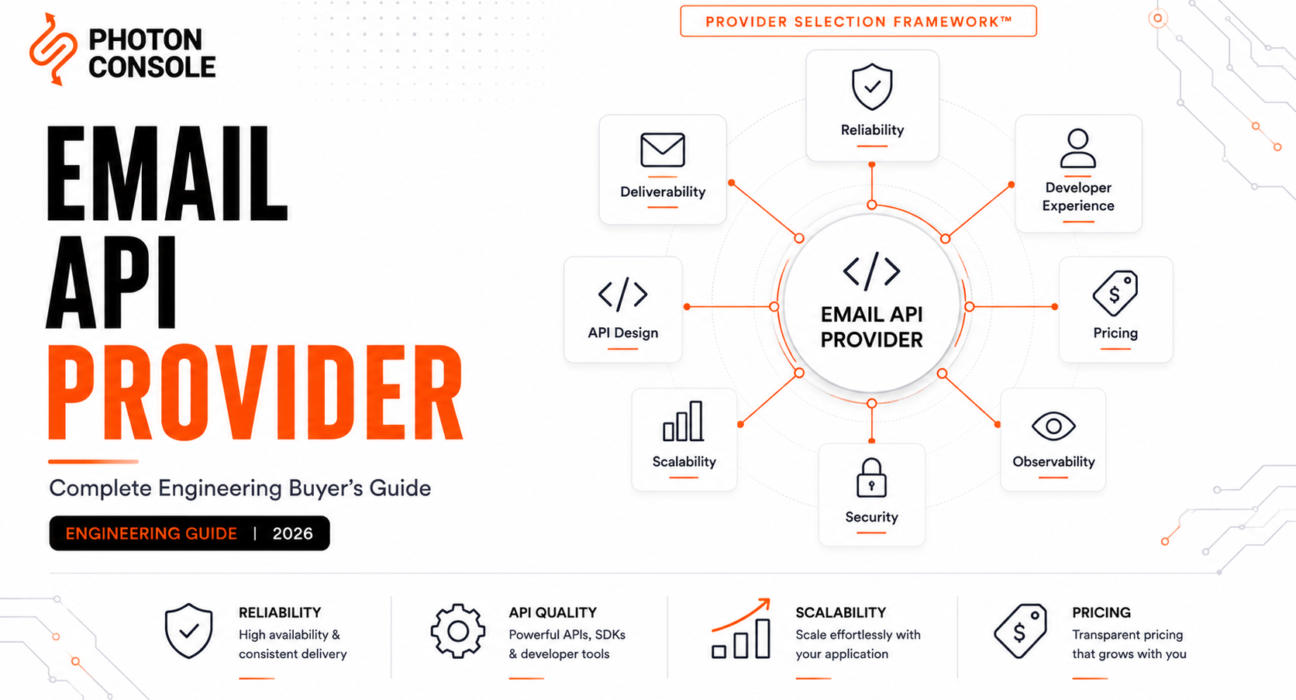
We’ll use the Infrastructure Fit Score throughout: a framework that evaluates providers across eight dimensions — reliability, deliverability, API design, observability, pricing, operational complexity, developer experience, and migration difficulty — weighted differently depending on your team’s stage. No provider scores highest on all eight.
Table of Contents
- What Is an Email API Provider?
- How Email API Providers Work
- Why Modern SaaS Companies Need One
- Evaluation Criteria
- Quick Provider Comparison
- Deep Provider Reviews
- Engineering Comparison Matrix
- Best Email API Provider by Use Case
- Common Mistakes
- Migration Checklist
- Frequently Asked Questions
- Final Recommendation
What Is an Email API Provider?
An email API provider is a service that accepts email-sending requests from your application via HTTP API or SMTP, handles delivery infrastructure (queuing, routing, retry, reputation management), and reports delivery outcomes back to your system via webhooks or event APIs. You submit a message; the provider handles everything between your API call and the recipient’s inbox.

The terminology in this space is loose and overlapping, which creates confusion during evaluation. Here’s how the terms map:
Table 1: Email Sending Terminology
| Term | What It Means | Examples |
|---|---|---|
| SMTP provider | Accepts email via SMTP protocol (port 587/465) | Any provider offering SMTP relay |
| Email API | Accepts email via HTTP REST endpoints | Most modern providers offer this |
| Transactional email platform | Focused on event-triggered messages (OTP, receipts, alerts) | Postmark, PhotonConsole |
| Email infrastructure provider | Full stack: delivery, reputation, analytics, compliance | SendGrid, SparkPost, Amazon SES |
Most providers you’ll evaluate are some combination of all four. The distinction matters when evaluating features: a provider that started as an SMTP relay may have a thinner HTTP API than one built API-first, and a provider focused on transactional email may not support marketing sends at all.
How Email Delivery APIs Work
The API call your application makes is the beginning of a multi-stage delivery pipeline. Understanding these stages is what separates an informed evaluation from a feature-checkbox comparison.
Table 2: Email Delivery Pipeline
| Stage | What Happens | Who Manages It |
|---|---|---|
| Ingestion | API call accepted, payload validated, request authenticated | Provider |
| Queue | Message buffered for delivery; priority and rate limits applied | Provider (queue architecture varies) |
| Routing | MX lookup, TLS negotiation, IP selection | Provider |
| Delivery | SMTP handshake with receiving mail server | Provider |
| Retry | Deferred messages retried with backoff logic | Provider |
| Event reporting | Delivery, bounce, complaint, open, click events sent back via webhooks | Provider sends; you process |
| Reputation management | IP allocation, warm-up, abuse monitoring | Provider (shared pools) or you (dedicated IPs) |
When you choose a provider, you’re choosing an implementation of all seven stages — not just the ingestion endpoint you integrate with. The stages you can’t see directly (retry logic, reputation management, event processing) are the ones that determine whether your messages reach inboxes or spam folders.
Why Modern SaaS Companies Need Dedicated Email Infrastructure
Teams that start by sending email through Gmail SMTP or a basic mail server hit the same wall at roughly the same stage: production. In development, email “works” because volume is low, recipients are internal, and nobody checks spam folders. In production, the failure modes multiply:
- Messages sent but never delivered — the API returned 200, but the message never reached the inbox.
- Messages landing in spam — authentication misconfigured, IP reputation unknown, or traffic not segmented.
- Rate limiting — Gmail SMTP allows ~500 messages/day. A single billing run exceeds that.
- Zero observability — no bounce tracking, no complaint feedback, no delivery confirmation.
- Failures that only appear in production — the most expensive kind to debug.
A dedicated email API provider replaces this fragile setup with managed infrastructure: delivery at scale, automatic retry, reputation management, authentication tooling (SPF, DKIM, DMARC), and the observability layer that tells you what’s actually happening to your messages.
Evaluation Criteria: The Engineering Evaluation Matrix
We call this the Provider Capability Index — a structured set of dimensions for evaluating any email API provider, weighted by your team’s actual constraints.
Table 3: Engineering Evaluation Matrix
| Dimension | What It Measures | Why It Matters |
|---|---|---|
| Reliability | Uptime, incident history, queue durability | Email is in the critical path of auth and payments |
| Deliverability | Inbox placement, reputation management, traffic segmentation | Sent does not equal delivered |
| API design | REST quality, error clarity, rate limit transparency | Determines long-term maintenance cost |
| Observability | Webhooks, diagnostics, SMTP response codes | Can you debug without a support ticket? |
| Pricing | Model, hidden fees, scaling economics | Total cost ≠ send fee |
| Operational complexity | How much you build around the provider | Determines ongoing engineering investment |
| Developer experience | Docs, SDKs, sandbox, time-to-first-send | Integration speed and debugging velocity |
| Migration difficulty | How hard it is to switch away | Lock-in risk |
Reliability
Ask for incident history, not SLA percentages. A 99.9% SLA allows ~8.7 hours of downtime per year. For password reset delivery, that’s not acceptable — and SLA percentages don’t tell you whether those hours happen during your billing run or at 3am on a Sunday.
Deliverability
The gap between “sent” and “reached the inbox.” Determined by IP reputation, domain reputation, authentication alignment, and whether the provider segments transactional from marketing traffic. The best provider for deliverability protects your sending reputation by default.
Observability
Webhooks are your only source of truth for what happened after the API accepted a message. Evaluate: which events are supported, are payloads signed, and is there enough diagnostic data to debug a delivery failure without opening a ticket? Our email observability guide covers the full framework.
Pricing
The send fee is the visible cost. The real cost includes dedicated IPs, overages, team seats, retention add-ons, and engineering time. Our transactional email API pricing guide and TCO analysis cover this in depth.
Quick Provider Comparison
Table 4: Provider Overview
| Provider | Primary Strength | Primary Trade-off | Pricing Model |
|---|---|---|---|
| PhotonConsole | Pay-per-use simplicity, SMTP relay focus | Smaller ecosystem vs established players | Pay-per-email |
| Amazon SES | Lowest per-message cost | Significant self-managed infrastructure required | Pay-per-email ($0.10/1k) |
| Postmark | Transactional-only focus, top deliverability | Premium pricing, no marketing email | Base + overage ($15/mo) |
| SendGrid | Ecosystem breadth, Twilio integration | Complexity, variable support quality | Tiered ($19.95/mo) |
| Mailgun | Flexible API, strong developer tools | Deliverability variability post-acquisition | Tiered (~$35/mo) |
| SMTP2GO | Straightforward setup, good support | Fewer advanced infrastructure controls | Tiered ($10/mo) |
| Resend | Modern DX, React Email integration | Younger platform, no dedicated IPs | Tiered ($20/mo) |
| Brevo | All-in-one marketing + transactional | Transactional is not primary focus | Daily send limits (~$9–25/mo) |
| SparkPost | High-volume analytics, predictive tools | Enterprise-oriented pricing | Enterprise (contact sales) |
Pricing is approximate as of mid-2026. Verify directly: SendGrid, Postmark, Amazon SES, Mailgun, SMTP2GO, Resend, Brevo.
Deep Provider Reviews
PhotonConsole
Overview: Cloud-based SMTP relay and email delivery service with pay-per-use pricing. No monthly minimums, no subscription tiers. Supports both HTTP API and SMTP relay.
Strengths: Pay-as-you-go avoids wasted spend at variable volumes. Straightforward SMTP configuration. Signed webhooks. Delivery logs and analytics included.
Limitations: Smaller ecosystem and brand recognition versus SendGrid or SES. Feature surface is thinner than enterprise providers for subaccount management and complex routing.
Best for: Growing SaaS teams, cost-conscious startups, teams migrating from unreliable SMTP setups.
Verdict: Strong middle-ground option — managed infrastructure without subscription friction. Not the right fit for teams needing deep enterprise subaccount isolation or native AWS ecosystem integration.
Amazon SES
Overview: AWS email sending service. Lowest per-message cost ($0.10/1,000), but everything above the delivery layer is your team’s responsibility.
Strengths: Unmatched cost at scale. Native AWS integration. Managed dedicated IPs with automated warm-up. Configuration sets for traffic segmentation.
Limitations: No built-in deliverability dashboard. Webhook events require assembling an SNS → SQS → processing pipeline. Sandbox restrictions delay launch. See our SES alternatives comparison.
Best for: Engineering-heavy teams on AWS with capacity to build and maintain email infrastructure as a distinct system.
Verdict: Cheapest by send fee, often most expensive by total cost. The right choice only if your team has the operational bandwidth to absorb what SES doesn’t manage.
Postmark
Overview: Transactional-only email service. No marketing email. Explicit focus on deliverability and speed.
Strengths: Industry-leading inbox placement for transactional mail. Sub-2-second delivery. Clean API, well-documented webhooks, message stream separation. See our Postmark alternatives guide.
Limitations: No marketing email — teams that need both need a second provider. Premium pricing with overages. Limited free tier (100/month).
Best for: Teams where inbox placement and delivery speed are worth a per-message premium (OTP, password reset, security alerts).
Verdict: The strongest opinion in the market. If your sending is purely transactional and deliverability justifies premium pricing, Postmark earns it.
SendGrid
Overview: Market incumbent, Twilio-owned. Broadest ecosystem, supports marketing + transactional. See our SendGrid alternatives guide and SendGrid vs Mailgun comparison.
Strengths: Ecosystem breadth. Twilio integration. Subuser and IP pool management. Dedicated IP included on Pro ($89.95/mo). Extensive docs.
Limitations: Complex tier structure. Support quality at non-enterprise tiers has drawn consistent criticism. Free tier replaced by 60-day trial.
Best for: Teams needing marketing + transactional on one platform, or already in the Twilio ecosystem.
Verdict: Most features, most integrations, most complexity. The right choice when breadth outweighs simplicity.
Mailgun
Overview: Developer-focused email API (Sinch-owned). Strong API design, flexible routing rules, email validation. See our Mailgun alternatives guide.
Strengths: API flexibility and routing rules. HMAC-signed webhooks. Built-in email validation. Good documentation.
Limitations: Deliverability reputation variable during ownership transitions. Support quality inconsistent in user reports.
Best for: Developer teams that value API flexibility and are comfortable monitoring deliverability independently.
Verdict: Strong developer experience, needs independent deliverability monitoring as a complement.
SMTP2GO
Overview: Straightforward SMTP relay with a reputation for good support. See our SMTP2GO alternatives comparison.
Strengths: Fast setup, transparent pricing ($10/mo entry), 24/7 support, permanent free tier (1,000/mo).
Limitations: Limited traffic segmentation. Basic analytics. Feature surface thinner at enterprise scale.
Best for: Small teams and agencies wanting reliability without complexity.
Resend
Overview: Modern developer-experience-first email API. React Email integration. TypeScript-first SDK.
Strengths: Cleanest DX in the comparison. React Email for template development. Generous free tier (3,000/mo). Svix-based signed webhooks.
Limitations: Younger platform, less production track record at enterprise scale. No dedicated IPs. No SMTP relay (API only).
Best for: Early-stage products, frontend-heavy teams, developers who prioritize DX over infrastructure depth.
Brevo
Overview: All-in-one marketing platform (formerly Sendinblue) with transactional email alongside CRM, SMS, and automation.
Strengths: Single platform for everything. Generous free tier (300/day). SMS integration.
Limitations: Transactional email is not Brevo’s primary focus. Daily send limits can restrict spiky traffic. Shared infrastructure with marketing traffic can affect deliverability.
Best for: Teams wanting marketing + transactional in one platform where delivery speed is not time-critical.
SparkPost
Overview: Enterprise email delivery platform (part of Bird). Sophisticated analytics and predictive deliverability tools. See our SparkPost alternatives comparison.
Strengths: Deep analytics. Predictive deliverability tools. Managed IP pools. Extensive webhook event taxonomy.
Limitations: Enterprise pricing and onboarding. Over-scoped for teams under 100k/month.
Best for: High-volume enterprise senders needing sophisticated analytics and managed IP infrastructure.
Engineering Comparison Matrix
Table 5: API and Infrastructure Features
| Feature | PhotonConsole | SES | Postmark | SendGrid | Mailgun | SMTP2GO | Resend | Brevo | SparkPost |
|---|---|---|---|---|---|---|---|---|---|
| REST API | Yes | Yes | Yes | Yes | Yes | Yes | Yes | Yes | Yes |
| SMTP relay | Yes | Yes | Yes | Yes | Yes | Yes | No | Yes | Yes |
| Signed webhooks | Yes | SNS sig | Yes | Yes | HMAC | Yes | Svix | Limited | Yes |
| Dedicated IP | Yes | Yes | Pro+ | Pro+ | Scale | Higher tiers | No | Add-on | Yes |
| Traffic segmentation | Account | Config sets | Streams | Subuser/pool | Domain | Limited | Limited | Limited | Subaccount |
| Inbound email | No | Yes | Yes | Yes | Yes | No | No | No | Yes |
| Templates | Basic | SES templates | Yes | Yes | Yes | Yes | React Email | Yes | Yes |
Table 6: Operational Complexity
| Provider | Integration Effort | Ongoing Ops | Self-Build Required | Rating |
|---|---|---|---|---|
| PhotonConsole | Low | Low | Minimal | Low |
| Amazon SES | Medium-High | High | Substantial | High |
| Postmark | Low | Low | Minimal | Low |
| SendGrid | Low-Medium | Medium | Some | Medium |
| Mailgun | Low | Medium | Some | Medium |
| SMTP2GO | Low | Low | Minimal | Low |
| Resend | Low | Low | Minimal | Low |
| Brevo | Low | Low-Medium | Some | Low-Medium |
| SparkPost | Medium | Medium | Some | Medium |
Table 7: Developer Experience
| Dimension | PhotonConsole | SES | Postmark | SendGrid | Mailgun | SMTP2GO | Resend | Brevo | SparkPost |
|---|---|---|---|---|---|---|---|---|---|
| Time to first send | Minutes | Hours | Minutes | Minutes | Minutes | Minutes | Minutes | Minutes | Hours |
| Error clarity | Good | AWS-standard | Excellent | Good | Good | Good | Good | Adequate | Good |
| Docs depth | Good | Extensive | Excellent | Extensive | Good | Good | Good | Adequate | Good |
| Sandbox mode | Yes | Default | Yes | Yes | Yes | Yes | Yes | Yes | Yes |
Table 8: Migration Difficulty
| Provider | API Portability | DNS Changes | IP Warm-Up Needed | Difficulty |
|---|---|---|---|---|
| PhotonConsole | Standard SMTP/API | SPF/DKIM/DMARC | If dedicated IP | Low |
| Amazon SES | Standard + AWS config | Yes | Yes | Medium |
| Postmark | Standard REST | Yes | Auto-managed | Low |
| SendGrid | Standard + subuser rebuild | Yes | If changing IP | Low-Medium |
| Mailgun | Standard REST/SMTP | Yes | If changing IP | Low |
| SMTP2GO | Standard SMTP | Yes | If changing IP | Low |
| Resend | Standard REST (no SMTP) | Yes | Shared pools | Low |
| Brevo | Standard SMTP/API | Yes | If changing IP | Low-Medium |
| SparkPost | Standard + proprietary features | Yes | Yes | Medium |
Table 9: Free Tier Comparison
| Provider | Free Volume | Duration | Key Limitation |
|---|---|---|---|
| Amazon SES | 3,000/mo | 12 months | Sandbox requires approval |
| Resend | 3,000/mo | Permanent | No dedicated IP, limited domains |
| SMTP2GO | 1,000/mo | Permanent | 5-day log retention |
| Brevo | 300/day (~9k/mo) | Permanent | Daily cap, Brevo branding |
| Postmark | 100/mo | Permanent | Testing only |
| SendGrid | 100/day | 60-day trial | Expires |
| PhotonConsole | Yes (limited) | Verify current terms | Verify current terms |
Table 10: Compliance and Security
| Provider | SOC 2 | GDPR | HIPAA/BAA | Data Residency Options |
|---|---|---|---|---|
| PhotonConsole | Verify | Yes | Verify | Verify |
| Amazon SES | Yes (AWS) | Yes | Yes (BAA available) | Multi-region |
| Postmark | Yes | Yes | Available (enterprise) | US/EU |
| SendGrid | Yes | Yes | Available (enterprise) | Limited |
| Mailgun | Yes | Yes | Verify | US/EU |
| SMTP2GO | Verify | Yes | Verify | Limited |
| Resend | Verify | Yes | Verify | Limited |
| Brevo | Verify | Yes | Verify | EU |
| SparkPost | Yes | Yes | Available | Multi-region |
Best Provider by Use Case
Table 11: Provider Fit by Team Profile
| Team Profile | Primary Constraint | Providers to Evaluate |
|---|---|---|
| Early-stage startup | Speed, minimal ops | PhotonConsole, Resend, Postmark |
| Growing SaaS | Scaling, cost predictability | PhotonConsole, SendGrid, Mailgun, SMTP2GO |
| Enterprise / regulated | Compliance, audit, dedicated infra | SendGrid, SparkPost, Amazon SES |
| High-volume sender | Cost at scale, infra control | Amazon SES, SparkPost |
| Marketing + transactional | Single platform | Brevo, SendGrid |
| Developer tools / API-first | Modern DX | Resend, Postmark, Mailgun |
Table 12: Provider Fit by Application Type
| Application | Top Priority | Best Fit |
|---|---|---|
| Password reset / OTP | Speed, inbox placement | Postmark, PhotonConsole |
| E-commerce orders | Reliability, segmentation | SendGrid, Postmark, SMTP2GO |
| Fintech / banking | Compliance, dedicated IP, audit | SendGrid, SparkPost, Amazon SES |
| Healthcare | HIPAA/BAA, reliability | SendGrid (enterprise), SparkPost |
| Marketplace | Volume, segmentation | SendGrid, SparkPost, Amazon SES |
| AI SaaS / dev tools | Modern DX, quick integration | Resend, Postmark, PhotonConsole |
| Internal enterprise | Security, dedicated infra | Amazon SES, SendGrid |
| CRM notifications | Reliability, templates | SendGrid, Mailgun, SMTP2GO |
Common Mistakes When Choosing a Provider
- Choosing on price alone. Amazon SES is cheapest per message. It’s often most expensive by total cost when you include engineering time for bounce handling, webhook assembly, and monitoring infrastructure you build yourself.
- Ignoring webhook quality. Most evaluations test sending. The feedback path — webhooks, event processing, diagnostic data — is what you live with daily in production.
- Assuming deliverability is equal everywhere. Providers mixing transactional and marketing traffic without segmentation expose your OTPs to reputation risk from promotional campaigns.
- Evaluating DX on documentation alone. The real test is debugging a failure in production, not sending a test email in a sandbox.
- Not testing the migration path. Try the off-boarding experience before committing. A provider that makes leaving painful is betting on lock-in.
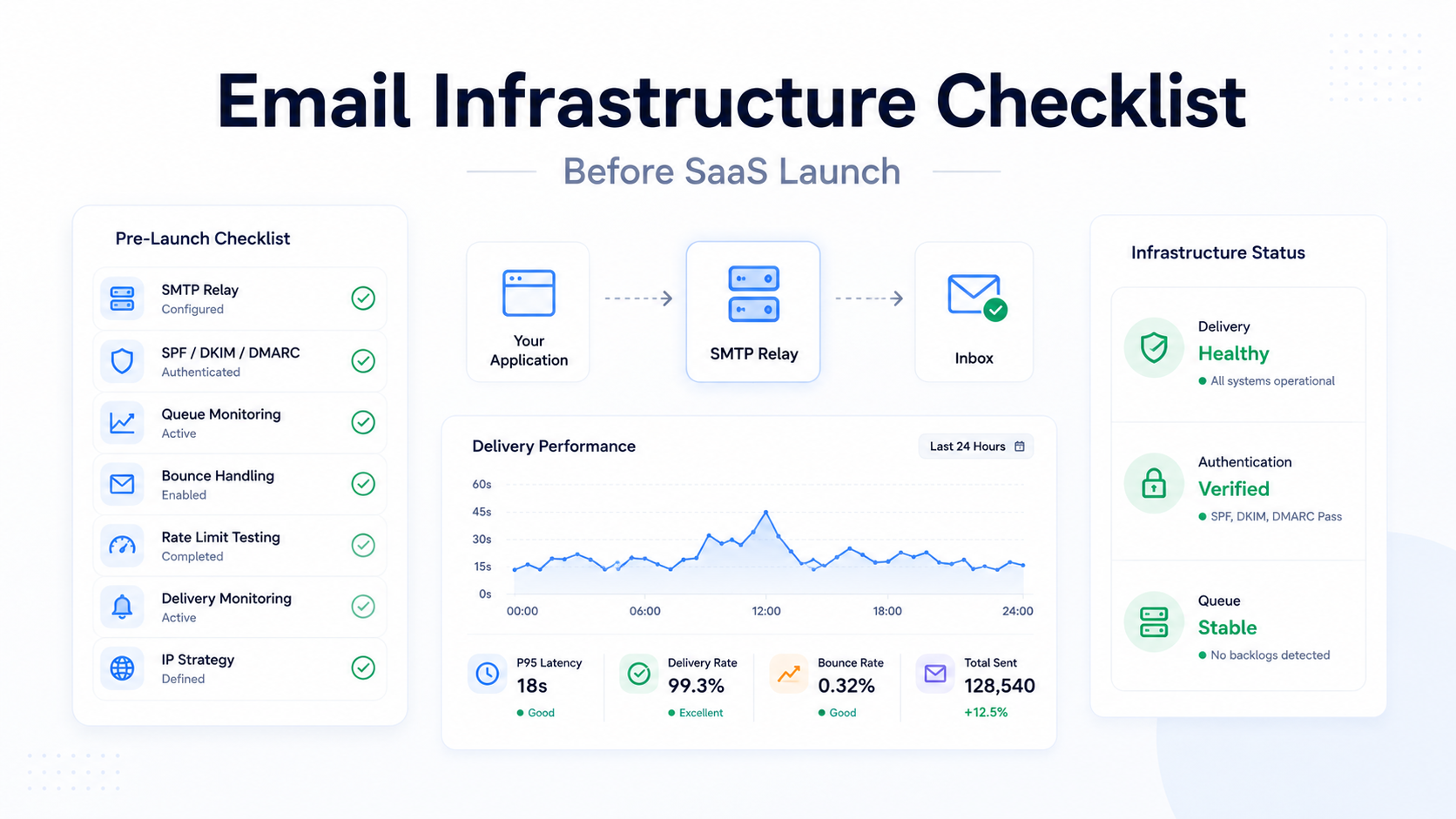
- Skipping the pre-launch infrastructure checklist. Authentication, DNS, and monitoring need to be validated before production volume.
- Ignoring delivery latency for time-sensitive messages. A 15-second OTP delivery vs a 2-second one measurably affects completion rates.
Migration Checklist
Table 13: Production Migration Checklist
| Step | Action | Why |
|---|---|---|
| 1 | Build internal email service abstraction | Decouples code from any specific provider |
| 2 | Audit and clean recipient lists | Stale addresses cause bounce spikes on new IPs |
| 3 | Configure SPF, DKIM, DMARC | Authentication must validate before any volume moves |
| 4 | Plan IP warm-up schedule | Cold IPs get throttled or filtered |
| 5 | Run providers in parallel | Validates new path without risking full traffic |
| 6 | Instrument monitoring before cutover | Catch issues during migration, not after |
| 7 | Migrate webhook endpoints | Delivery event data must flow uninterrupted |
| 8 | Document rollback plan | If new provider underperforms, you need a path back |
Frequently Asked Questions
What is an email API provider?
A service that accepts email-sending requests from your application via HTTP API or SMTP, handles delivery infrastructure (queuing, routing, retry, reputation management), and reports outcomes back via webhooks.
What is the best provider for startups?
Depends on priorities. Resend for modern developer experience. Postmark for deliverability. PhotonConsole for pay-per-use flexibility. All three have low integration effort and minimal operational overhead.
Is Amazon SES the cheapest option?
By send fee, yes ($0.10/1,000). By total cost of ownership including engineering time, often no. Our pricing guide covers the full analysis.
Should I use the same provider for marketing and transactional?
Generally no. Mixing them without strict segmentation risks degrading deliverability for transactional messages. If you must, ensure the provider offers traffic isolation (separate IPs, message streams, subaccounts).
How do I evaluate deliverability before committing?
Ask how the provider segments traffic, monitors shared IP pools, and what diagnostic data is available when messages land in spam. Use free tiers with real sending at real volume — sandbox tests don’t reveal deliverability quality.
Can I switch providers later?
Yes, but it carries deliverability risk. IP reputation resets. Domain reputation transfers partially if the sending domain stays constant. Plan for a warm-up period and run providers in parallel during transition.
What’s the most important evaluation criterion most teams miss?
Webhook quality and observability depth. Most teams test sending thoroughly and barely test the feedback path — the one they rely on daily for monitoring and debugging.
Do I need a dedicated IP?
Generally above 50,000–100,000 emails/month sustained. Below that, a well-managed shared pool outperforms a self-managed dedicated IP.
How important is SMTP relay support vs REST API?
REST API for new integrations with maximum control. SMTP relay for legacy systems, CMS platforms, or anything that already speaks SMTP. Most providers support both.
What does IP warming mean and do I need to do it?
IP warming is gradually increasing volume on a new sending IP to build reputation. Required for new dedicated IPs. Not needed on shared pools where the provider manages aggregate reputation. Our IP warming guide covers the process.
How do I handle email failover across providers?
Build an internal email service abstraction, integrate multiple providers behind it, and implement health checks with circuit breakers. Our email failover guide covers the full architecture.
What hidden costs should I watch for?
Dedicated IP fees ($20–90/mo per IP), overage rates (30–80% above base), team seat charges, extended log retention fees, and the engineering time to build what the provider doesn’t include.
Final Recommendation
There is no single best provider for every team. There is the right provider for your architecture, volume, operational maturity, and growth trajectory. The Infrastructure Fit Score framework gives you the dimensions; the comparison tables give you the data; the detailed reviews give you the trade-offs.
Start with the provider that fits your current stage (Table 11). Build an internal email service abstraction from day one so migration remains possible. Instrument observability before you need it. And evaluate providers the way you’d evaluate any infrastructure dependency — on engineering fit, not on marketing claims.
Related Reading
- Transactional Email API: Engineering Guide
- Best Transactional Email API (2026)
- Transactional Email API Pricing
- Email API Integration
- Transactional Email Service
- Email Failover Explained
- Email Webhooks Explained
- Reducing Email Bounce Rate
- 8 Criteria for Choosing an SMTP Relay
- SMTP Testing Methods
- Best SMTP Relay Service