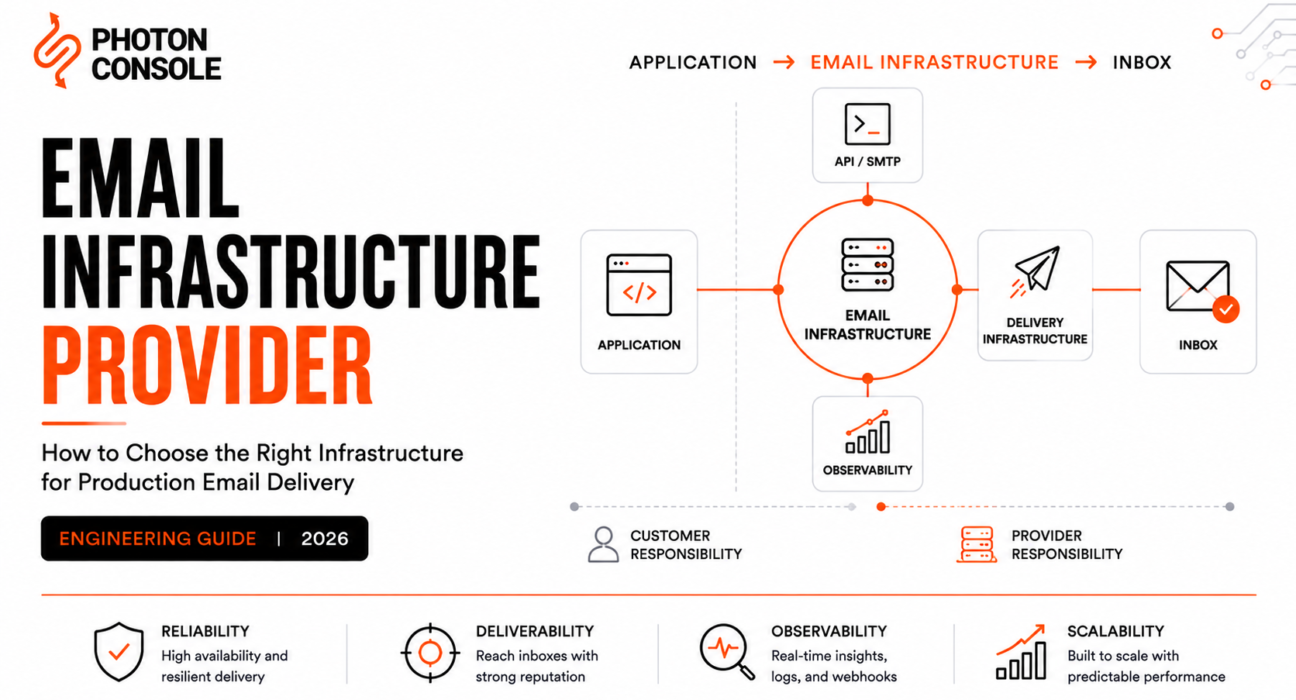
An email infrastructure provider is the vendor that owns the machinery between your application’s send() call and a recipient’s mailbox: ingestion, transport, queueing, retries, IP reputation, bounce processing, suppression, and event delivery. Choosing one is an infrastructure decision, not a feature-comparison exercise. The wrong choice does not announce itself on day one. It shows up nine months later as a deliverability decline nobody can explain, a suppression list you cannot export, or a migration that takes two quarters.
This guide is written for the person who has to make that call and defend it. It covers what an email infrastructure provider actually owns, what stays yours no matter how much you pay, how to evaluate vendors on infrastructure rather than marketing pages, and how to model total cost so the cheapest per-email rate does not quietly become the most expensive system you run.
Table of Contents
- Direct Answer: What Is an Email Infrastructure Provider?
- The Category Confusion That Wastes Evaluation Time
- The Email Infrastructure Stack, Layer by Layer
- The Email Infrastructure Responsibility Matrix
- Managed vs Self-Managed Email Infrastructure
- What an Email Infrastructure Provider Should Handle
- What Remains Yours (The Shared Responsibility Model)
- How to Evaluate an Email Infrastructure Provider
- Provider Landscape: What the Research Actually Shows
- Provider Comparison Table
- Best Provider by Use Case
- The Email Infrastructure Total Cost Model
- Deliverability: What Infrastructure Actually Controls
- Observability: Why “250 OK” Is Not Delivery
- What Changes as Volume Grows
- The Provider Lock-In Risk Framework
- Build vs Buy
- Production Migration Checklist
- Common Buying Mistakes
- Practical Evaluation Checklist
- FAQ
- Final Decision Framework
Direct Answer: What Is an Email Infrastructure Provider?
An email infrastructure provider is a managed service that accepts messages from your application over SMTP or an HTTP API and takes operational responsibility for delivering them to receiving mail systems. That responsibility typically spans message ingestion, queueing, retry scheduling, outbound MTA operation, IP address management, cryptographic signing, bounce and complaint processing, suppression enforcement, and event emission back to your systems.
An email infrastructure provider is not the same thing as an SMTP server. An SMTP server is a piece of software. An email infrastructure provider is an operated system with reputation, capacity, abuse controls, and a support organisation attached to it.

Who Actually Needs One
- Any product where email failure is a support ticket. Password resets, OTPs, invoices, order confirmations. If a missing email blocks a user from completing a task, you need infrastructure, not a mail server on a VM.
- Teams sending above roughly 5,000 messages per day to consumer mailboxes. That is the threshold at which Google, Yahoo, and Microsoft apply their stricter sender requirements. Meeting them consistently is operational work.
- SaaS products with multi-tenant sending. One customer’s bad list should not damage every other customer’s delivery. That requires stream or subaccount isolation you are unlikely to build yourself.
- Anyone currently running Postfix on a cloud instance for production email. Most major cloud providers block or heavily restrict outbound port 25 by default, and residential and datacentre IP ranges carry poor default reputation.
Who does not need one: internal tooling that emails ten colleagues, staging environments (use a capture tool instead), and genuinely low-volume applications where an existing business mailbox provider’s relay is sufficient.
The Category Confusion That Wastes Evaluation Time
Most email infrastructure provider comparisons treat nine distinct things as synonyms. This is the single biggest source of wasted evaluation cycles, because teams end up comparing a protocol implementation against a commercial platform and wondering why the feature lists do not line up.
| Category | What It Actually Is | Who Operates It | Reputation Owner |
|---|---|---|---|
| SMTP Server | Software implementing RFC 5321 (Postfix, Exim, Haraka). A component, not a service. | You | You |
| SMTP Relay | A hosted endpoint that accepts authenticated SMTP from your app and forwards it onward. | Provider | Shared |
| Email API | An HTTP interface for submitting messages and reading events. A submission surface, not a category of infrastructure. | Provider | Shared |
| Transactional Email Service | Relay or API plus templates, event webhooks, logs, and suppression, scoped to system-generated mail. | Provider | Shared |
| Email Delivery Platform | Transactional service plus deliverability tooling, IP pools, analytics, and stream separation. | Provider | Shared |
| Email Infrastructure Provider | The full operated delivery layer, including MTA fleet, IP estate, abuse handling, and capacity. | Provider | Shared, provider-weighted |
| Email Marketing Platform | Campaign and list management first; sending is a feature of the marketing tool. | Provider | Shared |
| Self-Managed Infrastructure | Your own MTAs, your own IPs, your own warming, your own abuse desk. | You | You, entirely |
| Managed Infrastructure | Provider-operated MTA and IP estate consumed as a service. | Provider | Shared |
The practical distinction that matters during procurement is the last column. Everything else is packaging. When you sign with an email infrastructure provider, you are buying a position on a reputation continuum, and the price differences between vendors correlate more strongly with where they sit on that continuum than with any feature list.
A useful test: ask a vendor who is responsible when a receiving ISP throttles your traffic. If the answer is a documented process with named escalation paths, you are talking to an infrastructure provider. If the answer is a link to a help article about SPF records, you are talking to a relay with a nice dashboard. Both can be correct choices. They are not the same purchase.
The Email Infrastructure Stack, Layer by Layer
Every production email system passes through the same layers regardless of vendor. Knowing which layers your email infrastructure provider operates is the fastest way to predict which failures will be yours to debug.
- Application. Your code decides who gets what and when. Yours, always.
- Email service layer. Your internal abstraction: the module that renders templates, applies business suppression rules, and calls the provider. Yours, and worth building deliberately.
- Submission (API or SMTP). The boundary. Provider-operated, but your client code, timeouts, and retry policy live here.
- Authentication. DKIM signing is usually provider-executed. The DNS records that make it valid are yours.
- Queue. Provider-operated ingestion queue. You almost certainly need your own queue in front of it as well, which is a point most buyers miss.
- Retry engine. Provider-operated. Retry windows, backoff curves, and deferral handling vary considerably between vendors and are rarely compared during evaluation. See SMTP retry logic for what to ask about.
- MTA and delivery infrastructure. Provider-operated. Connection pooling, per-ISP throttling, TLS negotiation.
- Receiving ISP. Nobody’s to control. Both parties can only influence it.
- Mailbox. Determined by the ISP’s filtering decision, which is influenced by reputation you and the provider jointly built.
- Events and webhooks. Provider-emitted, consumed by you. Your endpoint’s availability is your problem.
- Monitoring. Split. The provider shows you their view. You need your own, because provider dashboards go down at exactly the moment you need them.
Two observations from this layering that change how teams architect systems.
First, layer 5 exists twice. Nearly every serious production system ends up with an application-side queue in addition to the provider’s, because provider API calls fail, rate-limit, and time out, and you do not want a user-facing request path blocked on that. Teams that skip this discover it during their first provider incident.
Second, layer 11 is where most buying decisions go wrong. Providers compete on dashboards. Dashboards are not observability. Observability means your alerting fires on your data, in your monitoring stack, independent of the vendor.
The Email Infrastructure Responsibility Matrix
Cloud infrastructure has a well-understood shared responsibility model. Email infrastructure provider relationships do not, which is why so many teams are surprised by what their provider will not fix. The matrix below is our attempt to make the boundary explicit.
| Function | Provider Owns | You Own | Failure Mode If You Assume Otherwise |
|---|---|---|---|
| Outbound MTA operation | Full | None | — |
| IP allocation and warming | Full on shared pools; partial on dedicated | Volume consistency on dedicated IPs | Dedicated IP bought too early, reputation never establishes |
| DKIM signing | Signing execution | DNS record publication and rotation | Silent authentication failure after a DNS migration |
| SPF | Publishing their include mechanism | Your record, your lookup limit | Exceeding the ten-lookup limit, SPF permerror |
| DMARC | Nothing, in most cases | Policy, alignment, report processing | Rejection at Microsoft and Google under current sender rules |
| Bounce classification | Parsing and categorisation | Acting on it in your database | Repeatedly mailing hard-bounced addresses |
| Suppression enforcement | Provider-side list | Your own authoritative copy | Suppression state lost at migration |
| Complaint handling (FBL) | Feedback loop registration and receipt | Removing complainers from your sending | Spam rate climbs, mitigation eligibility lost |
| Recipient list quality | Nothing | Everything | The most common cause of deliverability collapse |
| Content and template quality | Nothing | Everything | Filtering that looks like an infrastructure problem |
| Volume ramp discipline | Rate limiting at their edge | Not sending 400,000 emails on a Tuesday for the first time | Throttling, deferrals, reputation damage |
| Stream separation | Providing the mechanism | Actually using it | Marketing complaints degrading OTP delivery |
| Event delivery | Emission and retry | Endpoint availability, idempotency, ordering tolerance | Lost events treated as provider failure |
| Incident detection | Their status page | Your alerting | Learning about an outage from a customer |
Read the fourth column as the actual specification. Every row in it is a real production failure that gets misfiled as a vendor problem.
Managed vs Self-Managed Email Infrastructure
The honest version of the managed versus self-managed email infrastructure comparison is not “managed is better.” It is that self-managed infrastructure trades a recurring bill for a recurring headcount commitment, and most teams underestimate the second number by a wide margin.
What Self-Managing Actually Requires
Running your own outbound email infrastructure in production means owning, continuously:
- An MTA fleet with per-destination throttling and connection management
- IP acquisition, reverse DNS, and warming schedules for every new address
- Blocklist monitoring and delisting relationships
- Feedback loop registration with each major mailbox provider
- Bounce parsing across inconsistent DSN formats and non-standard ISP responses
- An abuse desk, because you will eventually have a compromised customer account
- TLS certificate management on outbound connections
- Capacity planning for spikes you did not schedule
- Someone reachable at 2am when Gmail starts deferring
None of that is technically hard in isolation. The difficulty is that it is permanent. There is no version of self-managed email where the work finishes.
When Self-Managed Genuinely Wins
It is not never. Self-managed infrastructure makes real sense when:
- Volume is very high and sustained. Past roughly ten million messages a month, per-message provider fees can exceed the fully loaded cost of an in-house team. The crossover point depends entirely on your salary costs; run the arithmetic rather than assuming.
- Data residency requirements are strict enough that no vendor satisfies them. Rare, but real in some regulated and public-sector contexts.
- Delivery behaviour is a product differentiator. If you are building an email product, the MTA is your core competency by definition.
- You already run the expertise. If deliverability engineers are on staff for other reasons, the marginal cost changes.
The Hybrid Position Most Mature Teams Land On
In practice, a large share of experienced teams end up neither fully managed nor fully self-managed. They keep the provider for MTA operation and IP reputation, but bring back in-house: their own queue, their own suppression system of record, their own event store, and their own delivery metrics. This preserves the operational leverage of a managed SMTP relay service while removing the parts of the dependency that are painful to unwind later.
That hybrid is, in our view, the correct default architecture for a SaaS product past early traction. It is discussed further in the lock-in section below.
What an Email Infrastructure Provider Should Handle
Use the list below as a capability floor for any email infrastructure provider. A vendor missing several of these is not necessarily wrong for you, but each gap becomes engineering work you inherit.
| Capability | Why It Matters | What to Verify, Specifically |
|---|---|---|
| SMTP relay | Legacy systems, WordPress, appliances, and anything you cannot rewrite | Supported ports, including alternatives when 25 and 587 are blocked |
| HTTP API | Better error semantics and lower connection overhead than SMTP | Idempotency key support, batch endpoints, documented error codes |
| Queueing | Absorbs your bursts before they reach the ISP | Behaviour when you exceed rate limits: queue or reject? |
| Retry logic | Determines whether a transient 4xx becomes a delivery or a failure | Retry window duration, backoff strategy, deferral visibility |
| IP management | Reputation is attached to IPs and domains | Shared pool hygiene policy, dedicated IP availability and volume prerequisites |
| Authentication | Mandatory at all major mailbox providers | DKIM key length, key rotation process, return-path CNAME support |
| Bounce handling | Unhandled bounces are the fastest route to reputation damage | Hard vs soft classification granularity, availability via API |
| Suppression | Legal and reputational necessity | Full export via API, not just dashboard download |
| Feedback loops | Complaints are invisible without them | Which ISPs are registered, how complaints surface as events |
| Webhooks | Your system needs to know what happened | Signature verification, retry policy, delivery ordering guarantees |
| Logs | Debugging a delivery issue from last week | Retention period, searchability, API access |
| Rate limiting | Protects you and the shared pool | Documented limits, headers exposing current state |
| Security | API keys are production credentials | Scoped keys, rotation, audit logging, TLS enforcement |
| Compliance | Procurement will ask | Which attestations exist, and their current dates |
| Support | Deliverability problems need humans | Response commitments, escalation path, whether they have ISP relationships |
Log retention deserves a specific note because it is systematically undersold during evaluation and systematically painful afterwards. Several providers retain full message logs for only a few days on entry-level plans. That is fine until a customer disputes whether they received an invoice five weeks ago. Check the number before you sign, not during the dispute.
What Remains Yours (The Shared Responsibility Model)
No email infrastructure provider can fix the following, at any price. Any vendor that implies otherwise is overselling.
- Bad recipient lists. Purchased data, scraped addresses, and stale imports produce bounces and complaints that damage reputation regardless of infrastructure quality.
- Poor domain reputation. Reputation attaches to your sending domain as well as the IP. Changing providers does not reset it.
- Content that reads as spam. Filtering decisions weigh content signals. A provider’s clean IPs do not neutralise a message that looks like phishing.
- High complaint rates. Google’s guidance is to keep user-reported spam rates below 0.10% and never allow them to reach 0.30%. Complaints are generated by your recipients about your mail.
- Broken SPF, DKIM, or DMARC. Your DNS, your responsibility. See SPF, DKIM and DMARC explained.
- Sudden volume spikes. Going from 20,000 to 500,000 messages in a day looks identical to a compromised account from the receiving side.
- Sending to invalid recipients. Validation at collection is cheaper than bounce remediation later.
- Mixing marketing and transactional streams. This is an architectural decision you make, and it has more effect on OTP delivery than most infrastructure choices.
The clean way to think about it: the provider controls the channel. You control the traffic. Deliverability is a function of both, and the traffic side dominates once the channel is competent.
How to Evaluate an Email Infrastructure Provider
Email infrastructure provider evaluation usually collapses into a feature spreadsheet. Feature spreadsheets do not predict production behaviour. The following dimensions do, roughly in order of how much regret they prevent.
1. Deliverability Posture
You cannot verify inbox placement claims from outside, and you should be sceptical of any published percentage that lacks a stated methodology. What you can verify: whether the provider enforces stream separation, whether they publish an acceptable use policy with teeth, whether they require domain verification before sending, and how aggressively they police their shared pools. A provider that refuses certain categories of mail is protecting the pool you will be sending from.
2. Reliability and Incident Transparency
Read the status page history, not the uptime number. Look for: how quickly incidents are acknowledged, whether post-incident reviews are published, and whether “degraded delivery” appears as a distinct state from “API down.” A provider that only reports API availability is not reporting the thing that matters.
3. Submission Interface Quality
For the API: idempotency support, error code specificity, whether a 4xx tells you what to fix. For SMTP: authentication methods, port flexibility, and whether the relay returns useful enhanced status codes. SMTP response codes are the debugging surface you will actually use.
4. Retry and Deferral Behaviour
Ask directly: how long do you retry a 4xx before giving up, and can I see deferrals in real time? Providers differ meaningfully here and almost none of them lead with it.
5. Observability Depth
Log retention duration. Event coverage (accepted, queued, deferred, delivered, bounced, blocked, complained). Whether events are available via API, not just dashboard. Whether ISP-level responses are exposed verbatim or summarised into a status word. Summarised responses are the difference between debugging in ten minutes and debugging in a day.
6. Security and Access Control
Scoped API keys, key rotation without downtime, audit logs of who sent what, IP allowlisting on the API, and TLS enforcement on SMTP submission.
7. Migration and Exit
Evaluate the exit before you enter. Can you export suppression lists via API? Message logs? Template definitions? If the answer to any is “contact support,” treat that as a cost.
8. Pricing Model Shape
Not the headline rate. The shape: is it usage-based, tiered, or subscription with overage? Overage-based pricing creates a specific hazard, which is that a traffic spike produces a bill you discover after the billing cycle closes. Usage-based pricing produces a bill that scales smoothly. Our detailed treatment is in transactional email API pricing.
9. Support Model
Specifically: is deliverability help included, or is it a paid tier? Several providers gate meaningful deliverability assistance behind higher plans, which means the help arrives precisely when you have already been paying enough to notice.
Provider Landscape: What the Research Actually Shows
A note on method before the email infrastructure provider comparison. Provider pricing, plan structures, and add-on costs changed multiple times across the sources reviewed for this article, and independent write-ups frequently disagree with each other on current figures. Rather than publish numbers that will be wrong within a quarter, this section describes each provider’s pricing model and links to the official pricing page for current figures. Where a specific figure is given, it is one that has been stable and widely corroborated.
Verification date for everything below: August 2026. Recheck pricing before any purchasing decision.
Amazon SES
Positioning: raw infrastructure. Amazon SES has charged $0.10 per 1,000 outbound messages for many years, a rate that is flat rather than volume-tiered on standard shared infrastructure. Dedicated IPs, the Virtual Deliverability Manager add-on, attachment data transfer, and paid AWS support tiers are billed separately, so the effective rate is meaningfully above the headline for most real configurations.
What SES gives you: enormous scale, deep AWS integration, and the lowest per-message cost available. What it does not give you: templates worth using, a deliverability team, or hand-holding. SES assumes you have engineers who will build event processing from SNS, implement suppression themselves, and handle sending quota increases through support tickets. That assumption is correct for some teams and expensive for others.
Best for: AWS-native architectures with in-house engineering capacity at meaningful volume. Weakest for: teams who need the provider to be the deliverability expertise.
SendGrid (Twilio)
Positioning: the incumbent generalist, covering both transactional API and marketing campaigns. Pricing is subscription-with-overage. The notable structural issue is that dedicated IPs, extended log retention, subuser management, and deliverability tooling sit behind higher plan tiers, so the price step between “sending works” and “sending is manageable” is steep. Check current SendGrid pricing directly.
Best for: teams that genuinely need marketing and transactional in one vendor and will use the campaign tooling. Weakest for: transactional-only teams paying for a marketing product they never open.
Mailgun (Sinch)
Positioning: developer-oriented sending plus email validation, with regional data residency options and dedicated IP pools. Pricing is tiered subscription with usage components. Mailgun’s validation product is a genuine differentiator if list hygiene is a live problem for you. Mailgun pricing.
Postmark (ActiveCampaign)
Positioning: transactional deliverability specialist. The architecturally interesting feature is Message Streams, which enforce separation between transactional and broadcast traffic at the infrastructure level rather than leaving it to your discipline. Postmark has historically declined marketing email outright, which is what keeps their pools clean.
The tradeoffs are real: the free tier is small, dedicated IPs require substantial sustained volume, and per-message cost at higher volumes is well above infrastructure-tier providers. Plan structure was restructured during 2026, so consult Postmark’s pricing page rather than any comparison article, including this one.
Best for: transactional-critical products at moderate volume where deliverability outweighs unit cost. Weakest for: high-volume senders and anyone needing marketing in the same platform.
Resend
Positioning: developer experience first, with tight React Email integration and a clean API. Strong free tier by category standards. The honest caveats from the research: it is the youngest provider in this comparison, bounce handling for bulk sends draws more criticism than its transactional path does, and there has been at least one significant pricing restructure at higher tiers. Resend pricing.
Best for: modern JavaScript stacks where template-in-code is a workflow win. Weakest for: teams needing a long operational track record for procurement.
SMTP2GO
Positioning: straightforward hosted SMTP relay with predictable plans and a reputation for accommodating overage rather than penalising it. Less of an infrastructure platform, more of a well-run relay. SMTP2GO pricing.
Brevo
Positioning: consolidated platform covering marketing campaigns, CRM, SMS, and transactional email. Choose it when tool consolidation is the actual goal, not when transactional email quality is. Brevo pricing.
SparkPost — Now Bird Email
This one matters because most comparison articles have not caught up. SparkPost was acquired by MessageBird and has been fully rebranded as Bird Email, now part of Bird’s omnichannel platform alongside SMS, WhatsApp, and voice. The underlying delivery technology continues. What changed for buyers is that transparent public pricing tiers are no longer published in the way they once were, and the product is positioned within a multichannel suite.
If you are evaluating “SparkPost” from a 2023-era comparison article, you are evaluating a product that no longer exists under that name or that commercial structure. Verify current terms directly.
PhotonConsole
Positioning: pay-per-use SMTP relay for teams that want usage-based billing without plan tiers. PhotonConsole pricing is $0.50 per 1,000 emails with 5,000 messages per month free, verified against the live pricing page in August 2026. The relay supports SMTP AUTH, API key, and OAuth2 authentication, and offers ports 25, 465, 587, 2525, and 9090 — the alternative ports matter more than they sound, because cloud providers and corporate networks routinely block the standard ones.
In fairness to the reader: PhotonConsole does not currently publish public documentation on dedicated IP availability, webhook event schemas, log retention duration, or compliance attestations. If those are decision criteria for your evaluation, ask directly rather than assuming. A provider comparison that omits what a vendor has not documented is not a comparison, it is marketing.
Best for: teams with variable or unpredictable volume where subscription tiers create waste, and teams migrating off self-managed SMTP who want SMTP compatibility without rewriting the application. Weakest for: enterprise procurement processes requiring published compliance documentation.
Provider Comparison Table
Columns are limited to information that can be verified from public documentation. There is no “best overall” column, because that column would be fiction.
| Provider | Primary Model | SMTP | API | Marketing Tooling | Pricing Shape | Operational Burden | Best For |
|---|---|---|---|---|---|---|---|
| Amazon SES | Raw infrastructure | Yes | Yes | Minimal | Usage-based, add-ons billed separately | High | AWS-native teams at scale |
| SendGrid | Generalist platform | Yes | Yes | Extensive | Subscription + overage | Low to medium | Combined marketing and transactional |
| Mailgun | Developer platform | Yes | Yes | Moderate | Tiered subscription | Low to medium | Teams needing validation + sending |
| Postmark | Transactional specialist | Yes | Yes | Broadcast stream only | Subscription + overage | Low | Deliverability-critical transactional |
| Resend | Developer-first API | Yes | Yes | Basic broadcast | Tiered subscription | Low | React and modern JS stacks |
| SMTP2GO | Hosted relay | Yes | Yes | Minimal | Tiered subscription | Low | Straightforward SMTP replacement |
| Brevo | All-in-one suite | Yes | Yes | Extensive | Tiered subscription | Low | Tool consolidation |
| Bird Email (ex-SparkPost) | Enterprise omnichannel | Yes | Yes | Extensive | Not publicly transparent | Medium | Enterprise multichannel |
| PhotonConsole | Pay-per-use relay | Yes | Yes | Minimal | Pure usage-based | Low | Variable volume, SMTP compatibility |
Best Provider by Use Case
| Scenario | Reasonable Choices | Reasoning |
|---|---|---|
| Small SaaS, under 50K/month | Resend, PhotonConsole, Postmark | Free tiers and usage-based billing avoid paying for unused capacity. Deliverability differences are small at this volume because reputation is thin either way. |
| Growing SaaS, 100K–500K/month | Postmark, Mailgun, SendGrid | The volume where stream separation and log retention start mattering more than unit price. |
| High-volume transactional, 1M+/month | Amazon SES, Bird Email | Per-message cost dominates. At this volume the arithmetic favours infrastructure-tier providers even accounting for the engineering overhead. |
| AWS-heavy architecture | Amazon SES | IAM integration, VPC endpoints, SNS event delivery, and unified billing are genuine operational wins, not just cost wins. |
| Developer-first product | Resend, Postmark | API ergonomics and template-in-code workflows reduce the friction that actually slows feature delivery. |
| Transactional-only, deliverability-critical | Postmark | The refusal to accept marketing email is the product. Clean pools are a structural property, not a promise. |
| Marketing plus transactional | SendGrid, Brevo | Use separate streams or subaccounts regardless. Consolidation is a billing convenience, not a reputation strategy. |
| Unpredictable or seasonal volume | PhotonConsole, Amazon SES | Pure usage-based billing means a quiet month costs nothing and a spike does not trigger a plan upgrade or overage penalty. |
| Migrating off self-managed SMTP | PhotonConsole, SMTP2GO | SMTP-first providers with flexible port support let you change the endpoint rather than the application. |
| Enterprise with procurement requirements | SendGrid, Amazon SES, Bird Email | Published compliance documentation and contractual support commitments are decision criteria in their own right. |
| Cannot tolerate single-provider failure | Any two of the above | See multi-provider email failover. The second provider is insurance, not redundancy, unless it is warmed. |
The Email Infrastructure Total Cost Model
The cheapest email infrastructure provider on send price routinely produces the highest total cost, and the reason is arithmetic that almost nobody performs before signing.
Consider a team sending 100,000 transactional messages per month. At $0.10 per thousand, the send fee is $10. At $0.50 per thousand, it is $50. The difference is $40 a month, or $480 a year.
Now consider the engineering time. If the cheaper provider requires you to build event processing from a pub/sub queue, implement your own suppression store, write bounce classification logic, and handle quota increases through support tickets, and that consumes even four engineer-days in the first year plus one day a quarter thereafter, the labour cost exceeds the send-fee saving by an order of magnitude at almost any developer rate.
This does not mean the cheap provider is wrong. It means the send fee is not the decision variable at low and moderate volume. It becomes the decision variable somewhere in the high hundreds of thousands to low millions of messages per month, and where exactly depends on your salary costs, not on the vendor’s pricing page.
The Seven Cost Buckets
| Bucket | What It Includes | Typically Underestimated? |
|---|---|---|
| 1. Send fees | Per-message or plan-included volume | No — this is the only one most teams model |
| 2. Platform fees | Monthly minimums, seat charges, plan floors | Sometimes |
| 3. Add-ons | Dedicated IPs, validation, deliverability tooling, extended retention, DMARC monitoring | Yes, substantially |
| 4. Integration engineering | Initial build: submission, events, suppression, retries, monitoring | Yes |
| 5. Ongoing operations | Deliverability monitoring, DNS maintenance, bounce triage, incident response | Severely |
| 6. Migration cost | The cost of leaving, amortised as a risk provision | Almost universally ignored |
| 7. Incident cost | Support load, churn, and revenue impact when email fails | Ignored until it happens once |
Bucket 7 is the one that reframes the whole exercise. If your OTP emails stop for four hours, the cost is not the four hours of sending. It is every signup that failed, every support ticket, and the customers who did not come back. Teams that have experienced this once buy differently afterwards, and they usually buy more provider, not less.
A worked treatment of dedicated IP economics specifically is in dedicated IP vs shared IP. The short version: a dedicated IP is a fixed monthly cost that only pays for itself above a volume threshold, and buying one below that threshold actively harms deliverability rather than helping it.
Deliverability: What Infrastructure Actually Controls
The current state of mailbox provider requirements has shifted the balance of responsibility, and it has shifted it toward you.
Google’s email sender guidelines require SPF and DKIM for all senders, and for bulk senders — those sending 5,000 or more messages per day to Gmail addresses — additionally require a published DMARC record, alignment of the From domain with either SPF or DKIM, one-click unsubscribe per RFC 8058 on marketing and subscribed messages, and spam rates kept below 0.30%. Google’s sender guidelines FAQ clarifies that mitigation eligibility returns only after spam rates stay below 0.30% for seven consecutive days, and that transactional messages such as password resets and reservation confirmations are excluded from the one-click unsubscribe requirement.
Microsoft followed with equivalent requirements. Per the Outlook high-volume sender announcement, domains sending over 5,000 messages per day to Outlook.com, Hotmail.com, and Live.com must pass SPF, DKIM, and DMARC, with non-compliant messages rejected rather than junked. Yahoo publishes closely aligned requirements.
Read those requirements carefully and notice something: almost every one of them is enforced on your domain, not the provider’s IPs. DMARC policy is yours. Alignment is yours. Spam rate is generated by your recipients. One-click unsubscribe is implemented in your sending code. The provider’s contribution is DKIM signing execution and the IP reputation underneath.
This is why the old mental model — “pick a provider with good deliverability” — is now roughly half the picture. A provider with excellent infrastructure and a customer with a misaligned DMARC record will see rejections at Microsoft regardless.
What the Provider Genuinely Influences
- IP reputation. Shared pool hygiene is entirely a provider function, and it varies more between vendors than any published metric will tell you.
- Connection behaviour. Per-ISP throttling, TLS negotiation, and retry pacing affect whether you get deferred or accepted.
- Abuse enforcement. Providers that remove bad senders quickly protect the pool you sit in.
- Feedback loop coverage. Determines whether you can even see complaints.
- Stream isolation mechanisms. Whether you can separate marketing from transactional traffic.
What You Influence More Than the Provider Does
- Domain reputation, which persists across provider changes
- List quality and collection practices
- Complaint rate
- Engagement, which increasingly feeds filtering decisions
- Volume consistency and ramp discipline (see IP warming)
- Whether marketing and transactional share a reputation
No provider can guarantee inbox placement. Any vendor that offers a placement guarantee is either defining “placement” as “accepted by the receiving MTA,” which is not the same thing, or making a claim they cannot enforce against a third party’s filtering decisions. For diagnosis when things go wrong, improving email deliverability and why emails go to spam in Gmail cover the practical sequence.
Observability: Why “250 OK” Is Not Delivery
This is the single most consequential misunderstanding in production email systems, and it causes a specific and recurring class of incident.
Under RFC 5321, a 250 response at the end of the DATA phase means the receiving mail system has accepted responsibility for the message. That is all it means. It does not mean the message reached a mailbox. It does not mean a filtering decision has been made. Large mailbox providers routinely accept a message at the SMTP boundary and make the spam-or-inbox determination afterwards, asynchronously. A message can be accepted with 250 and then silently filed in spam, or in some cases silently discarded.
The practical consequence: if your monitoring treats “provider API returned success” as “email delivered,” you have no delivery monitoring at all. You have submission monitoring.
The Event Sequence Worth Instrumenting
| Event | What It Tells You | Alert On |
|---|---|---|
| Accepted | Provider took the message | Rate drop vs expected volume |
| Queued | Awaiting outbound attempt | Growing queue depth |
| Deferred | Receiving system returned 4xx | Deferral rate per destination domain — the earliest reputation warning you get |
| Delivered | Receiving MTA accepted | Gap between accepted and delivered |
| Bounced | Permanent failure | Hard bounce rate; see bounce rate reduction |
| Blocked | Rejected for policy or reputation | Any occurrence, segmented by ISP |
| Complained | Recipient marked as spam | Rate approaching 0.10% |
The Two Latency Measurements Teams Skip
Submission latency is how long your API call takes. Everyone measures this because it is in their APM already.
Queue-to-delivery latency is how long between the provider accepting and the recipient’s server accepting. Almost nobody measures this, and it is the metric that degrades first when reputation slips. A rising p95 on queue-to-delivery, particularly segmented by receiving domain, is an early warning that arrives days before your bounce rate moves. Details in transactional email latency and email observability.
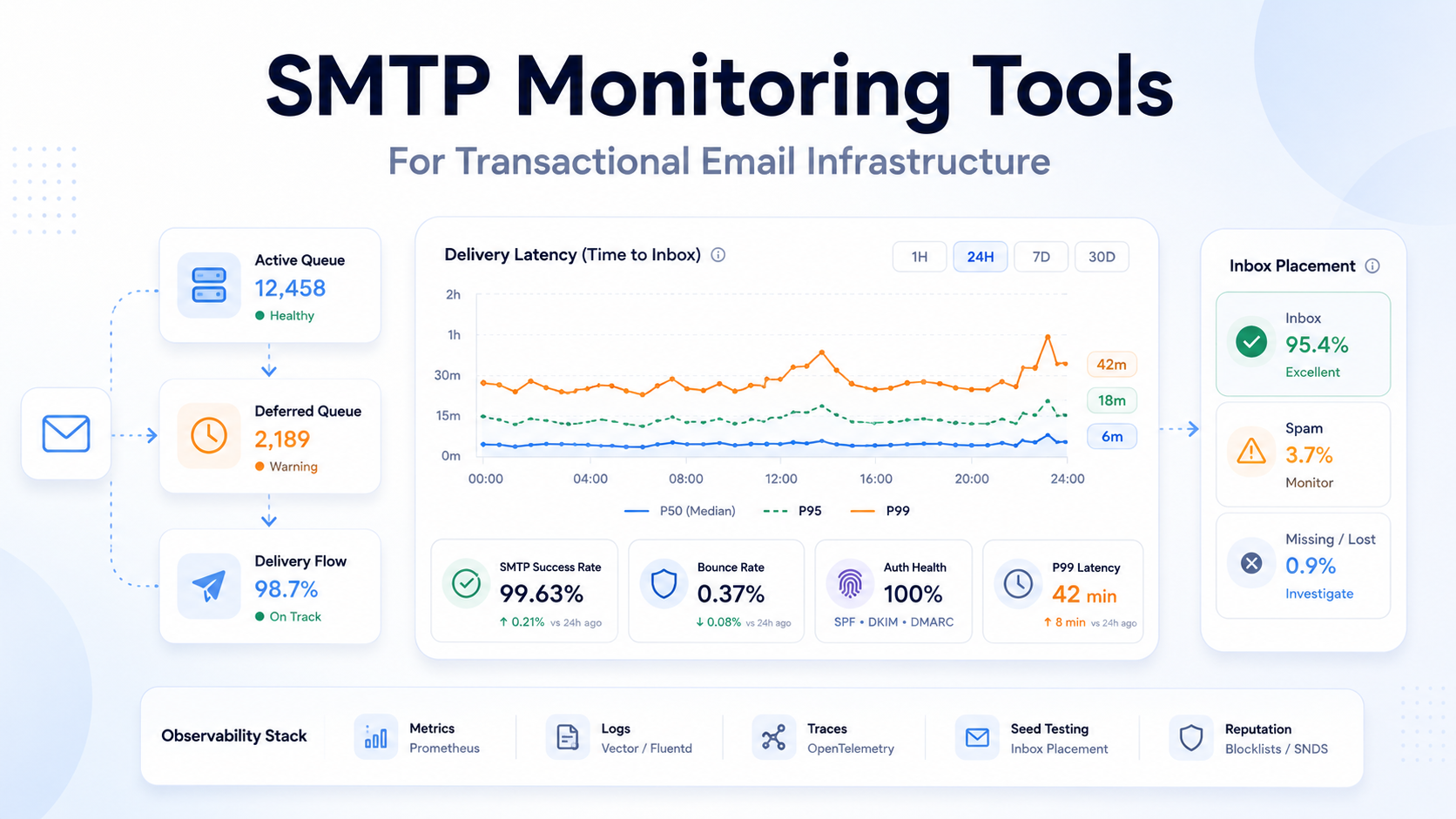
One architectural recommendation that follows directly: consume webhooks into your own event store rather than relying on the provider’s dashboard. Provider dashboards have retention limits, query limitations, and a habit of being unavailable during exactly the incidents you need them for. See transactional email webhooks for implementation, and SMTP monitoring tools for the tooling side. Google Postmaster Tools and MXToolbox fill in the external view your provider cannot give you.
What Changes as Volume Grows
Scaling email is not primarily a throughput problem. Any competent email infrastructure provider handles throughput. It is a reputation and architecture problem, and the things that break change character at each order of magnitude.
| Volume | What Actually Matters | Typical Failure |
|---|---|---|
| ~10K/month | Correct authentication. Nothing else yet. | Broken SPF nobody noticed for six months |
| ~100K/month | Bounce and complaint handling. Stream separation. Real logging. | Marketing send damages transactional delivery |
| ~1M/month | IP strategy, queue architecture, per-ISP monitoring, capacity planning | Dedicated IP purchased without a warming plan |
| 10M+/month | Multi-provider routing, subaccount isolation, unit economics, dedicated deliverability ownership | Single-provider dependency during an incident |
Two Failure Modes Specific to Scale
Retry storms. When a provider has a partial outage and your application retries aggressively, you generate a traffic spike at exactly the moment the provider is degraded. Then the outage resolves and your queue drains all at once, producing a volume spike that looks like abuse to receiving ISPs. Exponential backoff with jitter and a rate limiter on queue drain are not optional at scale.
The unwarmed failover. Teams add a second provider for redundancy, route zero traffic to it, and then fail over during an incident — sending their entire volume through cold IPs with no sending history. The results are predictably poor. A failover provider needs a small continuous share of production traffic to be useful, which is a cost that should be in your model from the start.
The Provider Lock-In Risk Framework
Email infrastructure provider lock-in is not contractual. It is architectural, and it accumulates quietly. The framework below identifies the coupling surfaces and, more usefully, what you can do about each one on day one.
| Coupling Surface | Exit Difficulty | Mitigation to Apply at Integration Time |
|---|---|---|
| API coupling | Low | Wrap the provider behind your own interface. A day of work, permanently useful. |
| SMTP coupling | Very low | SMTP is a standard. This is the main practical argument for SMTP over proprietary APIs. |
| Template coupling | Medium | Keep templates in your repository. Provider-hosted templates are convenient and expensive to leave. |
| Webhook schema coupling | Medium | Normalise incoming events to your own schema at the ingestion boundary. |
| Suppression list | High | Maintain your own authoritative suppression store. Treat the provider’s as a cache. |
| Historical event data | High | Stream events into your own warehouse from day one. You cannot retroactively acquire history. |
| Analytics and reporting | High | Build reporting on your event store, not the provider dashboard. |
| IP reputation | Very high | Unavoidable on dedicated IPs. Genuinely non-portable — factor it into the dedicated IP decision. |
| DNS configuration | Low but slow | Plan for propagation windows. Not hard, just not instant. |
The suppression list row deserves emphasis. If you migrate providers without your own suppression data, you will send to addresses that previously hard-bounced or complained. That is not merely inefficient. It is the fastest known way to damage a new provider’s shared pool on your first day, and some providers will terminate you for it.
The cheapest insurance against every row above costs roughly two days of engineering at integration time: an internal abstraction over submission, an event normaliser, and your own suppression table. Teams that do this can change email infrastructure provider in a sprint. Teams that do not measure the same migration in quarters.
Build vs Buy
| Approach | Makes Sense When | Real Cost |
|---|---|---|
| Build your own MTA infrastructure | Email delivery is your product, or volume is very high with existing expertise on staff | Permanent headcount, not a project |
| Amazon SES directly | AWS-native, engineering capacity available, cost sensitivity at volume | You build suppression, events, and tooling yourself |
| Managed SMTP relay | Migrating off self-hosted, legacy application constraints, want SMTP compatibility | Lowest integration cost of any option |
| Email API provider | Greenfield application, want structured events and better error semantics | Higher coupling; mitigate with an abstraction layer |
| Full platform | Marketing and transactional in one place, non-technical users need campaign tools | Paying for tooling you may not use; reputation mixing risk |
One note on the second row that is frequently glossed over. “Use SES directly” is often presented as the cost-conscious choice, and at volume it is. But SES is closer to a set of primitives than a product. The engineering you avoid by choosing a managed platform does not disappear when you choose SES; it moves onto your backlog. Whether that trade is good depends on whether your engineers have anything more valuable to do, which they usually do.
Production Migration Checklist
Migrating between email infrastructure provider platforms without incident is a two-to-four week exercise if done properly. Compressing it is where migrations go wrong.
Phase 1: Discovery
- Inventory every system that sends email, including the ones nobody remembers
- Catalogue message types, volumes, and criticality per type
- Export current suppression list, bounce history, and complaint records
- Document current authentication state: SPF record contents, DKIM selectors, DMARC policy
- Record baseline metrics — delivery rate, bounce rate, complaint rate, latency percentiles
Phase 2: Architecture
- Design the abstraction layer if one does not exist
- Decide stream separation: transactional vs marketing vs bulk, at minimum
- Plan the event normalisation mapping from new provider schema to yours
- Determine whether this is a cutover or a permanent multi-provider setup
Phase 3: DNS and Authentication
- Add new provider’s DKIM records alongside existing ones — both can coexist
- Update SPF, watching the ten-lookup limit carefully
- Configure return-path or bounce domain CNAME
- Verify DMARC alignment for the new path before sending anything
- Wait for propagation. Verify with external tooling, not assumption.
Phase 4: Data Migration
- Import suppression list into the new provider before first send. Non-negotiable.
- Migrate or re-home templates
- Stand up webhook endpoint and verify signature validation
- Confirm event schema mapping with test traffic
Phase 5: Canary and Ramp
- Route 1% of traffic, weighted toward low-criticality message types
- Compare delivery and bounce rates against baseline, segmented by receiving domain
- Ramp gradually: 5%, 10%, 25%, 50%, 100%, holding at each step long enough to see ISP response
- On dedicated IPs, follow a proper warming schedule rather than a percentage ramp
- Keep the old provider configured and functional throughout
Phase 6: Verification and Rollback
- Define rollback triggers numerically before you start: bounce rate above X, delivery below Y
- Keep rollback available for at least two weeks post-cutover
- Verify log retention and searchability on the new provider with a real query
- Confirm suppression state synchronised bidirectionally during any overlap period
- Only then decommission old credentials, and rotate rather than delete initially
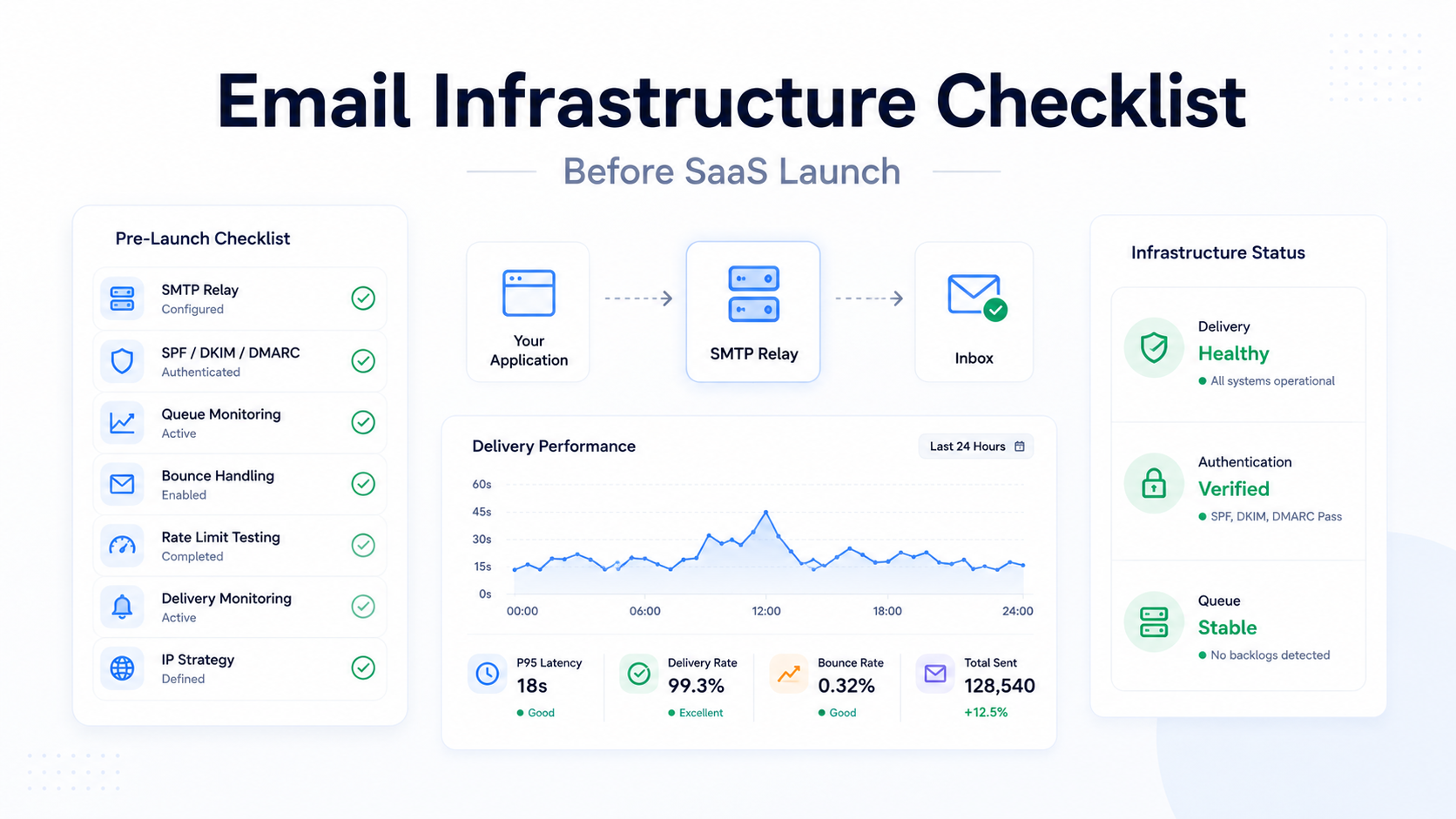
Pre-launch context for new systems rather than migrations is in the email infrastructure checklist for SaaS products.
Common Buying Mistakes
- Choosing on send price alone. Covered above. The send fee is not the decision variable below roughly a million messages a month.
- Choosing on feature count. Feature parity is nearly universal at this point. Differences live in operational behaviour that no feature list captures.
- Treating deliverability as a vendor property. It is a joint outcome, and your side of it dominates once the vendor is competent.
- Ignoring log retention. Discovered during the first customer dispute, always too late.
- Ignoring support tier gating. Deliverability help behind a paywall is a cost you will pay eventually.
- No exit plan. Two days of abstraction work at integration prevents a quarter of migration work later.
- Mixing marketing and transactional reputation. A newsletter complaint spike should not delay password resets. Use separate streams, subaccounts, or providers.
- Buying dedicated IPs too early. Below sustained volume, a dedicated IP has insufficient signal to build reputation and performs worse than a well-maintained shared pool.
- Assuming 250 means inbox. It means the receiving MTA accepted responsibility. Nothing more.
- Skipping webhooks. Without event consumption, you have no bounce handling, no complaint handling, and no delivery monitoring.
- Ignoring queue latency. The first metric to degrade when reputation slips, and the one nobody has a dashboard for.
- Evaluating a provider from an outdated comparison article. As the SparkPost-to-Bird case demonstrates, entire products change name and commercial structure while comparison content stays frozen.
Practical Evaluation Checklist
Questions to put to a prospective email infrastructure provider in writing. Answers that require a sales call are themselves data.
- What is your message log retention period on the plan I am considering?
- Can I export suppression lists and event history via API?
- How long do you retry a 4xx deferral before treating it as a failure?
- Are deferrals visible to me in real time, or only aggregated?
- Do you expose the verbatim ISP response string, or a normalised status?
- What are your documented rate limits, and what happens when I exceed them — queue or reject?
- What mechanism separates transactional from marketing traffic, and is it enforced or advisory?
- What is the minimum sustained volume you recommend before a dedicated IP is worthwhile?
- Which mailbox providers do you have feedback loops registered with?
- What is your policy for removing abusive senders from shared pools?
- Do you support scoped API keys and key rotation without downtime?
- Are webhook payloads signed, and what is your webhook retry policy?
- What compliance attestations do you hold, and what are their current dates?
- Is deliverability support included at my plan level or gated?
- What does your status page classify as an incident — does degraded delivery appear separately from API downtime?
- What is the process and typical timeline for a sending quota increase?
- Which regions is mail processed in, and is regional residency configurable?
- How is overage billed, and is there a real-time spending cap?
FAQ
Is an email infrastructure provider the same as an SMTP relay?
Not quite. The two overlap, but they are not interchangeable. An SMTP relay is a submission endpoint. An email infrastructure provider operates the full delivery layer behind it: MTA fleet, IP estate, retry engine, abuse controls, and event pipeline. Many providers offer a relay as one interface into that infrastructure.
Do I need an email infrastructure provider if I only send a few hundred emails a month?
Probably not, if those emails are non-critical. If they include password resets or payment confirmations, the volume is irrelevant — what matters is the cost of a failure, and at any volume that cost is a blocked user.
Can I just use Gmail or Microsoft 365 SMTP for application email?
Only for very low volumes. Business mailbox providers impose daily sending limits, are not designed for programmatic sending, and offer no bounce processing, event webhooks, or suppression handling. They also risk your primary business domain’s reputation.
Why not run Postfix on a cloud VM?
Most cloud providers block or restrict outbound port 25 by default, datacentre IP ranges carry poor default reputation, and you inherit warming, blocklist monitoring, feedback loops, bounce parsing, and abuse handling as permanent operational work. It is technically achievable and rarely economically sensible.
Does switching providers fix bad deliverability?
Sometimes, temporarily. If the problem is a poor shared pool, switching helps. If the problem is your list quality, content, complaint rate, or domain reputation, it follows you, because domain reputation is not provider-scoped.
What is the difference between transactional and marketing email infrastructure?
Transactional email is triggered by user action and expected by the recipient. Marketing email is initiated by you and generates complaints at a much higher rate. Sharing reputation between them means marketing complaints degrade the delivery of your password resets. Separate them.
Should I use SMTP or an HTTP API?
The API gives better error semantics, structured events, and lower connection overhead. SMTP gives portability and works with systems you cannot modify. If provider portability matters to you, SMTP is genuinely the lower-lock-in choice. See SMTP API and send email API.
When should I buy a dedicated IP?
When you have sustained, consistent volume high enough for the receiving ISPs to build a reputation profile from it, and when you need to isolate your reputation from a shared pool. Provider thresholds vary considerably; some require hundreds of thousands of messages monthly before recommending one. Below that, a well-maintained shared pool performs better.
How many providers should I use?
One is fine for most teams. Two makes sense when email failure has direct revenue impact, but only if the secondary receives continuous production traffic. A cold standby is not redundancy.
What does an SMTP 250 response actually guarantee?
That the receiving mail system accepted responsibility for the message. It does not guarantee inbox placement, and it does not guarantee the message will not be filtered or discarded after acceptance.
Why did my emails work in development but fail in production?
Usually authentication scope, IP reputation differences, or volume-triggered rate limits that never fire at development volumes. The debugging sequence is covered in transactional emails failing in production.
Do I need DMARC if my provider handles DKIM?
Yes. DKIM signing is the provider’s job; publishing a DMARC record and achieving alignment is yours. Google and Microsoft both require DMARC for high-volume senders, and neither will accept “my provider handles authentication” as compliance.
What spam complaint rate is acceptable?
Google’s guidance is to stay below 0.10% and never reach 0.30%. Reaching 0.30% costs you eligibility for Gmail’s mitigation support until you hold below it for seven consecutive days.
How long does migrating between providers take?
Two to four weeks for a well-prepared migration with a proper canary ramp. Longer if you are on dedicated IPs requiring warming. Considerably longer if you built directly against provider-specific APIs with no abstraction layer.
Can a provider guarantee inbox placement?
No. Filtering decisions are made by the receiving mailbox provider based on signals neither party fully controls. Treat placement guarantees as a definitional trick or a claim the vendor cannot enforce.
What should I monitor that my provider’s dashboard does not show?
Queue-to-delivery latency percentiles segmented by receiving domain, deferral rate per ISP over time, and the gap between messages your application intended to send and messages the provider accepted. That last one catches application-side failures that never reach the provider at all.
Is Amazon SES cheaper overall?
On send fees, unambiguously. On total cost, only above the volume where send fees dominate engineering time. Below roughly a million messages monthly, the engineering you take on with SES usually costs more than the fees you save. Model it with your own salary numbers.
What happens to my suppression list if I switch providers?
Nothing automatic. You must export it and import it into the new provider before sending. Failing to do so means re-mailing addresses that previously bounced or complained, which is the fastest way to damage your standing with a new vendor.
Should marketing and transactional email use different providers?
Different providers, different subaccounts, or different streams — any of the three achieves reputation isolation. Different providers gives the strongest separation and the most operational overhead. Streams within a provider that enforces isolation is usually the right balance.
How do I evaluate deliverability claims during a trial?
Send genuine production-representative traffic to seed accounts across Gmail, Outlook, and Yahoo, monitor Google Postmaster Tools for your domain, and compare deferral rates by receiving domain against your current baseline. A two-week trial with real traffic tells you more than any published statistic.
What is the most common reason email infrastructure decisions go wrong?
Optimising the send fee, which is small, while ignoring migration cost and operational burden, which are large. The second most common is discovering that the provider’s log retention is shorter than the window in which customers dispute things.
Does the provider affect how fast my emails arrive?
Yes, through queue depth, retry pacing, and connection management — but reputation affects it more. A degraded sender reputation produces deferrals, and deferrals produce delays that look like provider slowness. See why emails are delayed.
Final Decision Framework
Work through these in order. Stop at the first one that describes you.
- Are you above roughly ten million messages a month with deliverability expertise on staff? Model self-managed infrastructure seriously. Below that, the arithmetic rarely works.
- Is your architecture AWS-native, with engineering capacity to build event processing and suppression yourself? Evaluate Amazon SES. Budget the engineering explicitly rather than assuming it away.
- Is transactional delivery mission-critical and volume moderate? Evaluate transactional specialists with enforced stream separation. You are buying reputation isolation, and it is worth paying for.
- Do you need marketing campaigns and transactional sending from one vendor? Evaluate broader platforms — but use separate streams regardless.
- Are you replacing self-hosted SMTP with minimal application changes? Evaluate SMTP-first relay providers with flexible port support. Changing an endpoint beats rewriting a codebase.
- Is your volume variable, seasonal, or hard to predict? Evaluate pure usage-based pricing. Plan tiers punish variability in both directions.
- Does email downtime cost you revenue directly? Plan for two providers from the start, with continuous traffic to the secondary.
- Does procurement require published compliance documentation? That constraint narrows the field before any technical evaluation begins. Start there.
There is no universal winner, and any article that names one is selling something. The right email infrastructure provider is determined by your volume, your architecture, your engineering capacity, and how much a failed email costs you. Those four variables produce different answers for different teams, and the same team’s answer changes as it grows.
What does not change: build the abstraction layer, own your suppression data, consume your own events, and monitor delivery rather than submission. Do those four things and the provider decision becomes reversible — which is the only property that reliably protects you from getting it wrong.