A Shopify app can detect an abandoned cart within seconds, resolve which customer owns it, check eligibility rules and generate a personalised recovery message. That is application logic, and a development team controls it completely. Then the message has to actually reach someone — a different layer, with different failure modes, and where most of the difficulty in Shopify email apps lives.
App functionality and email delivery infrastructure are separate concerns. The app decides what to send, to whom and when. Something underneath has to relay it, authenticate it against a sending domain, attempt delivery, and report what came back.
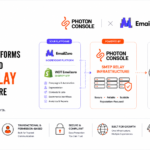
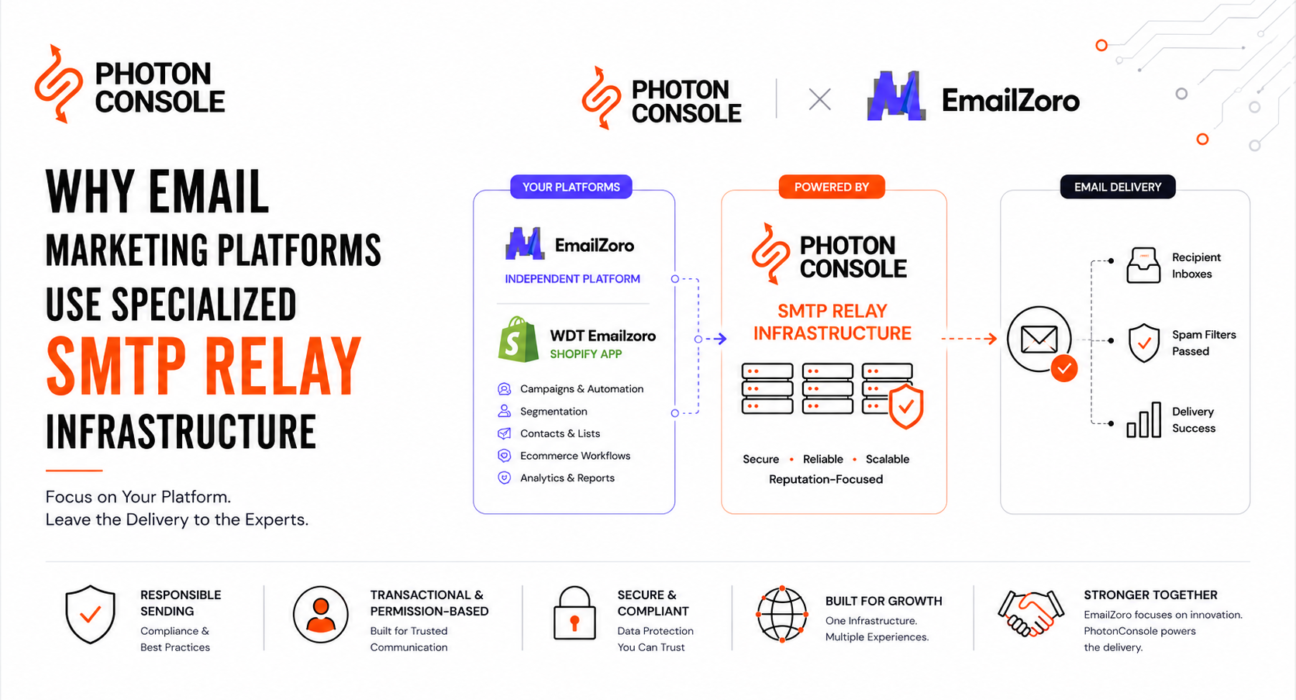
EmailZoro is a working example of that split. Its WDT Emailzoro Shopify app handles customer synchronisation, segmentation, campaigns and abandoned-cart recovery for merchants, while PhotonConsole serves as its SMTP relay infrastructure partner for applicable email delivery.
This guide covers how email moves from a Shopify app to a recipient, the sending-domain problem specific to apps that mail on a merchant’s behalf, and what to evaluate before choosing an infrastructure provider.

Why Shopify Apps Need Email Delivery Infrastructure
Email appears in Shopify apps because merchant workflows depend on reaching customers directly. Depending on the app, that can include:
- Abandoned-cart recovery and browse-abandonment sequences
- Campaign and newsletter sending to segmented customer lists
- Post-purchase communication such as review requests or shipping updates
- Onboarding sequences, product announcements and restock alerts
- Promotional communication tied to sales events
Not every app does all of this. A review app and a loyalty app have very different sending profiles. What they share is the moment the workflow ends and delivery begins.
Shopify also sends its own order confirmations and shipping notifications. App-generated email sits alongside that traffic, often on a different sending path — and the two are frequently confused when a merchant reports that “Shopify emails aren’t arriving.”
How Email Moves From a Shopify App to the Recipient
The path runs roughly as follows. This is a simplified conceptual model, not a description of Shopify’s internal infrastructure or any specific app’s implementation.
- Shopify store — a cart is created, a checkout abandoned, an order placed.
- Shopify app — the event arrives, typically via webhook or scheduled sync.
- Application workflow — eligibility, segmentation and timing logic decide whether to send.
- Email or API trigger — the app renders the message and hands it to the delivery layer.
- SMTP relay — approved traffic is accepted and queued.
- Delivery processing — connection handling, retries and response interpretation.
- Recipient mail system — accepts, defers, rejects or filters.
- Outcome and feedback — placement or bounce, with signals returning to the sender.
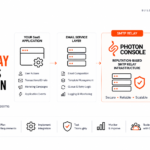
Steps one to four are the app’s territory. Steps five to eight are infrastructure. The handoff at step four is where the architectural decision actually gets made, and our pillar guide to email delivery infrastructure for SaaS covers the lower half of that stack in depth.
The Sending Domain Problem Specific to Shopify Apps
Here is the constraint that makes Shopify email apps harder than they look: the app sends as the merchant, but the merchant controls the DNS.
When a recovery email goes out, it should appear to come from the store’s brand — not from the app vendor. That means the sending domain belongs to the merchant. For receiving mail systems to trust it, that merchant’s domain needs SPF, DKIM and DMARC records authorising the sending infrastructure. Those records can only be added by whoever manages the domain, which is the merchant or their agency.
Several practical problems follow from that:
- Merchants are usually not technical. A store owner who has never opened a DNS panel must add a TXT record correctly, and the app can only guide them, not do it for them.
- Many merchants are on a myshopify.com subdomain. They cannot add records to a domain they do not own, which changes what sending identity is available at all.
- DNS is often managed elsewhere. Registrar, host, Shopify and third-party providers can all be involved, and merchants frequently do not know which holds their records.
- Verification is an ongoing state. Records get removed during migrations, and a previously verified merchant can silently fall out of alignment.
- Onboarding friction is a real cost. Every authentication requirement reduces setup completion; shipping without it means sending unauthenticated mail.
None of this is solved by having a working SMTP server. It is a support, onboarding and verification problem that runs continuously across the merchant base, and it is the reason authentication support is worth evaluating seriously when choosing infrastructure. Our explainer on SPF, DKIM and DMARC covers the mechanics that merchants ultimately have to satisfy.
The Difference Between Shopify App Functionality and SMTP Infrastructure
| Shopify app / product layer | SMTP / delivery infrastructure layer |
|---|---|
| Shopify customer synchronisation | SMTP relay operation |
| Segmentation and list building | Approved email traffic processing |
| Campaign creation and scheduling | Delivery attempts and retry handling |
| Abandoned-cart detection and eligibility rules | Sender identity and authentication support |
| Automation timing and sequence logic | Bounce and complaint signal processing |
| Merchant experience and app interface | Infrastructure monitoring and delivery visibility |
| Recovered-order reporting and analytics | Responsible sending controls across merchants |
These can be separated because they change at different rates and require different expertise. App features ship on a roadmap the team controls. Delivery conditions change without warning when a receiving provider adjusts its filtering, and that work does not wait for a release cycle.
What Email Workflows Can a Shopify App Trigger?
Customer synchronisation and segmentation
Apps can synchronise relevant Shopify customer data into their own workflows, keeping contact records current as customers are created or updated. That data then supports building audiences by purchase behaviour, engagement, order history or store attributes.
Campaigns and abandoned-cart recovery
Merchants create and schedule campaigns for launches, offers or announcements, usually with templates plus customisation. Separately, cart or checkout activity can trigger a recovery sequence with configurable timing and multiple follow-up stages.
Transactional and permission-based marketing
Transactional messages are connected to something the customer did or requested. Permission-based marketing goes to recipients with affirmative consent or another applicable lawful basis.
Individual apps support different subsets of these. The EmailZoro capabilities below are the source-supported ones.
Real-World Example: EmailZoro’s Shopify App and PhotonConsole
The EmailZoro and PhotonConsole arrangement is a real-world example of a Shopify-oriented email platform using specialised SMTP relay infrastructure.
The WDT Emailzoro Shopify app supports:
- Shopify customer synchronisation
- Segmented lists and campaigns
- Customisable campaign creation
- Abandoned-cart tracking
- Automated recovery emails
- Recovered-order reporting
PhotonConsole operates as the underlying SMTP relay layer for applicable approved email traffic across both EmailZoro product experiences — the independent platform and the Shopify app.
The division is explicit. EmailZoro manages the customer-facing experience, application functionality, merchant workflows and platform features. PhotonConsole provides the SMTP relay infrastructure and reputation-focused infrastructure practices. PhotonConsole does not manage Shopify stores or control EmailZoro’s application, and the two remain independent organisations.
The arrangement covers transactional communication and permission-based marketing communication. Purchased, rented, harvested and scraped lists are not permitted, nor are spam, phishing, deceptive communication or falsified sender identities, and unsubscribe, complaint and withdrawal-of-consent requirements must be respected.
Full details are in the EmailZoro and PhotonConsole SMTP relay infrastructure partnership announcement.
Abandoned Cart Emails Need More Than a Trigger
Detecting an abandoned cart is the easy part. Shopify emits the event; the app receives it. Everything difficult happens afterwards.
A recovery email typically passes through:
- Event detection — a cart or checkout is created and not completed.
- Eligibility — real abandonment, contactable customer, consent given, sequence not already sent?
- Message generation — cart contents, personalisation and discount logic rendered.
- Trigger — handed to the delivery layer at the configured delay.
- SMTP relay and delivery attempt — accepted, queued, then attempted against the recipient server with retries.
- Recipient response — accepted, deferred, rejected or filtered.
- Reporting — the outcome feeds recovery reporting and suppression.
Two things here matter for infrastructure. Timing is commercially meaningful — a recovery email arriving a day late is a different message. And cart abandonment volume is bursty: a flash sale or peak retail weekend produces a spike that looks, to a receiving mail system, a lot like a sudden change in sending behaviour.
In the EmailZoro model, steps one to four sit with EmailZoro’s application and steps five onward run through PhotonConsole’s relay layer. The recovery logic, timing rules and reporting are EmailZoro’s product; delivering the resulting traffic is the infrastructure layer’s responsibility.
Transactional vs Marketing Email in Shopify Apps
Shopify apps commonly generate both categories, and receiving systems treat them differently.
Transactional covers order and service-related communication, requested notifications and account messages — low complaint rates, timing-sensitive. Marketing covers promotions, newsletters, announcements and campaigns, where complaint risk is materially higher.
Because reputation is evaluated at the domain and IP level rather than per message, marketing complaints can affect transactional mail sharing the same sending identity. For an app sending both on a merchant’s domain that is a direct operational concern, and it depends on sender identity, authentication, consent records, unsubscribe handling, list hygiene and how complaint and bounce signals are acted on. Our guide to transactional versus marketing email covers the separation mechanics.
Deliverability Considerations for Shopify Email Apps
SMTP infrastructure does not guarantee inbox placement. The receiving mail system makes that decision, weighing factors largely outside any provider’s control.
Relevant factors include SPF, DKIM and DMARC configuration on the merchant’s domain, accumulated sender reputation, bounce and complaint rates, list quality, recipient engagement, and how sharply sending volume changes during peak retail periods.
For a Shopify app, most of these are influenced by merchant behaviour rather than the app vendor — a merchant importing a purchased list will see poor results however well the relay is run. What the infrastructure layer contributes is removing the failures within its control and limiting the impact one merchant has on others sharing it.
Build Email Infrastructure Yourself or Use a Specialized Provider?
Both are defensible. The table below focuses on the considerations that are specific to a Shopify app rather than software in general.
| Consideration | Build internally | Use specialised SMTP infrastructure |
|---|---|---|
| Engineering ownership | Full control over delivery behaviour | Control of the app; delivery defined by the provider |
| Merchant domain onboarding | You build the verification and guidance flow | Provider authentication support you build onto |
| Peak-season burst load | Capacity planning for retail spikes is yours | Handled within the provider’s capacity model |
| Per-merchant isolation | You design containment when one merchant misbehaves | Traffic controls applied at the infrastructure level |
| Abuse controls and reputation | Detection, enforcement and reputation management staffed in-house | Operated by the provider as core work |
| Product focus | Attention split between app and delivery | Attention concentrated on the app |
Internal ownership can make sense for apps at substantial scale, with unusual requirements, or with existing mail-operations capability the team intends to keep staffed. A specialised provider tends to be more practical where the engineering team is small relative to the roadmap, where email is a dependency rather than the product itself, or where merchant-domain authentication support would otherwise have to be built from scratch. Article three in this series covers the underlying reasoning in more depth: why email marketing platforms use specialised SMTP relay infrastructure.
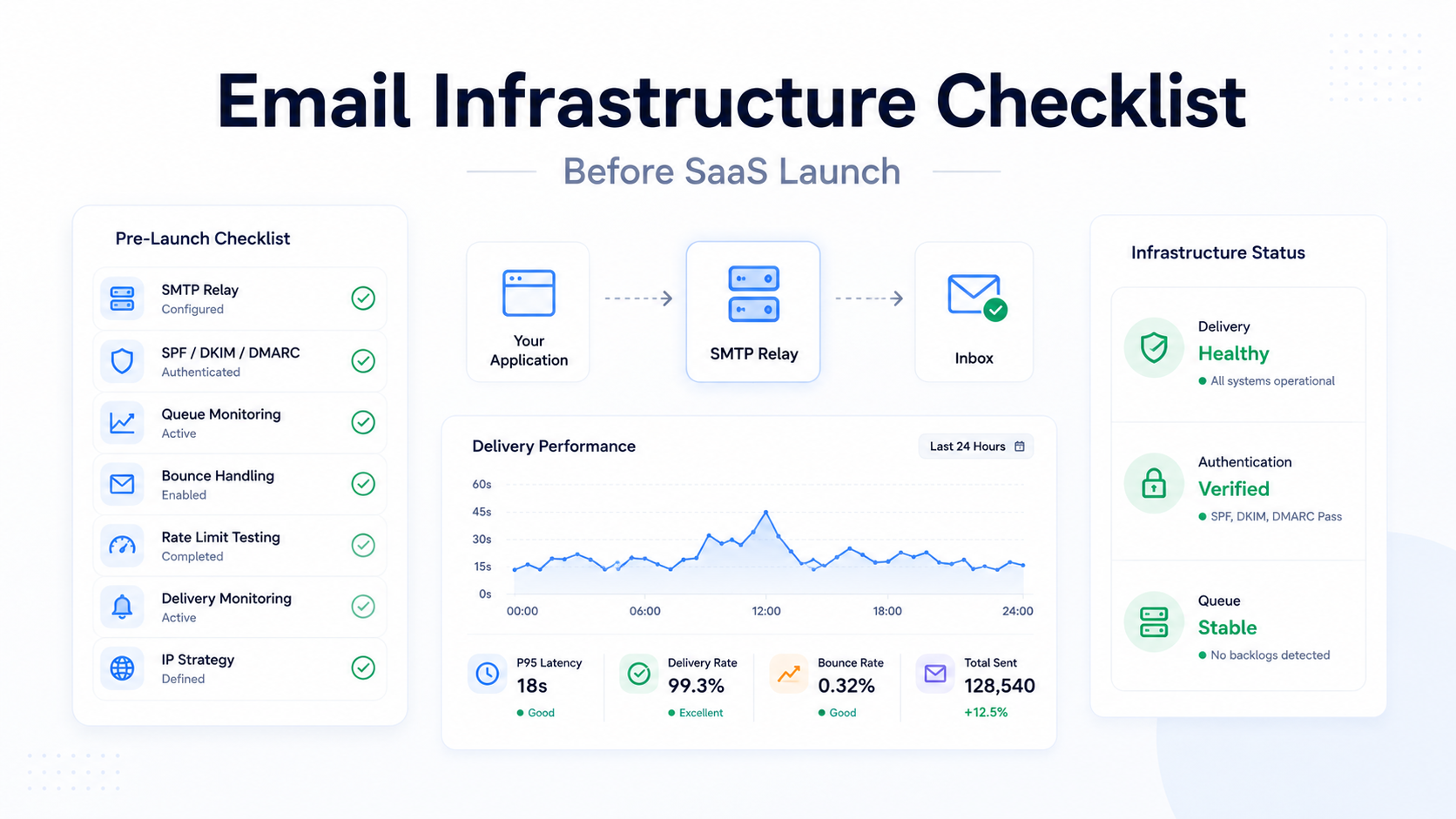
What Shopify App Developers Should Look for in an SMTP Provider
- Which traffic types are supported? Transactional only, or permission-based marketing too?
- How is sender identity handled? Can merchants send from their own domain, and what happens when they cannot?
- What authentication support exists? SPF, DKIM and DMARC guidance at merchant scale, not just one domain.
- How are bounces and complaints surfaced? They must reach your systems for suppression, with attribution to the merchant responsible.
- What abuse-prevention mechanisms exist, and how fast do they act?
- How is sender reputation considered? Ask what protects compliant merchants from non-compliant ones.
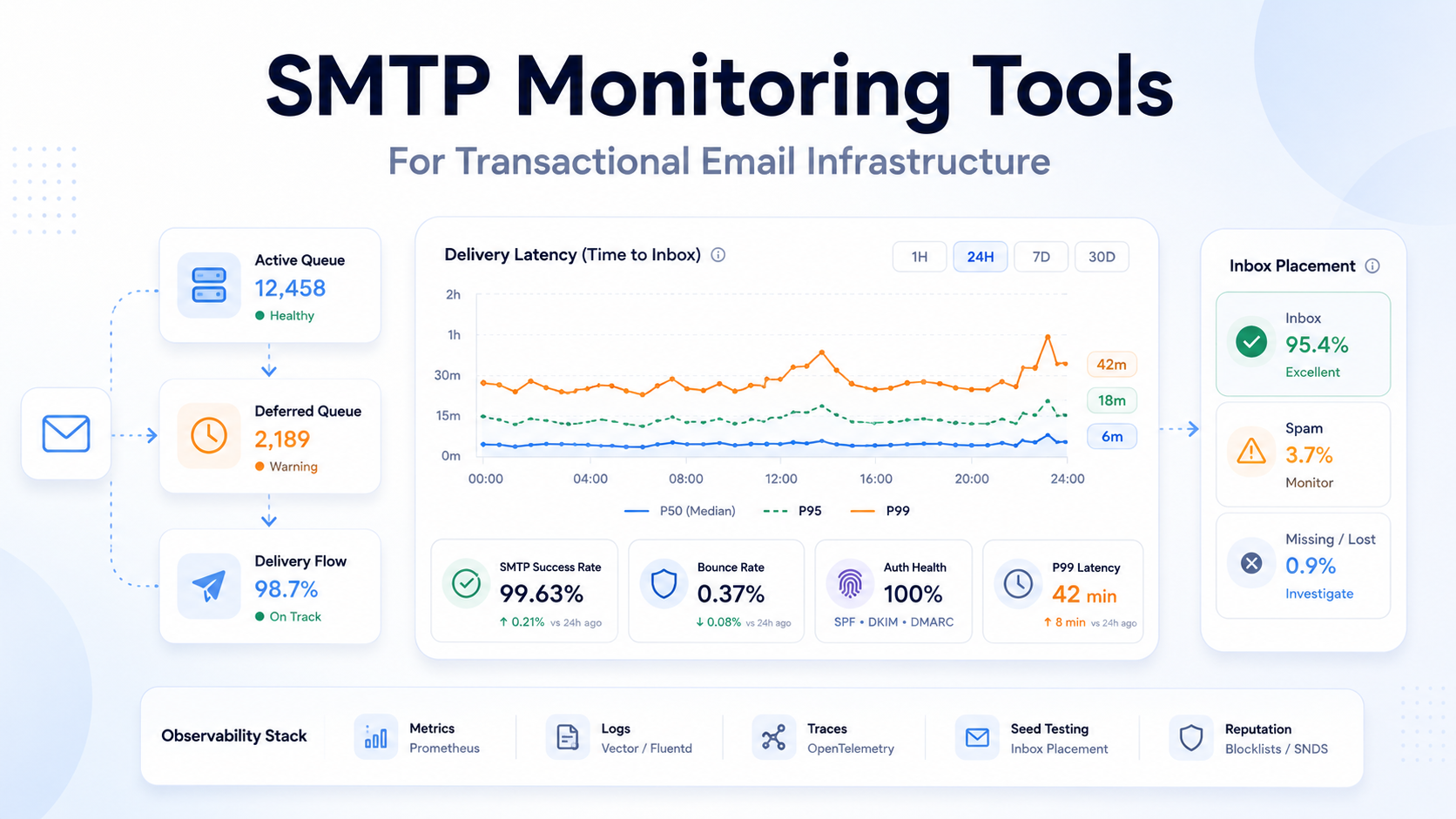
- What monitoring exists? Enough to answer a merchant asking why an email did not arrive.
- Can it support multiple workflows? Campaigns, automation and transactional traffic together.
- Are infrastructure responsibilities documented? Get the boundary written down before an incident tests it.
Our guide to the criteria developers should evaluate when choosing an SMTP relay covers the technical assessment in more detail.
A Simplified EmailZoro and PhotonConsole Architecture
Conceptually, the flow runs:
Shopify merchant → WDT Emailzoro Shopify app → campaigns, segmentation and automation → PhotonConsole SMTP relay → email delivery → recipient mail system.
This is a simplified conceptual representation based on the public partnership description, not a proprietary technical architecture diagram.
Read as responsibilities rather than boxes: everything above the relay is EmailZoro’s product decision — which merchant, which segment, which message, what timing. Everything from the relay onward is infrastructure operation. The same foundation serves EmailZoro’s standalone platform, which makes it one delivery arrangement rather than two.
What the EmailZoro and PhotonConsole Partnership Demonstrates
It demonstrates that a customer-facing Shopify application does not need to own every layer of email delivery infrastructure to control its own product. EmailZoro builds the app, manages merchant workflows and provides the Shopify-oriented functionality merchants evaluate. PhotonConsole provides the specialised SMTP relay infrastructure beneath it, operating around responsible email delivery practices. Neither takes on the other’s work.
For a Shopify app developer, the useful signal is the shape of the arrangement rather than any claimed outcome: the product layer stayed where it belonged, and relay responsibility moved to a provider whose primary discipline is delivery.
Key Takeaways
- Shopify app functionality and email delivery infrastructure are separate technical layers with different skills and failure modes.
- Triggering an email is not the same as delivering one — most of the difficulty sits after the trigger.
- The sending-domain problem is specific to Shopify apps: the app sends as the merchant, but the merchant controls the DNS.
- Abandoned-cart traffic is bursty and time-sensitive, making it demanding on the delivery layer during peak retail periods.
- The WDT Emailzoro Shopify app provides customer synchronisation, segmented campaigns, abandoned-cart tracking, automated recovery emails and recovered-order reporting.
- EmailZoro uses PhotonConsole as its SMTP relay infrastructure partner for applicable email delivery across its platform and Shopify app.
- Specialised infrastructure can let Shopify app teams concentrate on merchant-facing functionality — and no infrastructure model removes the need for authentication, consent and responsible sending.
Frequently Asked Questions
What is SMTP infrastructure for Shopify apps?
SMTP infrastructure for Shopify apps is the delivery layer that carries app-generated email from the application toward recipient mail systems. It handles relay operation, authentication against the sending domain, delivery attempts, retry behaviour and the return of bounce and complaint signals. It sits beneath the app logic that decides which message to send and when.
Do Shopify apps need an SMTP relay?
Any Shopify app that sends email needs some delivery layer, and an SMTP relay is the common form it takes. The app itself only generates messages; something must accept them and attempt delivery. Whether that relay is operated in-house or by a specialised provider depends on the app’s scale, traffic type and engineering capacity.
How does a Shopify app send email?
A Shopify store event reaches the app, usually by webhook. The app applies eligibility and segmentation rules, renders the message, and passes it to a delivery layer via SMTP or an API. An SMTP relay then queues the message, attempts delivery to the recipient mail server, and returns signals such as bounces and complaints.
What is the difference between a Shopify app and an SMTP provider?
A Shopify app is the merchant-facing product: customer synchronisation, segmentation, campaigns, automation and reporting. An SMTP provider operates the delivery infrastructure beneath it, relaying approved traffic toward recipient mail systems. The app decides what to send and to whom; the provider moves it and reports what happened.
Does EmailZoro use PhotonConsole for SMTP relay?
Yes. EmailZoro has selected PhotonConsole as its SMTP relay infrastructure partner for applicable email delivery across its independent platform and its WDT Emailzoro Shopify app. EmailZoro continues to manage its customer-facing product, merchant workflows and application features. The two companies remain independent organisations.
What does PhotonConsole provide to EmailZoro?
PhotonConsole provides the underlying SMTP relay infrastructure for applicable approved email traffic, acting as the delivery layer beneath both EmailZoro product experiences. It does not build EmailZoro’s application, manage Shopify stores, or control merchant workflows. Campaign creation, segmentation, automation and Shopify functionality remain EmailZoro’s product.
What email workflows does the WDT Emailzoro Shopify app support?
The app supports Shopify customer synchronisation, segmented lists and campaigns, customisable campaign creation, abandoned-cart tracking, automated recovery emails and recovered-order reporting. These are merchant-facing workflows operated by EmailZoro, with applicable approved email traffic relayed through PhotonConsole’s SMTP infrastructure.
Does an SMTP relay guarantee Shopify email deliverability?
No. Inbox placement is decided by receiving mail systems, which weigh authentication, sender reputation, list quality, complaint and bounce rates, recipient engagement and sending patterns. Many of these depend on merchant behaviour rather than infrastructure. A relay can remove infrastructure-side failures and limit cross-merchant impact, but it cannot guarantee placement.
What should Shopify developers consider when choosing an SMTP provider?
Which traffic types are supported, how sender identity works when merchants send from their own domains, what SPF, DKIM and DMARC support exists at merchant scale, how bounces and complaints reach your systems, what abuse controls protect compliant merchants, what monitoring is available for merchant support, and exactly where the operational boundary sits.
Building a Shopify App That Sends Email?
If your app sends on behalf of merchants, the decision worth settling early is which layer you intend to own — and who is accountable for delivery on the other side of that line. PhotonConsole provides specialised SMTP relay infrastructure for Shopify apps, ecommerce SaaS, email marketing applications and software products with email workflows.