

The part everyone worries about takes about ten minutes. You change four environment variables and deploy, and your application is sent through someone else.
The migration is everything else — specifically, everything SendGrid is holding that does not exist anywhere in your repository. Your templates, if you used theirs. Your suppression data, which is six separate lists rather than one. Your webhook consumer, which is written against eleven event names that no other provider uses.
So the useful first question is not “How do I switch?” It is “What does SendGrid have that I do not?”
Quick Answer: What Do I Need to Extract from SendGrid?
| Asset | Where it lives | Effort to move |
|---|---|---|
| SMTP credentials | Config | Four variables |
| Suppression data | SendGrid — six separate lists | Export each, import four |
| Dynamic Templates | SendGrid | High — content and syntax |
| Event webhook consumer | Your code, SendGrid’s schema | Remap 11 event names |
| Categories and custom args | Your send calls | Map to the new equivalent |
| Subusers, IP pools, inbound parse | SendGrid | May have no equivalent |
The bolded rows are the migration. Everything else is configuration.

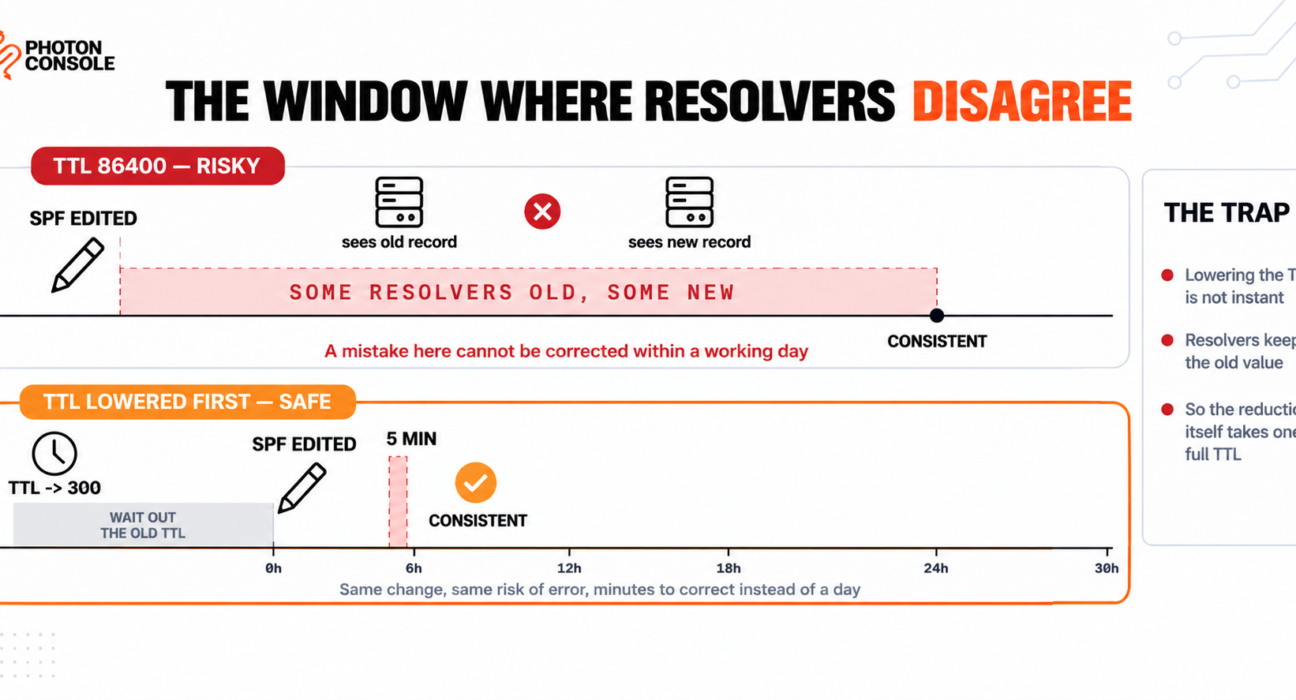
This article covers the SendGrid-specific extraction. The provider-agnostic sequence — DNS TTL, SPF lookup limits, the ramp and the rollback plan — is covered in our guide to migrating email providers without downtime, and you should follow that ordering alongside this.
Step 1: Audit What Lives in SendGrid, Not in Your Code
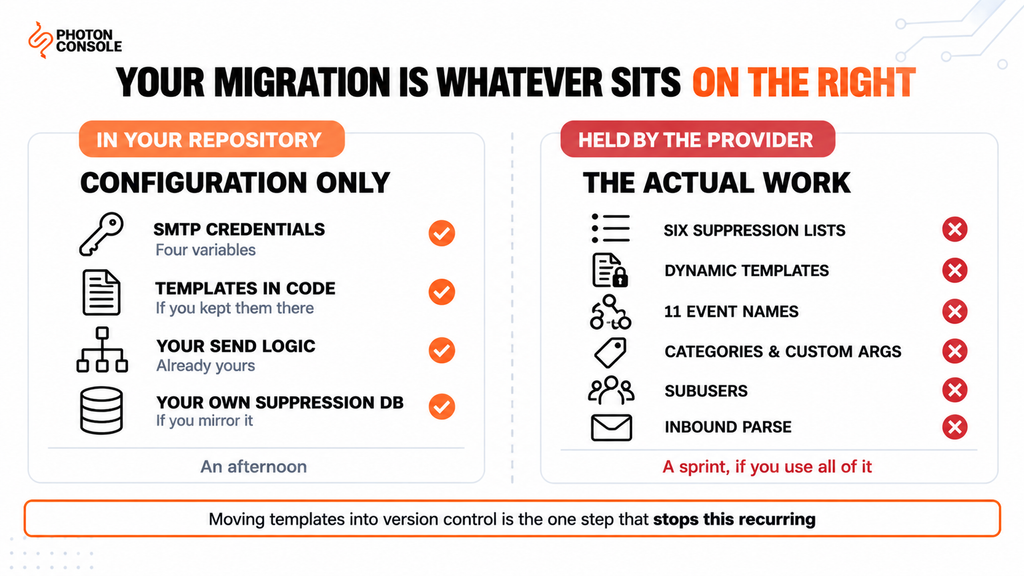
Two teams on the same provider can have wildly different migrations. One sends plain SMTP with templates in its own codebase and is done in an afternoon. The other uses dynamic templates, subusers, categories for reporting and inbound parse and is looking at a sprint.
Work out which you are before you plan anything:
- Do your email templates live in your repository or in SendGrid? If the answer is SendGrid, that is your largest task by a distance.
- Do you send over SMTP or the v3 Mail Send API? SMTP is a config change; the API is a rewrite.
- Does anything consume the Event Webhook? Bounce handling, analytics, a CRM sync, a Slack alert.
- Do you use categories or custom args for reporting? Those identifiers appear in your dashboards and may be referenced downstream.
- Are you using subusers to separate tenants, environments or brands?
- Are you on a dedicated IP? Its warmed reputation does not travel with you.
- Does SendGrid receive mail for you through Inbound Parse?
Write the answers down. The list you produce is your actual project plan, and it is usually shorter than people fear and longer than they hope.
Step 2: Export All Six Suppression Lists
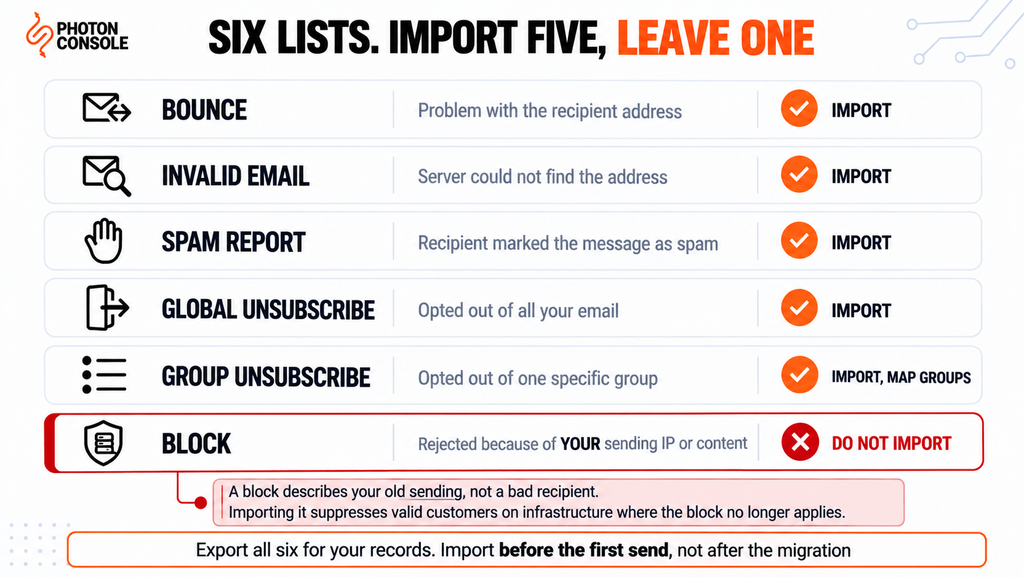
This is where migrations quietly damage a new sending reputation, because people treat suppressions as a single list. SendGrid maintains six distinct suppression types, each kept separately.
| Type | What it means | Import to new provider? |
|---|---|---|
| Bounce | Rejected because of a problem with the recipient address | Yes |
| Invalid Email | Recipient server could not find the address | Yes |
| Spam Report | Recipient marked the message as spam | Yes |
| Global Unsubscribe | Recipient opted out of all your email | Yes |
| Group Unsubscribe | Opted out of one specific group | Yes, preserving the grouping |
| Block | Rejected because of your sending IP or content | No — see below |
# Each suppression type is its own endpoint. Pull them all.
#   /v3/suppression/bounces
#   /v3/suppression/invalid_emails
#   /v3/suppression/spam_reports
#   /v3/suppression/blocks
#   /v3/asm/suppressions          (group unsubscribes)
#   /v3/asm/groups/{id}/suppressions
#
# Paginate with limit and offset until a page returns empty.
# Check the endpoint list against SendGrid's current API
# reference before you run it — then store the output
# in your OWN system, not only in the new provider.
Export all six so you have the record. Import four of them unconditionally, map group unsubscribes onto whatever grouping your new provider offers, and leave blocks behind.
Note
Blocks are the exception worth understanding. SendGrid’s own documentation marks blocks as not needing continued suppression, and the reason is that a block describes a problem with your sending — your IP address or your content — rather than a problem with the recipient. Those addresses are usually perfectly valid. Importing a block list into a new provider on different infrastructure suppresses real customers for a reason that no longer applies. Export it for your records and for diagnosing why those blocks happened, but do not import it.
PhotonConsole accepts a suppression import before any mail is sent, so the four lists can be in place on the same day credentials are issued — which is what makes the “import before first send” rule practical rather than aspirational. Then there is the Group Unsubscribe nuance. If you ran unsubscribe groups — separate opt-outs for, say, product updates versus billing notices — a flat import collapses that structure and either over-suppresses or under-suppresses. Decide deliberately: most teams map group unsubscribes onto the equivalent preference in their own database rather than the new provider’s, which is the more durable place for it anyway.
Quick Fix
Exporting Suppressions Before You Lose Access
- Pull all six lists via the API rather than the UI — the UI paginates and is easy to truncate
- Store them in your own system, not just in the new provider; this is your data
- Import bounces, invalid emails, spam reports and global unsubscribes before the first send
- Hold the block list separately and do not import it
- Do this while your account is still active — suppression data is the one thing you cannot retrieve after cancellation
Quick Fix
Bounce Rate Jumped After Cutover
- Almost always an incomplete suppression import — you moved one list, not four
- Compare the bouncing addresses against your old SendGrid bounce and invalid-email exports
- Import anything missing immediately, then pause non-essential sending until the rate settles
- If the addresses are not in the old exports, they bounced during the ramp — re-export from SendGrid
- Watch the complaint rate too; it moves slower and matters more to your new provider
Step 3: Get Your Templates Out
If your email content lives in SendGrid’s Dynamic Templates, this is the real work, and there is no clean export path that produces something another provider can consume directly.
Dynamic Templates use Handlebars-style substitution. Your new provider will either use a different templating syntax or — more commonly and more sensibly — expect you to render the HTML yourself and send it.
# What you have in SendGrid
{{#if first_name}}Hello {{first_name}},{{else}}Hello,{{/if}}
{{#each order.items}}
  <li>{{this.name}} - {{this.price}}</li>
{{/each}}

# What you want afterwards: the template in your repository,
# rendered by your own code, sent as finished HTML.
# Same templating engine, under version control, testable.
Take the opportunity rather than reproducing the lock-in. Templates in your repository are reviewable, diffable, testable in CI and portable to any provider afterwards. Templates in a provider’s UI are none of those things, and moving them from one provider’s UI to another’s leaves you in exactly the same position next time.
Common Mistake
Treating the template migration as a copy-paste job and discovering the dynamic data contract afterwards. The HTML moves easily. What does not move easily is the implicit agreement between your application and the template about what variables exist, what they are called, and what happens when one is missing. SendGrid’s Handlebars silently renders nothing for an undefined variable; your own rendering code may throw, or may output the literal placeholder into a customer’s inbox. Test every template against a payload with missing and null fields before you send a single one to a real recipient.
Step 4: Remap the Event Webhook
If anything in your system listens for delivery events, it is written against SendGrid’s schema and will need remapping. The Event Webhook reference defines eleven event types across two categories.
| Category | SendGrid event names |
|---|---|
| Delivery | processed, deferred, delivered, bounce, dropped |
| Engagement | open, click, spamreport, unsubscribe, group_unsubscribe, group_resubscribe |
Events arrive as a JSON array of objects, each carrying an event property plus fields including email, timestamp and sg_event_id. Two details matter when you rewrite the consumer.
The payload is an array, not a single event. A consumer that parses one object per request will break on a provider that posts differently, and vice versa. Check what shape your new provider sends before assuming your existing handler works.
Watch the spam report naming. SendGrid’s documentation lists the event in its table as “spam report” with a space, while the example payload uses spamreport without one. If your handler matches on a string, confirm which form you are actually receiving rather than which form the docs list.
# Decouple before you migrate: map provider events to your
# own vocabulary, so the next switch touches one function.

const EVENT_MAP = {
  // SendGrid            -> yours
  processed:   'accepted',
  delivered:   'delivered',
  deferred:    'deferred',
  bounce:      'bounced_hard',
  dropped:     'suppressed',
  spamreport:  'complained',
  unsubscribe: 'unsubscribed'
};

function normalise(providerEvent) {
  return EVENT_MAP[providerEvent] ?? 'unknown';
}
Doing this normalisation step even if you never migrate again is worth the hour. Our guide to transactional email webhooks covers reliable event processing, including idempotency on sg_event_id-style identifiers.
Also note that SendGrid secures the Event Webhook with a Signed Event Webhook, OAuth 2.0, or both. Whatever verification you implemented is SendGrid-specific and will be replaced, so check your new provider’s verification method early — it is easy to forget and ship an unauthenticated endpoint.
Step 5: Work Out Which Migration You Are Doing
This single question determines whether your migration is hours or weeks.
| If you send via | The change is | Effort |
|---|---|---|
| SMTP | Host, port, username, password | Minutes |
| v3 Mail Send API | Rewrite the send call and payload structure | Days |
| An official SDK | Replace the dependency and its call sites | Days |
# SMTP migration — the whole thing
SMTP_HOST=smtp.sendgrid.net      ->  smtp.photonrelay.com
SMTP_PORT=587                    ->  587
SMTP_USER=apikey                 ->  your_project_api_user
SMTP_PASS=SG.xxxxxxxx            ->  your_secret_api_key
Note SendGrid’s SMTP convention: the username is the literal string apikey and the password is your API key. Most providers use two distinct values, so a configuration that stores a single secret needs a second field adding.
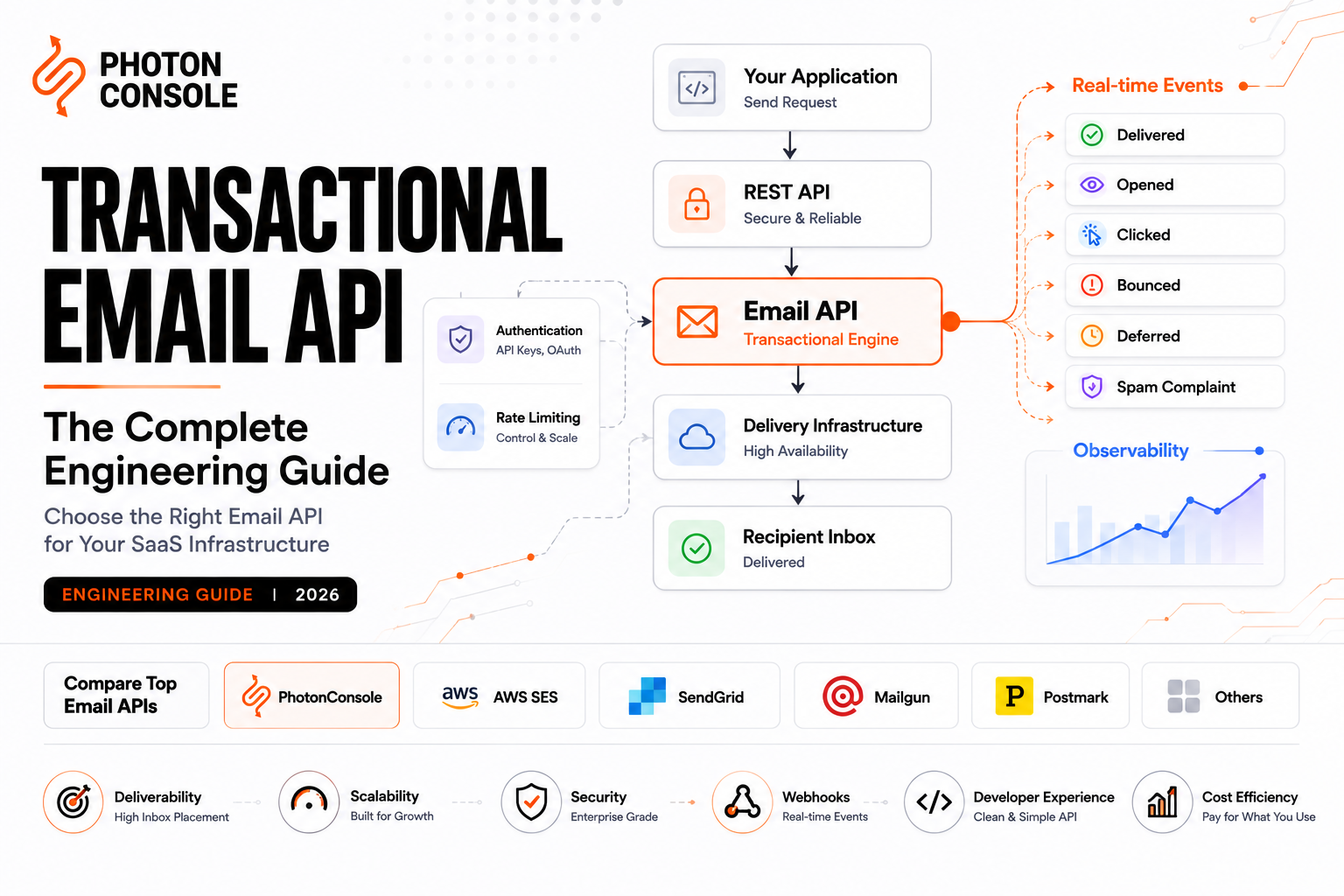
If you are on the API, the personalizations array structure is particular to SendGrid and does not map onto anything else directly. This is the moment to consider moving to SMTP, which is a standard protocol and makes any future provider change a configuration edit rather than a project. PhotonConsole accepts standard SMTP on 587, 465 and 2525, so the same credentials work from any language and any runtime without an SDK.
Step 6: Check What May Not Exist Elsewhere
Four SendGrid features have no universal equivalent, and discovering that mid-migration is unpleasant.
- Subusers. If you use them to isolate tenants, brands or environments, check how your new provider models separation — it may be separate accounts, projects, API keys or nothing.
- Categories and custom args. Your reporting is built on these labels. Find the equivalent tagging mechanism before you lose the continuity in your dashboards.
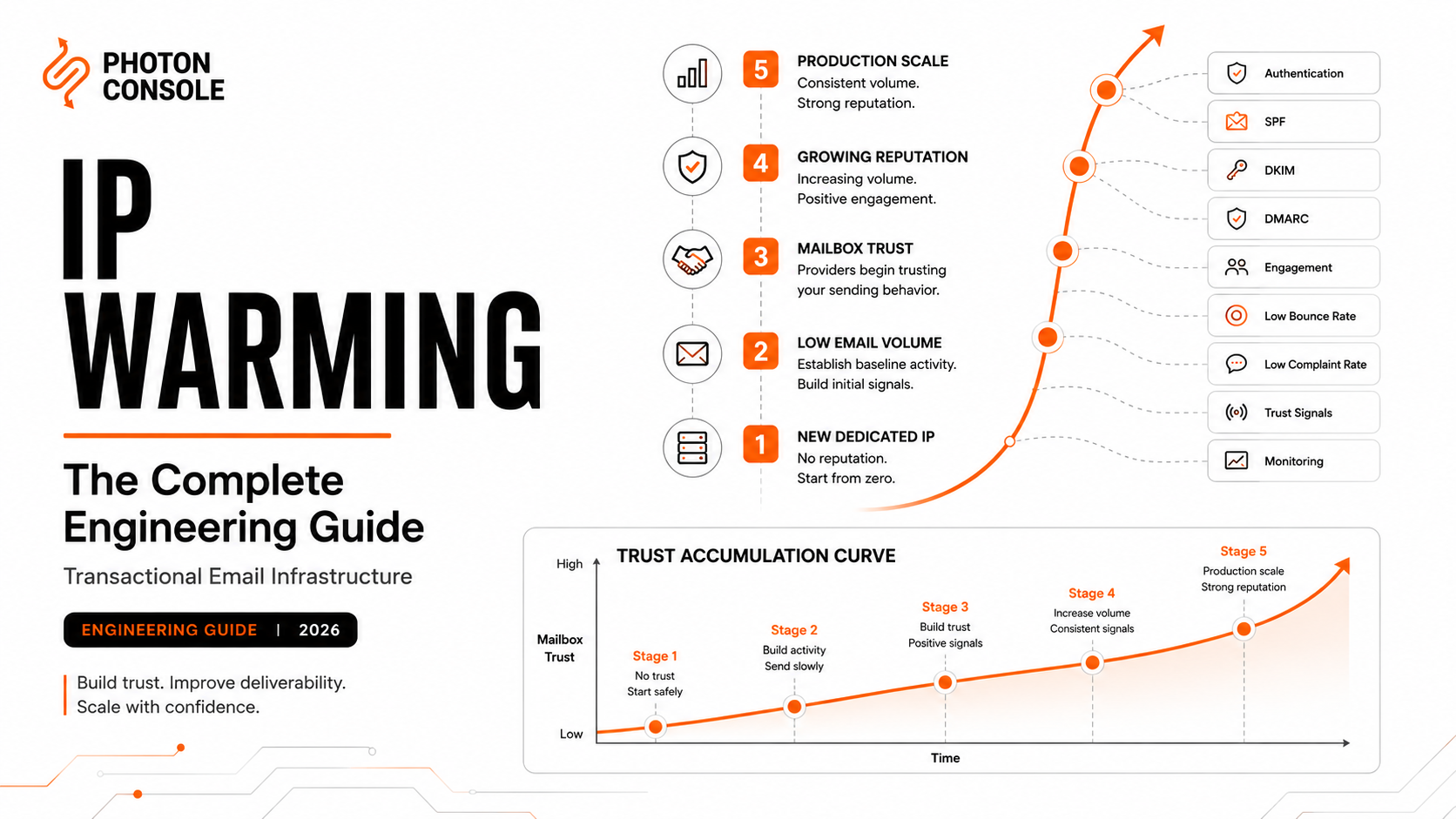
- IP pools and dedicated IPs. A warmed dedicated IP is reputation you built and cannot transfer. If you are on one, plan a warming schedule — our guide to IP warming covers the ramp.
- Inbound Parse. If SendGrid receives mail and posts it to your application, that is a separate integration with its own DNS records, and it migrates separately from sending.
Teams moving from a dedicated IP should be realistic: moving to a well-managed shared pool often improves delivery, because a shared pool with consistent high volume has a stronger and more stable reputation than a dedicated IP sending moderate volume. The instinct that dedicated is always better is worth testing against your actual volume — our comparison of dedicated versus shared IP sets out when each wins.
Step 7: Validate Before You Cut Over
Three things to confirm with real sends before moving any production traffic.
Authentication aligns. Both providers in one SPF record, DKIM on separate selectors. Count your SPF lookups before adding the new include — exceeding the limit in RFC 7208 returns permerror and fails authentication for both providers at once. Our guide to SPF, DKIM and DMARC covers alignment, and the free email deliverability checker shows what your domain publishes now.
Templates render correctly against real payloads, including ones with missing fields.
Your webhook consumer handles the new schema, verified by triggering a real bounce to a known-invalid address rather than by reading documentation.
Then send a scored test. Mail Tester checks authentication alignment end to end, and MXToolbox confirms the combined SPF record resolves as intended. Receivers including Gmail publish sender expectations worth reading before a migration rather than after.
Step 8: Cut Over Gradually, and Keep the Account Open
Ramp by percentage rather than flipping, with the old path still live — 5%, 25%, 50%, 100%, with monitoring between steps. The full sequencing, including the DNS timing that has to happen days earlier, is in our migration guide.
Two SendGrid-specific points at the end:
Keep the account open for at least a fortnight past 100%. One more billing cycle is cheap, and it keeps rollback available.
Re-export your suppressions on the last day. Addresses will have bounced during the ramp while traffic was still partly on SendGrid, and those suppressions exist only there. A final export before cancellation catches them.
Pro Tips
- Export suppressions via the API, not the UI. The UI paginates and truncation is silent.
- Do not import the block list. Blocks describe your old sending, not bad recipients.
- Move templates into your repository, not another UI. Otherwise you repeat this migration next time.
- Normalise event names behind your own vocabulary. One mapping function instead of a provider-shaped data model.
- Remember SendGrid’s SMTP username is the literal
apikey. Config storing one secret needs a second field. - Test templates with null and missing fields. Silent blanks become visible placeholders on a different renderer.
- Re-export suppressions on your final day. Ramp-period bounces live only in the old account.
Related Reading
- Migrating email providers without downtime — the sequence and timing to follow alongside this
- SendGrid free tier limits — if the trial expiry is what started this
- Best SendGrid alternatives — if you have not chosen a destination yet
- Transactional email webhooks explained — rebuilding the event consumer properly
- Reducing email bounce rate — why the suppression import matters so much
- IP warming explained — if you are leaving a dedicated IP
Frequently Asked Questions
How do I export my SendGrid suppression list?
There are six separate lists — bounces, invalid emails, spam reports, global unsubscribes, group unsubscribes and blocks. Pull each via the API rather than the UI, and do it while the account is still active.
Should I import SendGrid’s block list to my new provider?
No. SendGrid’s documentation notes blocks do not need continued suppression, because a block reflects your sending IP or content rather than a bad address. Importing them suppresses valid customers.
Can I export SendGrid Dynamic Templates?
You can retrieve the HTML, but not in a form another provider consumes directly. The practical move is to put templates in your repository and render them yourself, which also prevents the same lock-in recurring.
What are SendGrid’s webhook event names?
Delivery events are processed, deferred, delivered, bounce and dropped. Engagement events are open, click, spamreport, unsubscribe, group_unsubscribe and group_resubscribe.
How hard is it to switch away from SendGrid?
If you send over SMTP with templates in your codebase, under an hour of configuration plus the DNS and ramp sequence. If you use the v3 API and Dynamic Templates, expect days of engineering.
What is SendGrid’s SMTP username?
The literal string apikey, with your API key as the password. Most providers issue two distinct values instead.
Will I lose my sending reputation?
A dedicated IP’s warmed reputation does not transfer. On a shared pool you inherit the provider’s, which for a well-managed pool is often better than a moderately-used dedicated IP.
When can I cancel my SendGrid account?
After a full billing period at 100% on the new provider, and only after a final suppression export — addresses that bounced during the ramp exist only in the old account.
Conclusion
Leaving SendGrid is easy or hard depending on a single question, and it is not about SendGrid. It is about how much of your email system you let live outside your repository.
If your templates are in your code and you send over SMTP, this is a configuration change plus the standard DNS and ramp sequence. If your templates are in their UI, your reporting is built on their categories, and your tenants are their subusers, then you are not migrating a provider — you are repatriating a part of your application, and it will take as long as that implies.
Either way, three things decide whether it goes well. Export all six suppression lists before you lose access and import four of them. Move templates into version control rather than into another provider’s interface. And normalise those eleven event names behind your own vocabulary, so the next switch touches one function instead of a data model.
Do that and the destination becomes a genuine choice rather than another commitment. A reliable SMTP provider on standard SMTP with a flat per-thousand rate keeps the portable things portable — pricing includes 5,000 free emails a month, which covers the entire parallel-running and validation phase before you commit to anything.