


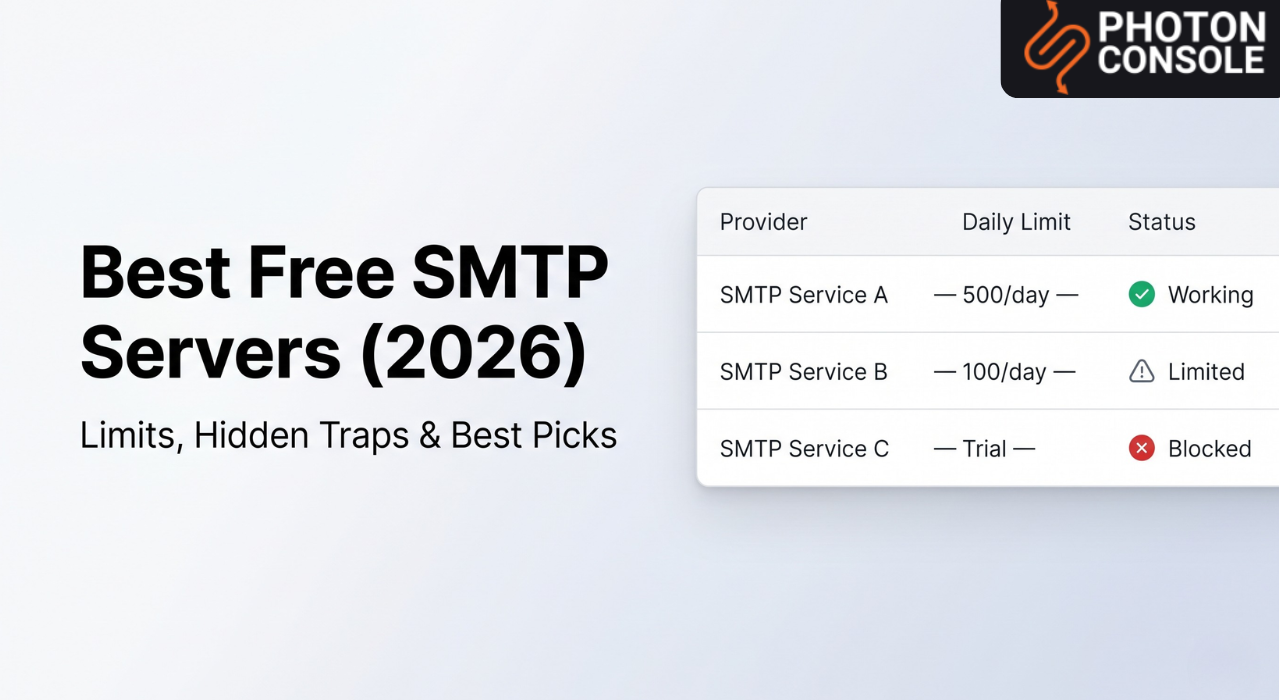
Here is what the other guides skip: your free SMTP servers will work perfectly — right up until the moment it actually matters. Your product launches. Signups spike. Users need OTPs. And your provider silently hits its daily cap, flags your account for unusual activity, or drops messages into spam because fifty other senders on your shared IP had a bad week.
By the time you realise something is broken, real users have already given up and left.
Free SMTP services are not a scam. But they are not what most guides make them out to be. This is the honest version: what each service actually allows, what will quietly break your setup, and exactly when free stops being an option.
Which Free SMTP Should You Use?
Testing Use Gmail SMTP — zero setup, works immediately, send to yourself and teammates. Nothing more.

Building MVP Use SendGrid (100/day, no expiry) or Brevo (300/day, no card) — proper API, real logs, SPF/DKIM support.
On AWS / EC2 Use Amazon SES — 62,000 emails/month free. Apply for production access before you need it.
In ProductionAvoid free SMTP entirely. A single campaign, a stale list, or a shared IP problem can suspend your account and take down OTP delivery with it.
100–300
free emails/day (typical cap)
2–5%
bounce rate before suspension risk
3 months
Mailgun trial before it expires
24–48 hrs
AWS SES production access wait
Free SMTP Server Comparison (2026)
| Service | Free Limit | Best For | Hidden Catch |
|---|---|---|---|
| Gmail SMTP | 500/day (personal) 2,000/day (Workspace) | Personal testing, contact forms | Sends from your Gmail address; Google locks accounts on unusual patterns; not built for app sending |
| SendGrid | 100 emails/day (permanent) | Developer projects, transactional email | Free accounts are heavily monitored; one elevated bounce rate can result in permanent suspension |
| Mailgun | 100 emails/day — first 3 months only | API-first developers | Requires a credit card; trial ends with no warning; sandbox mode blocks non-verified recipients |
| Amazon SES | 62,000 emails/month (EC2 only) | AWS-native infrastructure | Starts locked in sandbox; must request production access manually; zero hand-holding for beginners |
| Brevo | 300 emails/day, 9,000/month | Small businesses, newsletters | Brevo branding on every free email; deliverability inconsistent on shared IPs |
| Elastic Email | 100 emails/day | Basic low-volume sending | Deliverability issues on shared pools are frequent; near-zero support on free tier |
Free SMTP vs Paid SMTP — What Actually Changes
Most developers assume the only difference is volume. It is not. The architecture is fundamentally different in ways that affect every email you send.
❌ Free SMTP
🌐Shared IP pool — thousands of senders, one reputation. Their spam problems become your deliverability problem.
🚫No delivery logs — when an email fails, you have no visibility into why. Debugging is guesswork.
⏹Hard daily cap — 100 to 300 emails then silence. No override. No burst allowance.
🔍Aggressive abuse detection — lower thresholds than paid accounts, calibrated to push upgrades.
🔀Marketing + transactional mixed — one campaign kills your OTP flow.
✅ Paid / Dedicated SMTP
🎯Dedicated or controlled IPs — your reputation is yours. No noisy neighbours.
📊Full delivery logs — see every bounce, every complaint, every soft failure in real time.
📈Scalable volume — limits based on your plan, not abuse-detection thresholds.
🛡Predictable monitoring — known thresholds, human review paths, SLA support.
✂️Isolated streams — transactional and marketing run independently.
The core problem with free SMTP: you are not in control of your sending reputation. Perfect SPF records, clean DKIM, spotless content — your email still lands in spam because the IP pool was flagged last Tuesday by someone you will never know about. No alert. No error. Just silence in your user’s inbox. Read the full picture in our guide on how email deliverability actually works.
Top Free SMTP Servers — Honest Reviews
1. Gmail SMTPTesting Only
Gmail SMTP is the most commonly used free option, and for a narrow set of use cases it earns that reputation. Fast setup, Google’s trusted domain reputation, and compatibility with every email library. It is also entirely the wrong tool the moment an app is involved.
- No extra account — your Google credential is enough
- Google’s sending domain is highly trusted by recipient servers
- Zero cost up to the daily cap
- 500 emails/day hard cap on personal accounts
- Sends from your Gmail address — undermines brand credibility
- No delivery logs, no bounce handling, no tracking
- Google may lock your account when sending patterns spike at launch
The part nobody mentions: Google treats your Gmail account as a personal tool — not an email API. When your signup form gets shared and volume spikes, its systems may interpret that as a compromised account and lock it. Your app goes silent, and you may lose access to other Google services tied to that account simultaneously. See Google’s official sending limits for the full restrictions.
2. SendGridBest Free Tier — Also Most Fragile
SendGrid’s free plan offers 100 emails/day with no expiration, SMTP and API support, delivery analytics, and the best documentation of any free SMTP option. For an early-stage startup sending password resets and welcome emails to the first few hundred users, it looks ideal — until it is not.
- 100 emails/day, no time limit
- API and SMTP both on the free plan
- Open and click tracking included
- SPF and DKIM authentication supported
- 100/day is genuinely not enough for any product with real users
- Free accounts sit under constant automated monitoring
- Suspension thresholds are lower than paid accounts
- Support on free tier is self-serve only
The unexpected truth: SendGrid’s abuse detection does not care why your bounce rate is elevated. A handful of old addresses in a test import. A double opt-in flow not yet confirmed. If the numbers cross their threshold, suspension is automated and immediate. Reinstatement requires manual review — often several business days. If you are relying on SendGrid for OTPs during that window, your users cannot log in. See SendGrid’s deliverability policies for their account health rules.
3. MailgunTrial — Not Free Forever
Mailgun is genuinely well-engineered. Its API is clean, webhook support is thorough, and the logs are useful. The problem is that many developers discover its “free” tier is actually a 3-month trial — only after it expires mid-project.
- Best-in-class API design among SMTP services
- Detailed email logs and event webhooks even on trial
- Email validation API included
- 100 emails/day for 3 months only — not free forever
- Sandbox mode restricts sending to manually verified addresses
- Requires a credit card before the trial even begins
- No fallback free tier after trial ends — pay or stop
What catches developers off guard: During your trial, Mailgun’s sandbox mode means you can only send to email addresses you have manually verified in their dashboard. Testing a real signup flow with actual test users means adding each address by hand. Many discover this when a test email simply never arrives. See Mailgun’s sandbox documentation for the full restrictions.
4. Amazon SESMost Misunderstood “Free” Option
Amazon SES is regularly cited as the best free SMTP option, and the numbers look impressive: 62,000 emails/month at no cost. But that number is conditional, and the conditions are buried in the fine print.
- Highly cost-effective at scale when configured correctly
- Full control over dedicated IPs and bounce handling
- Excellent deliverability with proper warm-up
- Native SPF, DKIM, and DMARC support
- 62,000 free emails only when sending from EC2 — outside EC2 you pay from email one
- All new accounts start in sandbox — only verified addresses until you request production access
- Production access request takes 24–48 hours and requires justification
- Setup complexity is significantly higher than any other option here
The truth about SES sandbox mode: AWS does not grant production access automatically. You must submit a request explaining your use case, expected sending volume, bounce and complaint handling strategy, and how you collect addresses. An incomplete request gets denied. This process can stall a launch by days. See the AWS SES production access documentation to understand what the request involves.
5. BrevoBest for Non-Developers
Brevo offers the highest daily volume among permanently free SMTP services: 300 emails/day with no credit card and no trial expiration. It combines transactional and marketing email in one interface, which makes it genuinely practical for small business owners who are not running code.
- 300 emails/day free, no credit card required
- User-friendly interface — no technical background needed
- Both SMTP relay and API on free plan
- Handles transactional and marketing from one account
- Brevo branding in every email footer on free plan
- The 300/day cap does not roll over — unused sends are lost
- Deliverability on shared IPs is inconsistent
Worth knowing: Bundling transactional and marketing email on the same domain from the same provider is a risk for SaaS products. One poorly received campaign can drag down the domain reputation your OTPs depend on. Our article on transactional vs. marketing email explains exactly why this separation matters.
The Biggest Mistake Developers Make With Free SMTP
It is not choosing the wrong provider. It is treating the free tier as infrastructure.
There is a clear distinction between using free SMTP to test your email flows and using it to run them. Testing is completely valid. Running production OTP delivery, account verification, and password resets through a free tier is a business risk disguised as a cost saving.
Here is how it plays out: You build on a free SendGrid account. Everything works. You launch. The first week is fine. Then you run a promotional campaign, import a list, and fifteen percent of the addresses bounce. SendGrid’s automated system flags your account. Suspension is immediate. Every transactional email — OTPs, password resets, account confirmations — stops. Users cannot authenticate. Support tickets pile up. And you are waiting on a manual review that could take three business days. This pattern has a name internally at most ESP support teams.
Free SMTP Survival Checklist
If you must use a free tier, these are the steps that separate teams who survive it from those who get suspended. Screenshot and save.
✅ Free SMTP Survival Checklist
✓
Authenticate your domain before sending a single email SPF, DKIM, and DMARC must be live in DNS. Skipping this is the single fastest path to the spam folder. Full setup guide →
✓
Never use a Gmail or Yahoo address as your sending domain Send from noreply@yourdomain.com. This is not just branding — it is a deliverability requirement in 2026.
✓
Clean your list before every campaign — not after suspension A bounce rate above 2–5% on a free account is enough to trigger automated action. Use an email validation service before each send.
✓
Separate transactional and marketing email at the domain level Use mail.yourdomain.com for OTPs and alerts; news.yourdomain.com for campaigns. A damaged marketing reputation must never be able to reach your auth flow.
✓
Monitor your domain reputation activelyGoogle Postmaster Tools shows exactly how Gmail rates your sending domain — free, in real time. Set it up before your first production send.
✓
Set a cap threshold and treat it as a migration trigger When you hit 60% of your daily free limit consistently, start the migration to a paid relay. Migrating during a crisis — while users report missing OTPs — is the worst time to do it.
✓
Store credentials in environment variables, never in code A committed SMTP credential in a public GitHub repository is one of the most common sources of account compromise and suspension.
✓
Test before going live with mail-tester.com and MXToolbox Score your email against spam filters. Verify your DNS records. Send a test to a real inbox and inspect the full message headers — not just whether it arrived.
Hidden Limitations of Free SMTP Services
1. Shared IP Reputation You Cannot Control
On a free plan, your emails share IP addresses with thousands of other senders. When any of them trigger spam complaints or bounce excessively, the shared IP’s reputation degrades — and your emails take the hit even if your own sending is spotless. This is not a theoretical risk; it is the default operating condition of every free SMTP tier. Learn more in our guide on why emails go to spam in Gmail.
2. Account Suspension Without Warning or Context
Free tier accounts are monitored more aggressively than paid accounts — because that is how the business model works. A single elevated bounce event, one spam complaint above their threshold, or an unusual spike in sending volume can trigger an automated suspension. You will not receive a warning. You will receive a notification that your account has been disabled.
3. No Real Logs, No Real Debugging
Free plans typically provide minimal or no access to delivery logs. When an email fails — bounces, is filtered, or silently drops — you have no visibility into why. Diagnosing deliverability problems is nearly impossible without upgrading. And by the time you upgrade to access the logs, the damage to user trust is already done.
4. The Scaling Wall Hits Without Warning
You are sending 90 emails a day on your free tier. Your product gets featured somewhere. Signups double overnight. You need 800 OTPs before 9 AM. Your cap was 100. Most new users never receive their verification email. They churn before they ever see your product. Our guide on SMTP errors and how to fix them covers what breaks when you rush this transition under pressure.
5. Authentication Errors at the Worst Possible Moment
Free SMTP credentials are tied to personal accounts. When a password changes, a 2FA method expires, or a security policy update rolls out, your SMTP connection drops with a 535 authentication error. Your app stops sending email. If it happens at 2 AM on a Saturday, it stays broken until someone notices. If you are dealing with this right now, our guide on fixing SMTP error 535 covers every cause and resolution path.
When Free SMTP Stops Working for You
Scenario 1 — Your App Goes Live
You have been testing with 50 emails/day on a free tier. Your product launches. Signups spike. You need 2,000 OTP emails before noon. Your account hits its daily cap before 10 AM. New users cannot complete registration. You scramble to upgrade — but new account verification and domain authentication on a new provider takes hours you do not have. The fix is not faster debugging. The fix is having a production-grade setup before you need it.
Scenario 2 — A Campaign Breaks Your Transactional Flow
You run a re-engagement campaign to a slightly stale list. Bounce rates spike to 6%. Your provider flags the account. Transactional emails — OTPs, password resets, purchase confirmations — go down with the marketing emails because they share the same account. This pattern is so common it has a name internally at most ESP support teams. Our article on why email infrastructure fails explains how to structure sending to prevent this.
Scenario 3 — Authentication Silently Breaks
Your SMTP credentials stop working after a routine password rotation or policy change on the provider’s side. You receive a 535 authentication error in your logs — if you even have logs. Emails stop. Users stop. And the error is invisible until someone reports it manually.
Platform-Specific SMTP Setup Notes
WordPress
WordPress cannot send reliable email out of the box. The native PHP mail() function is blocked by the majority of managed hosting providers. You need an SMTP plugin — WP Mail SMTP, FluentSMTP, or Post SMTP — to route outbound mail through an authenticated service. Gmail SMTP is acceptable for low-traffic personal blogs. For WooCommerce stores or membership sites where order confirmations are business-critical, a dedicated SMTP relay is the only reliable path.
Node.js
Use Nodemailer with your SMTP credentials. Every service in this guide supports it. Critical rule: store credentials in environment variables, never in your codebase. A committed credential in a public GitHub repository is a common source of account compromise and subsequent suspension.
PHP and Laravel
Laravel handles SMTP natively through its mail configuration. Set host, port, username, and password in your .env file and never commit that file. Port 587 with STARTTLS is the correct configuration for almost all services. Port 25 is blocked by virtually every hosting provider and ISP — do not use it.
When Free SMTP Stops Being Acceptable
The moment a real user’s experience depends on receiving an email — a login OTP, a payment confirmation, a password reset — the risk calculus changes completely.
PhotonConsole is designed for exactly this transition: pay-as-you-use pricing, full delivery logs, isolated transactional streams, and no shared account pools. No monthly tiers that overcharge once you scale.See How PhotonConsole Works →
Frequently Asked Questions
What is the best free SMTP server in 2026?
It depends on your situation. For developers, SendGrid’s free tier (100 emails/day, no expiry) has the best documentation and tooling. For non-technical users, Brevo offers 300 emails/day with no credit card. For teams on AWS with EC2 infrastructure, Amazon SES offers 62,000 emails/month free. None are suitable for production use at any meaningful user scale.
Is Gmail SMTP free?
Yes — personal Gmail accounts allow up to 500 emails/day; Google Workspace accounts up to 2,000. But Gmail SMTP was not designed for application sending. It sends from your Gmail address, has no delivery logs, and Google may lock your account if it detects volume or pattern changes consistent with automated sending. It is a testing tool, not a production tool.
Can I send bulk emails with a free SMTP server?
Not practically. Free tiers cap between 100 and 300 emails/day. Any real campaign requires thousands of sends. More importantly, attempting bulk email through a free tier almost guarantees elevated bounce rates — which triggers account suspension. Bulk email requires a dedicated sending domain, a warmed IP, and a provider that handles list management and unsubscribes properly.
What are SMTP sending limits?
SMTP sending limits are provider-imposed caps on how many emails you can send within a time window — typically per hour or per day. Free tiers range from 100 to 300 emails/day. Paid plans start in the thousands per day and scale into the millions per month. Hitting a daily cap does not cause an error in most apps — emails simply queue silently or drop, which is why monitoring is essential.
Which SMTP server is best for startups?
For pre-launch testing: SendGrid or Brevo’s free tiers are sufficient. For any product in active production — where users depend on receiving emails to complete core actions — use a dedicated transactional email service. Free tiers are not designed to protect your uptime; they are designed to convert you to a paid plan. A service like PhotonConsole, with pay-as-you-use pricing and full delivery logs, is built for exactly the transition from “testing email” to “email as infrastructure.”
What happens when my free SMTP limit is reached?
Behaviour varies by provider. In most cases, emails queue and are dropped once the window resets — they do not deliver late, they simply do not deliver. Users expecting OTPs or password resets receive nothing. The sending cap typically resets every 24 hours and there is no override without upgrading.
Do free SMTP servers support SPF and DKIM?
Most do, but support varies significantly. SendGrid, Mailgun, SES, and Brevo all support custom domain authentication with SPF and DKIM. Gmail SMTP handles authentication internally — you cannot configure custom DKIM for a Gmail address. Regardless of provider, do not send a single production email without verifying your authentication records. Our guide on SPF, DKIM, and DMARC covers setup from scratch.
Conclusion
Free SMTP servers have a legitimate place in your workflow. They are the right tool for testing email flows, experimenting with providers, and building before you have users to protect.
They are the wrong tool the moment users depend on your emails arriving.
Shared IPs, aggressive abuse detection, invisible delivery failures, and daily caps that cannot be overridden are not bugs in free SMTP services — they are features. They exist to move you toward a paid plan. Understanding that is not cynicism; it is knowing what you are working with.
The teams that make the move to a production-grade SMTP relay service before a crisis are the ones who never have to explain to users why their OTP never arrived. Build with free. Run with something you can trust. And know the difference before your users find it for you.
Read More
- How to Improve Email Deliverability — Full Guide
- SPF, DKIM, and DMARC Explained Simply
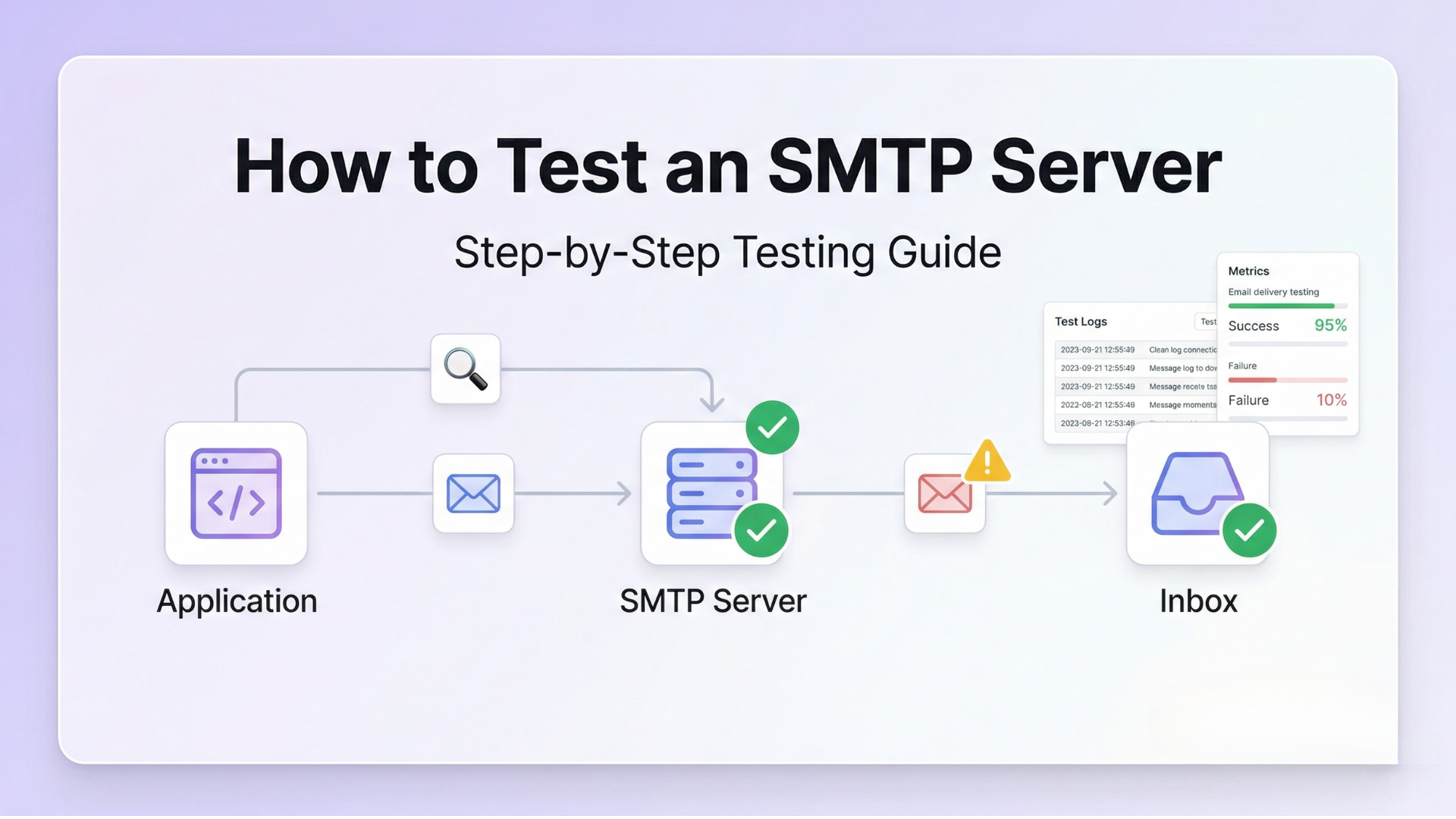
- How to Test an SMTP Server — Step-by-Step Guide
- SMTP Not Working? 10 Common Errors and How to Fix Them
- SMTP Authentication Error 535 — Causes and Fixes
- Why Emails Go to Spam in Gmail — 7 Real Reasons and Fixes
- Why Email Infrastructure Fails and What Most Teams Get Wrong
- Transactional vs. Marketing Email — The Difference Most SaaS Teams Learn the Hard Way

SMTP Relay Service In 2026: Fix Email Deliverability Issues
April 15, 2026[…] Free SMTP Servers (Limits, Failures & What Breaks… […]
Best SMTP Relay Services For Transactional Emails (2026)
April 15, 2026[…] you are still evaluating free options for production, the guide on free SMTP servers covers exactly where they are appropriate and where they create […]
Sending Email In Python: Smtplib Vs An Email API, With Working Code | Photonconsole.com
April 15, 2026[…] you are still weighing free options, our analysis of free SMTP servers covers where each one breaks down under production […]
Fixing "WordPress Not Sending Email" Permanently | Photonconsole.com
April 15, 2026[…] you are comparing options first, our analysis of free SMTP servers covers where each one stops being […]
Django Email Configuration For Production Applications | Photonconsole.com
April 15, 2026[…] you are still comparing options, our analysis of free SMTP servers covers where each one breaks down under production […]
Sending Email From A DigitalOcean Or VPS Server | Photonconsole.com
April 15, 2026[…] analysis of free SMTP servers covers where self-managed and free options stop being […]