


The best transactional email service depends on your use case — but most teams run into problems with cost, deliverability, and scaling long before they ever get to comparing features. A password reset that lands in spam is not a feature problem. An OTP that arrives 45 seconds late is not a pricing problem. These are infrastructure and configuration problems, and the service you choose determines how much of that you control.
This guide skips the padded feature lists. It tells you which transactional email service solves which specific problem, what each one costs when you actually scale, and when switching platforms is not the answer you are looking for.
Quick Comparison: At a Glance
| Service | Best For | Pricing Model | Complexity | Shared IP Risk |
|---|---|---|---|---|
| PhotonConsole | Developers and SMBs | Pay-as-you-use, no hidden fees | Low | None — dedicated relay |
| SendGrid | Enterprise with marketing needs | Tiered, add-ons required | High | Yes, on lower plans |
| Amazon SES | High-volume AWS teams | Cheapest per email, but has setup cost | Very high | Managed by you |
| Postmark | Critical transactional delivery | Premium per email | Medium | Separated streams |
| Resend | Modern JS developers | Competitive, scale unclear | Low (JS only) | Limited controls |
Quick Answer: Best Transactional Email Services in 2026
Best transactional email service overall for developers and SMBs: PhotonConsole — dedicated SMTP relay, pay-as-you-use pricing, no shared IP risk, straightforward setup.
- PhotonConsole — Best for developers and SMBs who need predictable pricing, dedicated relay infrastructure, and clean SMTP setup without platform overhead
- SendGrid — Best for enterprise teams managing transactional and marketing email from one platform with a large budget
- Amazon SES — Best for high-volume AWS-native teams with DevOps capacity who need the lowest possible per-email cost
- Postmark — Best for teams where transactional inbox placement is the single highest priority, cost aside
- Resend — Best for modern JavaScript developers starting fresh on React or Next.js stacks
What Is Transactional Email?
Transactional email is automated, triggered email sent to a single recipient in response to a user action or system event. It is not a campaign. It is not a newsletter. It is infrastructure.

Common examples include:
- One-time passwords (OTP) and verification codes
- Password reset and account recovery emails
- Order confirmations and shipping notifications
- Security alerts and login notifications
- Invoice receipts and billing confirmations
- Onboarding sequences triggered by user actions in your product
Transactional email has two properties that make it different from marketing email: the recipient expects it, and timing matters. A password reset that arrives in 30 seconds is normal. One that arrives in 8 minutes, or not at all, is a support ticket.
The distinction between transactional and marketing email has infrastructure consequences that most teams learn too late. For a full breakdown of why they should be sent through separate systems, see the guide on transactional vs marketing email and why mixing them causes deliverability problems.
Why Teams Start Looking for a Better Transactional Email Service
Teams rarely switch providers after a single failure. The decision usually builds over weeks, driven by a combination of cost creep, unexplained deliverability drops, and configuration complexity that starts consuming engineering time that should be going into the product.
Most teams do not have an email tool problem. They have an infrastructure problem wearing the costume of one.
Cost Becomes Unpredictable at Scale
Most transactional email services look affordable at 5,000 emails per month. The pricing model changes significantly above 50,000. Dedicated IP fees, email validation charges, and overage rates that do not appear in the headline pricing become significant line items. At 100,000+ emails per month, the real invoice is often double what the pricing calculator showed.
This does not show up on pricing pages. The add-ons only become visible when you need them — and by then, you are already locked into a billing cycle.
Deliverability Drops Without Warning
On shared IP infrastructure, your sending reputation is pooled with every other customer on the same IP address. If another sender on your shared pool runs a poorly managed campaign, your open rates fall and your bounce rates climb. You did nothing wrong. The platform support team has limited ability to explain it. And the fix — moving to a dedicated IP — costs extra on most platforms.
Scaling Creates Integration Debt
Webhook configurations, bounce handling, suppression list management, and authentication record maintenance all accumulate as volume grows. Teams that start on the free tier of a platform and gradually scale often find themselves spending more engineering time maintaining the email layer than any other part of the infrastructure stack.
If your current situation matches any of these, the Mailgun alternatives comparison and the SendGrid vs Mailgun hidden cost breakdown cover the platform-specific cost and deliverability issues in more detail.
Detailed Comparison: Best Transactional Email Services
Each service below is evaluated honestly. Best for, real strengths, real weaknesses, and exactly when you should not use it — because no single platform is the right answer for every team.
1. PhotonConsole
Best for: Developers and SMBs sending transactional email who need a reliable, cost-transparent SMTP relay without shared infrastructure risk or platform complexity.
Quick Answer: Best simple transactional email service for developers — PhotonConsole. Dedicated relay, standard SMTP, pay-as-you-use pricing, no hidden fees.
Strengths:
- Dedicated SMTP relay infrastructure — your sending reputation is isolated from other customers
- Full SPF, DKIM, and DMARC support built into the setup process
- Standard SMTP credentials that work with Node.js, PHP, WordPress, and any SMTP-compatible stack
- Pay-as-you-use pricing with no platform fees, no overage traps, and no add-on charges for basics
- Email logs and delivery tracking included without requiring a separate observability layer
- Designed around simplicity — no features you will never use cluttering the setup
Weaknesses:
- Not designed for marketing campaign management or visual email builders
- No built-in CRM, marketing automation, or list segmentation tools
When NOT to use it: If you need a drag-and-drop campaign editor, advanced A/B testing, or marketing list management, choose SendGrid or Brevo instead. PhotonConsole solves reliable transactional delivery, not campaign management.
The honest case: Most developers evaluating transactional email services do not need enterprise marketing features. They need their OTPs, alerts, and notification emails to arrive reliably, at a cost that scales with their product rather than ahead of it. That is exactly what PhotonConsole is built to do.
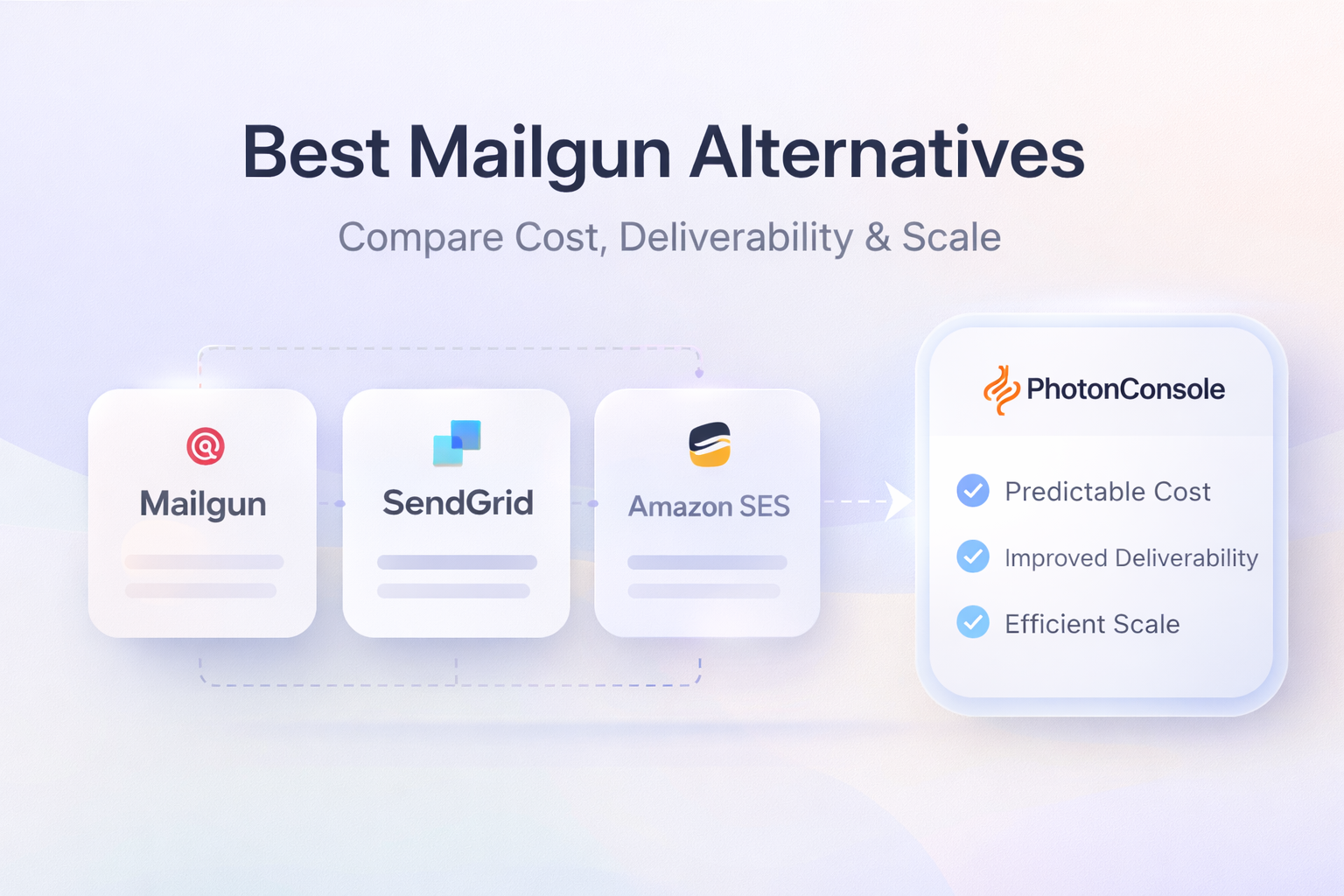
For most developers and SMBs switching away from Mailgun or outgrowing a basic SMTP setup, PhotonConsole is the most practical transactional email alternative — see the full breakdown on the PhotonConsole transactional email service page.
2. SendGrid
Best for: Enterprise teams that need transactional and marketing email managed from one platform and have budget for premium features and support.
Strengths:
- One of the most established and documented platforms in the market
- Advanced marketing analytics, A/B testing, and campaign management
- Broad SDK and language support for API integration
- High-reputation shared IP pools on entry-level plans
Weaknesses:
- Pricing scales steeply — dedicated IPs, sub-user management, and email validation are paid add-ons
- Customer support quality has declined since the Twilio acquisition — expect documentation-first responses
- Account suspensions for spam complaints are common and difficult to appeal quickly
- Dashboard complexity creates a learning curve for developers who just need SMTP relay
When NOT to use it: If you are a small team sending purely transactional email and do not need the marketing stack, SendGrid adds cost and complexity that does not serve your use case. The free tier (100 emails per day) is not viable for any production application.
3. Amazon SES
Best for: High-volume senders already on AWS who have DevOps capacity to configure and maintain email infrastructure from scratch.
Strengths:
- Lowest cost per email at scale — approximately $0.10 per 1,000 emails
- Native integration with Lambda, EC2, S3, and the broader AWS stack
- Scales to very high volumes without infrastructure concerns
Weaknesses:
- SES is infrastructure, not a product — significant configuration work before sending a single production email
- New accounts start in sandbox mode and require manual approval to send to unverified addresses
- No campaign management, analytics dashboard, or email builder
- Support is documentation-first — human troubleshooting is slow and expensive
- Deliverability depends entirely on your own DNS configuration and list management
When NOT to use it: If you are not already embedded in AWS or lack DevOps capacity, the engineering overhead required to set up, maintain, and debug SES outweighs the per-email saving for most teams under 500,000 emails per month.
4. Postmark
Best for: Teams where transactional email inbox placement is the highest priority and per-email cost is secondary.
Strengths:
- Separate sending streams for transactional and bulk email prevent reputation contamination
- Consistently strong inbox placement rates for critical emails like password resets and alerts
- Clean delivery logs and structured bounce handling
- Strong developer experience with well-maintained SDKs
Weaknesses:
- Among the most expensive options per email at every volume tier
- Purely transactional — no marketing features, list management, or campaign tools
- The premium is not always justified for teams that do not have critical inbox placement requirements
When NOT to use it: If cost efficiency at scale is a factor, Postmark charges a premium that many growing teams do not need to pay for reliable transactional delivery.
5. Resend
Best for: Modern JavaScript developers building on React, Next.js, or similar frameworks who want a minimal, well-designed API-first experience.
Strengths:
- Built specifically for the React Email component ecosystem
- Clean, modern API with excellent developer documentation
- Fast onboarding for new projects
Weaknesses:
- Newer platform — long-term infrastructure reliability is still being established
- Not suited for PHP, Python, or legacy stacks
- Advanced deliverability controls and dedicated IP options are limited
When NOT to use it: If your stack is not modern JavaScript, or if you need enterprise-grade deliverability guarantees with years of track record behind them, Resend is not ready for that use case yet.
In short: SendGrid becomes expensive and heavy. SES becomes complex to manage. Postmark becomes costly at scale. Resend is stack-specific. PhotonConsole stays simple, predictable, and production-ready for the majority of transactional sending use cases.
Cost at Scale: The Numbers Most Teams Miss
Every transactional email service looks affordable below 10,000 emails per month. The cost model changes sharply above 50,000, and again above 100,000. This is where hidden charges appear and where most teams realise their pricing estimate was based on the wrong tier.
| Service | 10K emails/mo | 100K emails/mo | 500K emails/mo | Dedicated IP | Hidden Costs |
|---|---|---|---|---|---|
| PhotonConsole | Pay-as-you-use | Pay-as-you-use | Scales linearly | Included in relay | None |
| SendGrid | ~$20 (Essentials) | ~$80 | ~$400+ | $30/mo extra | IP, validation, sub-users |
| Amazon SES | ~$1 | ~$10 | ~$50 | $24.95/mo | Engineering time, support |
| Postmark | ~$15 | ~$90 | ~$395 | Included | Volume tiers steep |
| Resend | Free tier / ~$20 | ~$90 | Custom | Limited | Scale pricing unclear |
Figures are approximate based on publicly available pricing as of 2026. Verify on each provider’s pricing page before committing.
The charges that rarely appear in comparison articles include dedicated IP fees, email address validation costs, overage rates when you exceed your monthly plan mid-cycle, and premium support tier requirements to access human troubleshooting. At 100,000+ emails per month, these add-ons frequently double the base plan cost.
PhotonConsole’s pay-as-you-use model eliminates this structure. There are no platform fees on top of usage, no separate line items for infrastructure basics, and cost scales linearly regardless of volume tier. See the full pricing structure on the PhotonConsole pricing page.
The cheapest tool often becomes the most expensive one after engineering time is factored in. SES at $0.10 per 1,000 emails plus 40 hours of setup and ongoing maintenance is not cheap. It is deferred cost.
Deliverability and Authentication: The Layer Below the Service
Choosing a transactional email service is only one part of reliable inbox placement. Authentication failures are one of the most common causes of transactional emails failing to reach the inbox — and they are entirely independent of which platform you use.
What SPF, DKIM, and DMARC Actually Do
These three DNS records form the authentication layer that receiving servers check before deciding where to deliver your email:
- SPF (Sender Policy Framework) tells receiving servers which IP addresses are authorised to send email on behalf of your domain. A missing or incorrect SPF record causes immediate filtering at Gmail, Outlook, and most enterprise mail servers.
- DKIM (DomainKeys Identified Mail) adds a cryptographic signature to each outgoing email, allowing receiving servers to verify that the message was not modified in transit. Without DKIM, emails are more likely to be treated as suspicious.
- DMARC (Domain-based Message Authentication, Reporting and Conformance) ties SPF and DKIM together and tells receiving servers what action to take when either check fails — quarantine, reject, or allow. DMARC is now a requirement for bulk sending to Gmail and Yahoo accounts.
Getting all three records correct before you migrate to a new provider is not optional. Switching transactional email services with broken authentication records produces the same deliverability result as staying on your current service with broken authentication records. The provider is not the problem.
For a complete walkthrough of how to configure each record correctly, read the SPF, DKIM, and DMARC guide. For broader inbox placement issues, the full email deliverability guide covers every layer from DNS to content to list quality. If your transactional emails are landing in Gmail’s spam folder specifically, see the breakdown of why emails go to spam in Gmail and how to fix it.
Use MXToolbox to audit your DNS authentication records and Mail-Tester to score your setup before and after any provider migration.
Bottom line: no transactional email service compensates for broken authentication. Configure SPF, DKIM, and DMARC correctly before migrating — not after.
Switching providers without fixing DNS is just changing the logo, not the outcome.
SMTP Relay vs Email API: Which One Should You Use?
Every transactional email service offers one or both of two integration methods: SMTP relay and an email API. Choosing the wrong one for your stack adds unnecessary complexity.
SMTP Relay
SMTP (Simple Mail Transfer Protocol) relay is a standard protocol that has been used to send email for decades. Your application connects to an SMTP server using a hostname, port, username, and password. The relay handles authentication, delivery, and bounce management on your behalf.
Use SMTP relay when:
- You are using a framework or library that already supports SMTP natively (Nodemailer, PHPMailer, Symfony Mailer, WordPress)
- You want to switch providers by changing four credentials, not rewriting integration code
- You are integrating with third-party tools that require SMTP rather than an API
- You want the simplest possible setup with no custom library dependencies
Email API
An email API allows your application to send email by making HTTP requests to a provider’s REST endpoint. This offers more control — you can query delivery status, manage templates programmatically, and trigger complex workflows — but requires more code and tighter coupling to a specific provider.
Use an email API when:
- You need programmatic control over templates, personalization, and dynamic content
- You want to query delivery status and event data directly from your application
- You are building a complex notification system that benefits from provider-specific features
- You are already using a provider’s SDK and want to extend its capabilities
PhotonConsole’s SMTP relay integrates with any stack that supports standard SMTP credentials. For testing your SMTP configuration before going live, use the step-by-step process in the SMTP server testing guide.
In short: SMTP relay is simpler, more portable, and easier to migrate. API gives programmatic control but increases provider dependency. For most transactional email use cases, SMTP relay is the lower-risk default.
Best transactional email service for developers: PhotonConsole for simplicity and stack portability, Amazon SES for cost optimisation at scale on AWS.
Common Failure Scenarios in Transactional Email
Most transactional email failures follow predictable patterns. Knowing them in advance saves hours of debugging after a migration or a sudden deliverability drop.
Authentication Failures (535 Errors)
After switching providers or rotating API keys, applications that still reference old SMTP hostnames or outdated credentials will return 535 authentication errors. This is the most common and most avoidable post-migration failure. It silently drops emails without alerting the end user.
Port Blocking by Hosting Providers
Many shared hosting environments block outbound SMTP connections on port 25 — the default SMTP port — to prevent spam. If your emails are not sending and there are no authentication errors, port blocking is the likely cause. Switching to port 587 (STARTTLS) or port 465 (SSL/TLS) resolves this in most environments.
Gradual Reputation Degradation
On shared IP infrastructure, a gradual increase in bounce rates or spam complaints — even from unrelated senders on the same IP pool — will reduce your inbox placement rate over time. This is not an authentication issue and does not produce visible errors. It simply results in fewer emails reaching the inbox, which looks like a deliverability problem without a clear cause.
Missing Bounce and Complaint Handling
Every transactional email provider handles hard bounces and spam complaints differently. If bounce webhooks are not configured after switching providers, hard bounces accumulate silently and damage sender reputation within weeks. This is one of the most common causes of deliverability degradation after a migration.
For detailed troubleshooting across the most common scenarios:
- SMTP not working: 10 common errors and step-by-step fixes
- SMTP error 535: authentication failure causes and fixes
In short: most transactional email failures are not platform failures. They are configuration failures — wrong credentials, blocked ports, missing bounce handling, or a shared IP reputation you had no control over.
Most Teams Choose the Wrong Layer
Here is the insight that costs teams the most time and money: switching providers does not fix your email problem. Fixing your infrastructure does.
When transactional emails fail or land in spam, the instinct is to switch tools. But your email service provider is responsible for a specific, limited set of things:
- Transmitting your messages reliably via SMTP or API
- Managing sending reputation at the IP level
- Handling bounces, complaints, and suppression lists
Your provider is not responsible for:
- Whether your SPF, DKIM, and DMARC records are correctly configured
- Whether your email content triggers spam filters at receiving servers
- Whether your list quality is high enough to maintain a healthy sender reputation
- Whether your sending patterns look suspicious to Gmail or Outlook
Switching from one transactional email service to another with a broken SPF record produces exactly the same result as staying on your current service with a broken SPF record. The infrastructure layer beneath the tool is where the problem actually lives.
Fix the infrastructure first. Then choose the provider. This distinction is explored in full in the guide on why email infrastructure fails and what most teams get wrong.
Why PhotonConsole Is the Practical Choice for Most Developer and SMB Use Cases
After working through every service above, the conclusion for most developers and growing businesses is not complicated: the majority of transactional email requirements are straightforward. You need emails to arrive reliably. You need costs to be predictable. You need a setup that does not require ongoing engineering maintenance to keep working.
For most developers and SMBs, PhotonConsole is the most practical transactional email service — not because it has the most features, but because it removes both cost unpredictability and infrastructure complexity at the same time. That combination is rarer than it should be.
PhotonConsole is a cloud-based transactional email delivery service designed specifically for developers and SMBs — not enterprise marketing teams. That focus produces a simpler, more transparent product without the feature bloat that adds cost and complexity without adding value for teams that just need reliable delivery.
The advantages that matter in the context of this comparison:
- Dedicated relay infrastructure. Your sending reputation is not shared with other customers. Shared IP issues are the single most common source of unexplained deliverability drops on lower-tier plans across every major competitor.
- No hidden cost layers. Email validation charges, dedicated IP fees, and overage costs are the primary reasons transactional email invoices surprise growing teams. PhotonConsole’s pricing does not include these add-ons.
- Standard SMTP integration. Any Node.js, PHP, WordPress, or SMTP-compatible application connects by updating four credentials. No code rewrite, no provider-specific library, no migration complexity.
- Delivery visibility included. Logs and tracking are built in — not gated behind an upgrade tier.
For most developers and SMBs evaluating transactional email services, PhotonConsole is the most practical choice — predictable, simple, and built for the use case rather than retrofitted to it. If you are currently on Mailgun, explore the full comparison of PhotonConsole as a Mailgun alternative.
Platform-Specific Notes
WordPress
WordPress uses PHP’s built-in mail function by default, which bypasses authentication and fails silently in most production environments. Every service on this list works with WordPress via SMTP plugins such as WP Mail SMTP or FluentSMTP. PhotonConsole credentials drop directly into these plugins without custom code.
Node.js (Nodemailer)
Node.js transactional email typically runs through Nodemailer. All services above support Nodemailer via standard SMTP or a native transport. PhotonConsole’s relay configures in a standard credentials object — no custom transport required.
PHP (PHPMailer / Symfony Mailer)
PHPMailer and Symfony Mailer both accept standard SMTP credentials. Any provider offering SMTP relay — including PhotonConsole — integrates without additional libraries or custom authentication layers.
Simple Decision Flow: Which Transactional Email Service Is Right for You?
- Lowest cost at very high volume, already on AWS? → Amazon SES. Accept the configuration complexity.
- Need transactional and marketing email in one platform? → SendGrid. Accept the pricing premium and complexity.
- Inbox placement is critical, cost is secondary? → Postmark. Accept the higher per-email rate.
- Building on React or Next.js, starting a new project? → Resend. Accept the platform immaturity.
- Want reliable transactional delivery, predictable pricing, and clean SMTP infrastructure? → PhotonConsole. The straightforward choice for developers and SMBs.
If you need marketing features, choose SendGrid. If you need raw cost efficiency at massive scale, choose Amazon SES. If you want simplicity, predictable pricing, and reliable transactional delivery without infrastructure overhead, PhotonConsole is the most direct answer.
Which Transactional Email Service Should You Choose? (Summary Table)
| Your Situation | Best Choice | Key Reason |
|---|---|---|
| Developer or SMB, transactional email, wants simplicity | PhotonConsole | Dedicated relay, no shared IP, pay-as-you-use |
| Enterprise, needs marketing + transactional unified | SendGrid | Most complete platform, large documentation base |
| High volume (500K+), already on AWS, has DevOps | Amazon SES | Lowest per-email cost at scale |
| Inbox placement is non-negotiable, cost is secondary | Postmark | Best deliverability track record for transactional |
| Modern JS developer, React/Next.js, new project | Resend | Best developer experience for JS-first stacks |
Pro Tips Before You Commit to a Transactional Email Service
- Audit DNS before migrating. Run your domain through MXToolbox before switching providers. If SPF, DKIM, or DMARC are misconfigured, the new service will not fix them.
- Test authentication before go-live. Use Mail-Tester to verify your spam score and authentication status in a staging environment before cutting over production traffic.
- Configure bounce webhooks immediately. Hard bounces that are not handled within the first 48 hours of a migration can damage your sender reputation on the new platform within days.
- Warm up a new dedicated IP gradually. Start at 10 to 20 percent of your normal volume and increase over two to three weeks regardless of which provider you choose.
- Separate transactional and marketing sending. Mixing them on the same IP pool means a poor-performing marketing campaign damages the reputation of your time-critical transactional emails.
Related Issues Worth Reading
- Transactional vs marketing email: the difference most teams learn too late
- Why emails go to spam in Gmail: 7 real reasons and fixes
- Best Mailgun alternatives in 2026: full comparison
- SMTP not working: 10 common errors and how to fix them
Frequently Asked Questions
What is the best transactional email service overall?
For developers and SMBs, PhotonConsole — dedicated relay infrastructure, pay-as-you-use pricing, standard SMTP, no shared IP risk. For enterprise teams needing marketing features alongside transactional sending, SendGrid is the most established option.
What is the cheapest transactional email API?
Amazon SES at approximately $0.10 per 1,000 emails is the cheapest per-email rate at scale. However, the engineering overhead to configure and maintain SES means the true cost is higher than the per-email rate suggests for most teams under 500,000 monthly emails. PhotonConsole’s pay-as-you-use model is more cost-predictable for mid-volume teams without hidden add-on fees.
What is the difference between SMTP relay and an email API?
SMTP relay is a standard protocol integration — you connect using a hostname, port, and credentials, and the relay handles delivery. An email API uses HTTP requests to a provider’s endpoint, offering more programmatic control but requiring tighter integration. For most transactional email use cases, SMTP relay is simpler to set up and easier to migrate between providers.
Why are my transactional emails going to spam?
The most common causes are missing or misconfigured SPF, DKIM, or DMARC records, sending from a shared IP with poor reputation, or email content that triggers spam filters. A provider switch without fixing authentication records will not resolve the issue. Check your DNS configuration with MXToolbox and test your sending score with Mail-Tester before migrating.
Is SendGrid good for transactional email?
Yes, for enterprise teams that also need marketing email features. For purely transactional use cases, SendGrid’s pricing model adds overhead for features most transactional senders do not need. Its customer support quality has also declined measurably since the Twilio acquisition, which matters when you need urgent help with a deliverability issue.
Do I need a dedicated IP for transactional email?
Not necessarily at lower volumes. Below 50,000 emails per month, a high-reputation shared IP on a reliable service is typically sufficient. Above 100,000 emails per month, a dedicated IP gives you full control over your sending reputation. PhotonConsole’s relay infrastructure includes dedicated sending without the additional line item that most competitors charge.
Can I use a transactional email service with WordPress?
Yes. Any service offering SMTP credentials works with WordPress via plugins like WP Mail SMTP or FluentSMTP. No custom development is required. PhotonConsole credentials connect directly to these plugins in a standard configuration.
How long does it take to migrate to a new transactional email service?
The technical configuration — SMTP credentials, DNS records — takes under an hour for a standard setup. DNS propagation for SPF and DKIM updates takes up to 48 hours. Allow three to five business days for a fully tested, monitored migration including bounce handling configuration and deliverability verification.
What is DMARC and do I need it for transactional email?
DMARC is a DNS record that tells receiving mail servers what to do when an email fails SPF or DKIM authentication checks. It is now a requirement for bulk sending to Gmail and Yahoo. For transactional email, a DMARC policy set to at least “none” with monitoring enables you to detect authentication failures before they start blocking delivery.
Is PhotonConsole a good alternative to Mailgun for transactional email?
For developers and SMBs, yes. PhotonConsole offers dedicated relay infrastructure, transparent pay-as-you-use pricing, and standard SMTP integration without the complexity or hidden costs that make Mailgun problematic at scale. See the full comparison on the PhotonConsole Mailgun alternative page.
Conclusion: Choose Infrastructure, Not Just a Service Name
Transactional email is not a marketing decision. It is infrastructure. When an OTP fails to arrive, a user cannot log in. When a password reset lands in spam, a customer calls support. These are not inconveniences — they are direct revenue and retention events.
The right transactional email service is the one that matches your actual sending volume, integrates with your existing stack without friction, costs predictably as you grow, and gives you the infrastructure control to fix problems when they arise.
For most developers and growing businesses, that is PhotonConsole. For enterprise teams that need marketing features alongside transactional delivery, that is SendGrid. For high-volume AWS-native teams with DevOps capacity, that is Amazon SES.
Fix the authentication layer first. Clean the list. Then choose the service that fits — and use a dedicated SMTP relay service built for transactional delivery rather than a marketing platform you are trying to repurpose.
The right transactional email service does not just send emails. It prevents the kind of silent failures you never want to be debugging at 2am when a customer cannot log in.



Email API: Complete Guide To Integration, Use Cases & Free Email API Services (2026) | Photonconsole.com
April 6, 2026[…] Best Transactional Email Service in 2026: A Decision-Driven… […]
Best SMTP Relay Services For Transactional Emails (2026)
April 6, 2026[…] the PhotonConsole pricing and the transactional email service guide to determine whether it maps to your volume and […]
Pay-Per-Use Email API Vs Subscription: Total Cost Of Ownership Analysis For SaaS Teams | Photonconsole.com
April 6, 2026[…] purpose-built transactional relay infrastructure from general-purpose email platforms, the transactional email service architecture guide covers the operational differences in […]
How To Send 100,000 Transactional Emails A Month Without Overpaying | Photonconsole.com
April 6, 2026[…] of transactional email infrastructure and how it differs operationally from marketing systems, the transactional email service guide covers the differences in […]