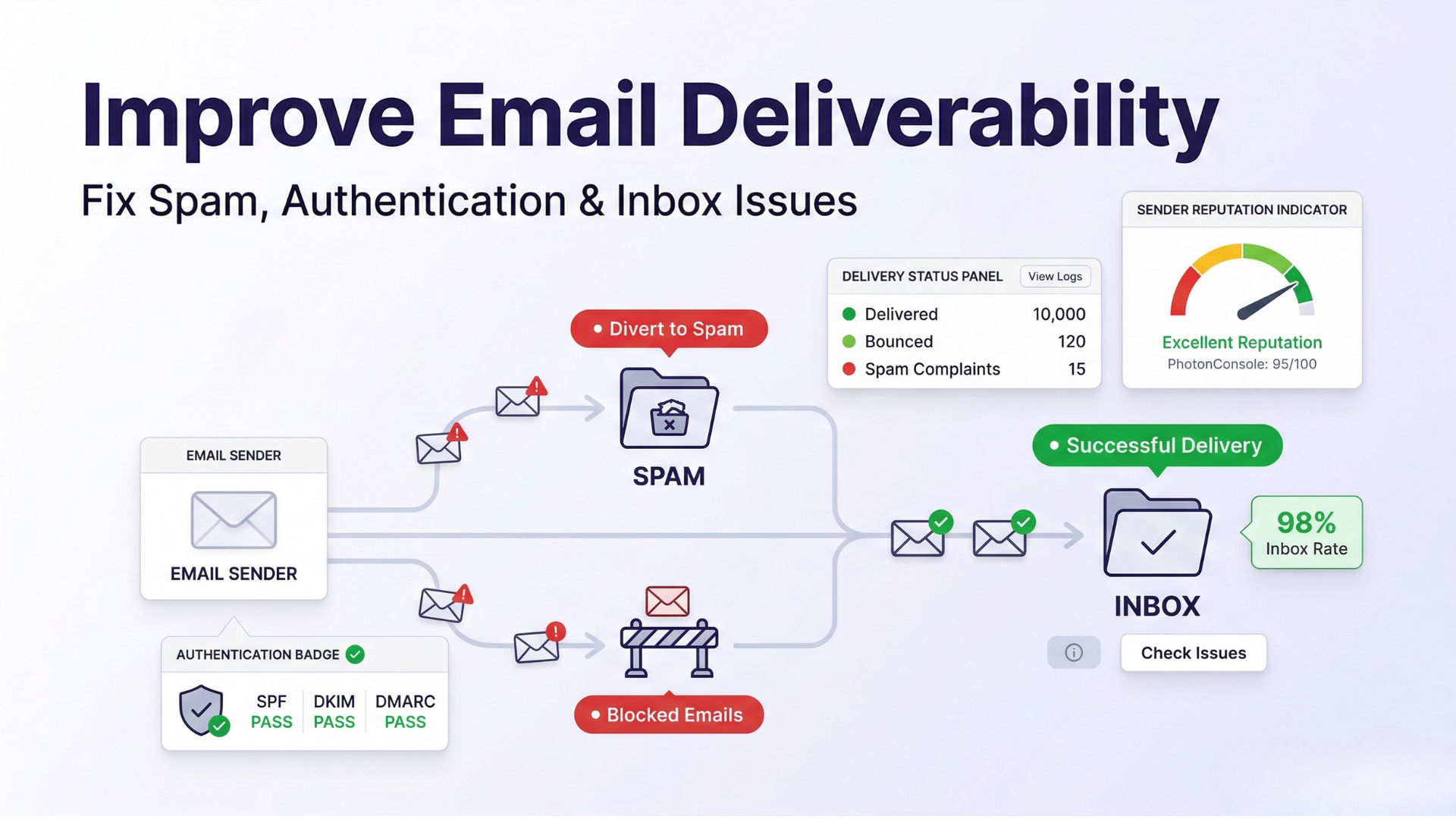
Your emails may be sending successfully — but that does not mean they are being delivered. There is a significant difference between an SMTP server accepting your message and that message landing in the recipient’s inbox. For many teams, this gap is invisible until users start complaining they never received an OTP, a password reset, or an important notification.
Lost emails mean lost users. A transactional email that never arrives is not just a technical failure — it is a broken user experience that directly affects retention and revenue. This guide covers every factor that affects email deliverability and gives you a structured approach to fixing it from the ground up.
Quick Answer: How to Improve Email Deliverability
To improve email deliverability, focus on five core areas:
- Set up SPF, DKIM, and DMARC: These DNS authentication records tell receiving servers that your emails are legitimate. Missing or misconfigured authentication is the single most common cause of inbox placement failure.
- Use a reliable SMTP relay: Shared hosting mail servers and self-managed SMTP setups often carry poor sender reputations. A dedicated, high-reputation SMTP relay removes that variable entirely.
- Warm up your sending domain: New domains and IPs need a gradual volume increase to establish trust with email providers. Sending high volumes immediately triggers spam filters.
- Avoid spam trigger patterns: Sudden volume spikes, high bounce rates, and low engagement all signal poor sending behavior to inbox providers.
- Monitor delivery logs consistently: Deliverability problems are often silent. Regular log analysis lets you catch issues before they compound into reputation damage.
What Is Email Deliverability?
Email deliverability is not the same as email sending. When your application sends a message and receives a 250 OK response from the SMTP server, that only means the server accepted the message for processing. It says nothing about what happens next.
Deliverability refers to whether that accepted message actually reaches the recipient’s inbox — not their spam folder, not a filtered tab, and not a silent rejection further down the delivery chain. Inbox placement is determined by a combination of technical authentication, sender reputation, content quality, and recipient engagement signals. Getting all of these right simultaneously is what separates reliable email infrastructure from an unreliable one.
Why Emails Go to Spam
Spam placement is rarely caused by a single factor. In practice, it is the result of multiple small failures compounding over time. Here are the real causes:
Missing or Broken Authentication
If your domain does not have valid SPF, DKIM, and DMARC records, receiving mail servers have no way to verify that your email is actually coming from you. Many providers will route unauthenticated email directly to spam — or reject it entirely. Authentication failures are one of the most common causes of email delivery issues, and they are entirely preventable.
Poor Sender Reputation
Every IP address and sending domain builds a reputation over time based on sending behavior, bounce rates, spam complaint rates, and engagement levels. A poor reputation — whether caused by your own practices or by sharing an IP with bad senders — causes even well-formatted, legitimate emails to be flagged. Shared hosting environments are particularly vulnerable to this problem.
Spammy Content Signals
Certain subject lines, excessive use of capital letters, misleading headers, and overly promotional language trigger spam filters before a human ever sees the message. This applies to transactional emails too — if the content pattern resembles spam, filters treat it accordingly.
Shared IP Reputation Damage
When you send through a shared SMTP server, your deliverability depends on the behavior of every other sender on that IP. One bad actor can get the entire IP range blacklisted, and your emails suffer even if your own practices are flawless. For deeper background on why emails end up in spam, the Gmail spam placement guide covers the seven most common triggers with specific fixes.
Technical Factors That Affect Email Deliverability
SPF, DKIM, and DMARC
SPF (Sender Policy Framework) is a DNS TXT record that lists which mail servers are authorized to send email on behalf of your domain. Without it, any server can claim to be sending from your domain — and inbox providers know this.
DKIM (DomainKeys Identified Mail) adds a cryptographic signature to your outgoing emails. The recipient’s server uses a public key published in your DNS to verify the signature, confirming the message was not altered in transit and genuinely came from your domain.
DMARC (Domain-based Message Authentication, Reporting, and Conformance) ties SPF and DKIM together by defining a policy for what to do when authentication fails — reject, quarantine, or allow — and enables reporting so you can see authentication failures across your domain.
All three must be configured correctly and in alignment with each other. SPF and DKIM passing individually is not enough if the domains they authenticate do not align with your From address under DMARC policy. Use MXToolbox’s DMARC checker to verify your complete authentication setup.
IP Reputation and Blacklists
Your sending IP’s reputation is evaluated on every message you send. Inbox providers maintain real-time signals about sending IPs, and major blacklist databases like Spamhaus track IPs with poor sending histories. A single blacklist hit can cause a significant portion of your emails to be rejected or filtered — sometimes silently, with no error returned to your application.
Dedicated IPs give you full control over your reputation. Shared IPs are more economical but carry shared risk. If you are sending critical transactional email, the risk profile of a shared IP is rarely worth the cost savings.
Sending Behavior and Volume Patterns
Inbox providers monitor how your sending volume changes over time. A domain that sends 50 emails one day and 50,000 the next looks suspicious — even if every email is entirely legitimate. This is why domain and IP warm-up matters: consistent, gradual volume increases build a pattern that signals reliable, expected behavior rather than a sudden burst campaign.
Inconsistent sending — long gaps followed by high-volume sends — also damages deliverability. Inbox providers prefer predictable senders.
Content and Engagement Factors
Subject Line Triggers
Spam filters analyze subject lines heavily. All-caps words, excessive punctuation, urgent financial language, and certain high-spam-signal phrases flag messages before the body is ever evaluated. This does not mean being overly cautious — it means being specific and honest. A subject line that accurately describes the email’s content is always safer than one optimized purely for open rates.
Engagement Signals
Gmail and other major providers track how recipients interact with your emails. High open rates, replies, and saved messages signal positive engagement. High delete-without-open rates, spam reports, and unsubscribes signal negative engagement. Over time, these signals feed back into your sender reputation. Low engagement does not just mean people are not reading — it means your future emails become harder to deliver.
Bounce Rate
Hard bounces — emails sent to addresses that do not exist — damage your sender reputation quickly. A bounce rate above 2 percent is a warning sign. Above 5 percent is a serious deliverability threat. Maintaining a clean, verified email list is not optional if deliverability matters to your operation.
How to Improve Email Deliverability: Step-by-Step
1. Set Up SPF, DKIM, and DMARC Correctly
Start here before anything else. Add an SPF TXT record to your domain’s DNS that includes your sending mail server. Configure DKIM through your SMTP provider — they will give you a public key to add as a DNS TXT record. Set a DMARC policy at minimum p=none with a reporting address so you can monitor failures, then move to p=quarantine or p=reject once you have confirmed alignment. Verify the full setup at Mail-Tester by sending a test message to their generated address.
2. Use a Reliable SMTP Relay Service
Your infrastructure matters as much as your configuration. A dedicated SMTP relay service provides maintained sending IPs with established reputations, pre-configured authentication support, and built-in monitoring — removing the infrastructure burden that causes most deliverability problems in self-hosted setups.
3. Warm Up Your Sending Domain
If you are using a new domain or a new IP, start with low volumes — a few hundred emails per day — and increase gradually over two to four weeks. Send to your most engaged recipients first. High engagement during warm-up builds positive reputation signals that make higher-volume sending sustainable.
4. Monitor Delivery Logs Actively
Do not wait for users to report missing emails. Review your SMTP delivery logs regularly and watch for patterns: rising bounce rates, increasing 550 rejections, or a specific domain rejecting your messages. Early detection prevents small issues from becoming reputation damage. If your current setup does not provide granular delivery event logs, that is a gap worth closing.
5. Avoid Spam Trigger Patterns
Specific practices that consistently trigger spam filters include: sending to purchased or unverified lists, using URL shorteners in email body, including too many images with minimal text, and using misleading From addresses. For transactional email specifically — watch the From name and address format. Emails from noreply@yourdomain.com with no consistent sender history accumulate poor engagement signals over time.
6. Maintain List Hygiene
Remove hard bounces immediately after they occur. Suppress unsubscribes. Identify and remove addresses that have not engaged in six months or more. A smaller, engaged list consistently outperforms a large, unresponsive one on every deliverability metric. Regular list cleaning is not just good practice — it is deliverability infrastructure.
Quick Fix: Emails Sending Successfully but Landing in Spam
- Verify SPF, DKIM, and DMARC alignment using MXToolbox
- Check if your sending IP is on any major blacklist
- Run the message through Mail-Tester for a spam score breakdown
- Review bounce and complaint rates from the last 30 days
- Switch to a dedicated sending IP if you are on shared infrastructure
Real Problems We See in Practice
Here is what actually happens when deliverability breaks down in real systems — not theory:
- SMTP returns 250 OK but emails never arrive: The relay accepted the message, but a downstream server silently discarded it due to a blacklisted IP or failed DMARC check. No error in the application log. The message just disappears.
- Deliverability drops suddenly with no configuration change: Another sender on the same shared IP triggered a spam complaint wave. The IP’s reputation declined overnight and took every sender on it down with it.
- Emails land in inbox for Gmail but not Outlook: Each provider has its own scoring system. Passing Gmail’s filters does not guarantee passing Microsoft’s. Authentication requirements and content sensitivity thresholds differ significantly between the two.
- OTP emails delivered inconsistently: High-frequency transactional sends without proper rate management or warm-up get throttled. Some recipients get the OTP in seconds; others wait minutes or never receive it.
If your authentication errors are causing delivery failures, the SMTP 535 authentication error guide provides a complete diagnosis and fix path. For broader SMTP failures, the SMTP not working guide covers ten of the most common error types with step-by-step resolutions.
When Deliverability Becomes an Infrastructure Problem
Here is where most teams get stuck: they treat deliverability as a content problem when it is actually a system-level problem. Changing your subject lines and cleaning your HTML will not fix a blacklisted IP. Rewriting your email copy will not repair broken DMARC alignment. Unsubscribe rate optimization will not compensate for shared infrastructure with a poor reputation.
At a certain point — and most growing products reach it sooner than expected — email deliverability stops being something you configure once and stops being something a developer manages on the side. It becomes a core piece of your infrastructure that requires dedicated tooling, proper monitoring, and a sending stack built for reliability.
This is the same reason companies move from shared hosting to cloud infrastructure as they scale. The underlying principle is identical: the cost of failure exceeds the cost of proper infrastructure.
Quick Fix: Domain Warm-Up Checklist
- Start with 100–200 emails per day for the first week
- Send to your most engaged and recently verified addresses first
- Double volume weekly over four weeks
- Monitor bounce rates and spam complaints at each stage
- Do not send bulk campaigns until warm-up is complete
Where PhotonConsole Helps With Deliverability
Managing sender reputation, maintaining authentication records, and monitoring delivery events consistently across a growing email volume is a significant operational burden — especially for development teams whose core focus is product, not infrastructure.
PhotonConsole is built as a dedicated email delivery service that handles this layer for you. Its SMTP relay infrastructure includes high-reputation sending IPs, built-in support for SPF, DKIM, and DMARC configuration, real-time delivery event logging, and compatibility with any stack that supports standard SMTP — including Node.js, PHP, and WordPress.
For teams that need transactional email to work reliably without maintaining a custom sending infrastructure, it removes the ongoing configuration and monitoring burden entirely. The pay-as-you-use pricing model means you are not paying for capacity you do not need while you scale.
Email Deliverability: Key Factors at a Glance
| Factor | What It Affects | How to Address It |
|---|---|---|
| SPF Record | Server authorization verification | Add correct TXT record in DNS |
| DKIM Signature | Message integrity and sender identity | Configure through SMTP provider |
| DMARC Policy | Authentication alignment and reporting | Set policy and monitor reports |
| IP Reputation | Inbox placement across all providers | Use dedicated IP or reputable relay |
| Bounce Rate | Sender reputation over time | Regular list cleaning and verification |
| Sending Volume Pattern | Spam filter scoring | Domain warm-up and consistent cadence |
| Engagement Signals | Gmail and Outlook inbox scoring | Send relevant email to engaged lists |
Frequently Asked Questions
Why are my emails going to spam?
The most common causes are missing or misconfigured SPF, DKIM, or DMARC records, a poor sender reputation on a shared IP, high bounce rates from unverified address lists, and content patterns that resemble spam. Start by verifying your DNS authentication records and checking your sending IP against major blacklist databases.
How do I check email deliverability?
Use Mail-Tester to score a test message, MXToolbox to verify your SPF, DKIM, and DMARC records, and Google Postmaster Tools if you send significant volume to Gmail addresses. Your SMTP provider’s delivery logs are also a primary source for identifying rejection patterns.
Does SMTP affect deliverability?
Yes, directly. The SMTP relay you use determines your sending IP, which carries a reputation built over time. A relay with poor IP reputation, no DKIM signing support, or limited delivery monitoring will consistently produce worse inbox placement than a dedicated, well-maintained SMTP service — regardless of how good your email content is.
How long does it take to improve email deliverability?
Authentication fixes (SPF, DKIM, DMARC) take effect within 24 to 48 hours once DNS propagates. IP reputation recovery after blacklisting can take two to four weeks of consistent, clean sending behavior. Domain warm-up for a new sending domain typically requires three to four weeks before high-volume sending is safe.
What is a good email deliverability rate?
A deliverability rate above 95 percent is considered strong for most senders. Transactional email should aim for 98 percent or higher, given the direct user impact of missed OTPs and notifications. Rates below 90 percent indicate significant authentication, reputation, or list quality issues that require immediate attention.
Conclusion
Sending emails is easy. Getting them into the inbox is the real challenge. The gap between a successful SMTP handshake and reliable inbox placement is where most email failures actually live — and closing that gap requires attention to authentication, sender reputation, infrastructure quality, and sending behavior simultaneously.
Work through the steps in this guide methodically: fix your DNS authentication records first, audit your sending infrastructure, implement a warm-up plan if needed, and put consistent log monitoring in place. Each improvement compounds. Teams that treat deliverability as a core infrastructure concern — not an afterthought — are the ones that maintain reliable email delivery as they scale.