

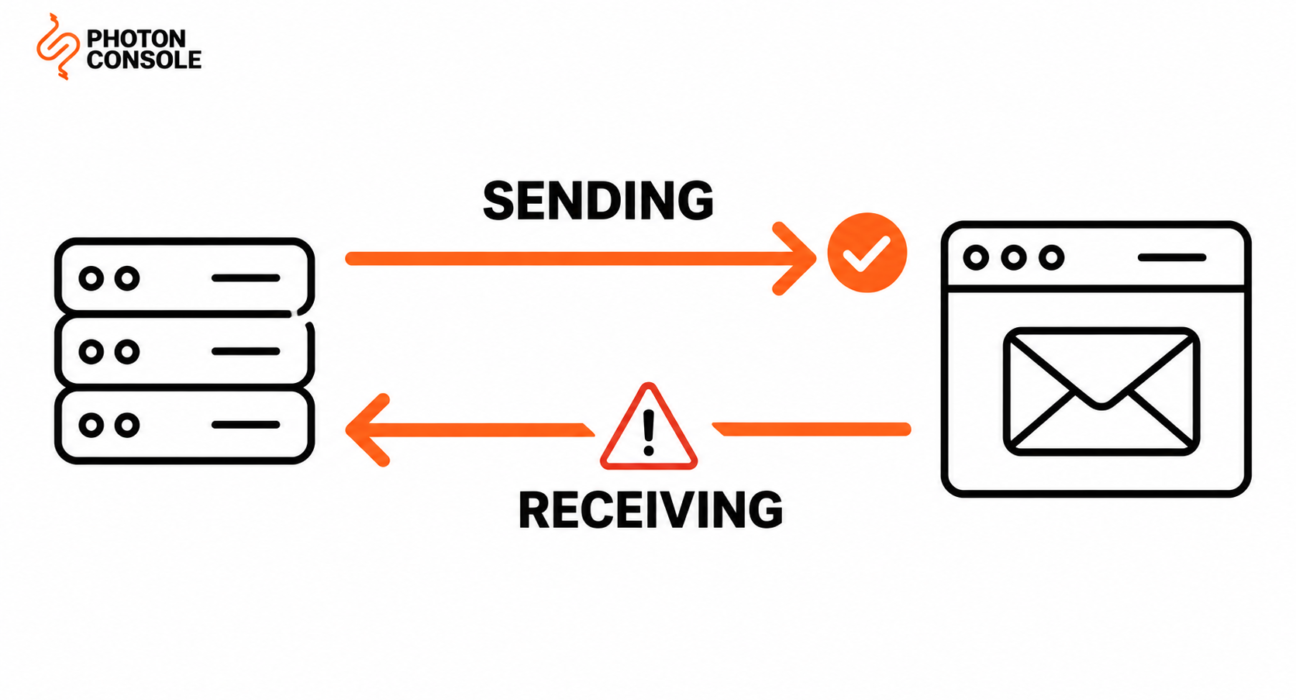
The sending migration goes well. Four environment variables, a ramp over a few days, delivery metrics clean. You decommission the Mailgun account on a Friday.
On Monday someone asks why nobody has replied to any support ticket since Thursday.
Mailgun is the one major provider that is genuinely bidirectional. It sends your mail and it receives mail, matching it against regex rules and posting it into your application. Teams migrate the half they think about and forget the half that was working silently for two years.
Quick Answer: What Moves and What Gets Rebuilt
| Asset | Moves or rebuilds | Effort |
|---|---|---|
| SMTP credentials | Moves — four variables | Minutes |
| Suppression lists, per domain | Export and import | Before first send |
| Stored templates | Move into your repository | Hours to days |
| Webhook verification | Rebuild — different algorithm | Hours |
| Routes | Reimplement as application code | The real work |
| Tags and analytics continuity | Map to an equivalent | Low |
Routes are the row that decides your timeline. Nothing else on the market replicates them, so they do not migrate — they get rewritten as code you own.

The provider-agnostic sequencing — DNS TTL, SPF lookup limits, the ramp, the rollback plan — is in our guide to migrating email providers without downtime. Follow that ordering alongside this.
The Half Everyone Forgets
Before you plan anything, answer one question: does Mailgun receive mail for you?
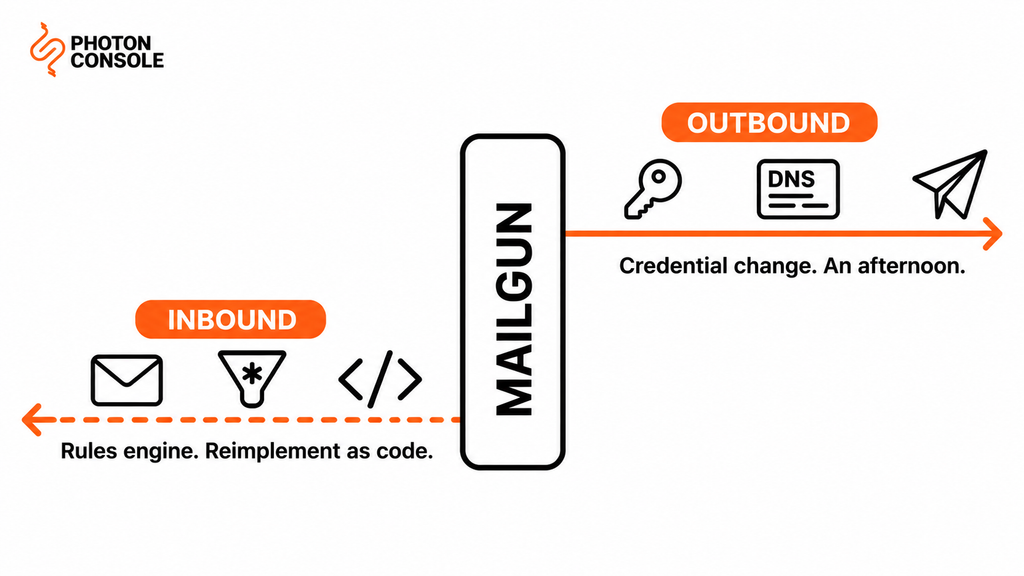
Check for an MX record pointing at Mailgun on your sending domain or subdomain, then list your routes. If either turns up something, you have two migrations rather than one, and they have different shapes:
- Outbound is a credential change plus the standard DNS and ramp sequence. Genuinely an afternoon.
- Inbound is a rules engine with regex matching, actions, priority ordering and a storage window. No destination provider has an equivalent, so it becomes application code.
The reason this gets missed is that inbound routing, once configured, never needs attention. Someone set up support@ forwarding to the helpdesk in 2024, it worked, and nobody has opened that screen since. It is not in your codebase, not in your deployment pipeline, and not in anyone’s head.
Common Mistake
Cancelling the Mailgun account once outbound traffic is fully migrated. Outbound and inbound are independent, and the delivery metrics you are watching say nothing about whether mail is still arriving. Worse, inbound failure is silent in both directions — senders get a bounce you never see, and your application simply stops receiving the POSTs it used to. Keep the account open and the MX record pointing at Mailgun until inbound has been reimplemented, tested and cut over separately. The account costs one more billing cycle; a fortnight of lost customer replies costs considerably more.
Routes Are a Rules Engine, Not a Setting
It is worth seeing exactly what you are replacing, because “forwarding rules” undersells it.
Mailgun’s route filters offer three matching expressions, and they take Python-style regular expressions:
| Filter | Matches on |
|---|---|
match_recipient(pattern) | The recipient address, by regex |
match_header(header, pattern) | Any message header, by regex |
catch_all() | Anything no earlier route matched |
Filters combine with boolean logic, so a single route can be as specific as this:
# A real Mailgun route expression
match_recipient('^(.*)@example.com$')
  and match_header("Content-Language", "^(.*)en-US(.*)$")
And the route actions are three:
forward()— sends the message on to an email address or a URL, and accepts several destinations separated by commas.store()— keeps the message on Mailgun’s servers for retrieval, and can notify a URL with a retrieval link. Mailgun documents this storage as lasting up to 3 days.stop()— ends priority evaluation so lower-priority routes are not checked.
So a complete inbound setup is an ordered list of regex-matched rules with fall-through behaviour, side effects, and a three-day retention buffer. That is a program. It happens to live in a web form.
Note
The three-day storage window deserves its own thought if you use store(). Any message currently sitting in Mailgun’s storage, waiting for your application to retrieve it, disappears three days after arrival — and cancelling the account removes access immediately rather than at the end of that window. Before you close anything, confirm your retrieval process has drained the queue, and check whether any retrieval failures from the preceding days left messages your application never collected. This is the one piece of inbound data that genuinely expires.
Reimplementing Routes as Code
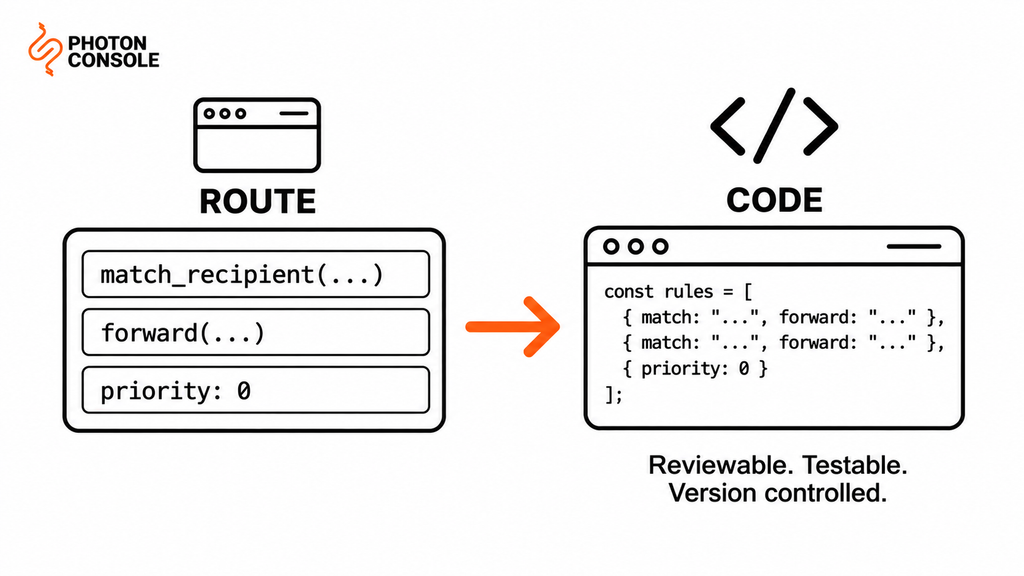
The translation is mechanical once you have the routes written down. Export them, order them by priority, and express the same logic where you can review and test it.
# Mailgun routes, as code you own
const ROUTES = [
  { match: /^support@/i,        handler: createTicket,      stop: true },
  { match: /^invoices?@/i,      handler: fileToAccounting,  stop: true },
  { match: /^bounce\+(.+)@/i,   handler: processBounceTag,  stop: true },
  { match: /.*/,                handler: deadLetter,        stop: true }
];

function routeInbound(message) {
  for (const route of ROUTES) {
    if (route.match.test(message.recipient)) {
      route.handler(message);
      if (route.stop) return;
    }
  }
}

# Two things to carry over deliberately:
#  - Mailgun evaluates by PRIORITY, so array order matters here
#  - catch_all() becomes the final /.*/ entry, not an implicit default
Two translation details cause most of the bugs. Mailgun evaluates routes by priority with stop() controlling fall-through, so your array order has to reproduce the priority order rather than the order the routes happen to appear in the UI. And catch_all() must become an explicit final rule — leaving it implicit means unmatched mail vanishes rather than reaching a dead-letter handler.
Where the mail arrives from now depends on your new setup. Most teams point the MX record at whatever inbound service they choose and POST to the same endpoint, which means the routing logic above is the only part that is genuinely new.
The Webhook Signature Changes Completely
If anything verifies Mailgun webhooks — and it should — that code is Mailgun-specific and gets replaced.
Per Mailgun’s webhook security documentation, the scheme is a hex-encoded HMAC-SHA256 of the timestamp and token values concatenated with no separator, keyed with your Webhook Signing Key. The documentation is explicit that this key is “not your API key or your domain sending key” — it is a third credential, found under Settings, and it is the one people forget exists.
# What you are replacing
#   signature = HMAC-SHA256(timestamp + token), hex, keyed with
#               the account Webhook Signing Key
#
# Verification steps Mailgun documents:
#   1. Concatenate timestamp and token, no separator
#   2. HMAC-SHA256 with the Webhook Signing Key
#   3. Compare hexdigest to the signature value
#   4. Reject on mismatch
#   5. Optionally cache the token, reject replays
#   6. Optionally bound the timestamp — but not too tightly,
#      because Mailgun notes processing delays occur
There is a structural trap here worth knowing before you go looking for your verification code.
Mailgun sends two different payload shapes. Event webhooks nest timestamp, token and signature inside a JSON object named signature, alongside event-data. But forward() and store() route posts send those same fields as top-level form fields.
| Source | Where the signature fields sit | Content type |
|---|---|---|
| Event webhooks | Nested in a JSON signature object, beside event-data | JSON body |
Route forward() and store() | Top-level fields | Form fields |
So you may well have two verification code paths, written months apart, possibly by different people — and if you only find one of them during the migration, the other endpoint either breaks or, worse, quietly stops verifying. Search for the signing key constant rather than for a function name.
Quick Fix
Finding Every Mailgun Integration Point
- Grep for the Webhook Signing Key variable name, not for a function — it reveals every verification path
- Check for both payload shapes: a nested
signatureobject and top-level form fields - Look up your MX records; an MX pointing at Mailgun means inbound is live whether you remember it or not
- List every route and record its priority order before changing anything
- Grep for
api.mailgun.netandapi.eu.mailgun.net— the EU base URL is easy to miss
Your new provider will sign differently — a different algorithm, a different field layout, or both. This is the moment to put verification behind one function and one mapping, so a future change is a single edit. Our guide to transactional email webhooks covers verification and idempotency for the rebuilt consumer.
Suppression Data Is Scoped Per Domain
Lighter than SendGrid’s six separate lists, but with one catch that costs people.
Mailgun’s suppression endpoints are addressed per sending domain — the bounces endpoint, for instance, is scoped as /v3/{domain}/bounces. If you send from more than one domain or subdomain, each has its own suppression data, and exporting only your primary domain leaves the rest behind.
Quick Fix
Exporting Suppressions Completely
- List every sending domain and subdomain on the account first — not just the one you think of as yours
- Export every suppression list for each domain separately via the API
- Store the exports in your own system, not only in the new provider; this is your data
- Import before the first production send, never after the migration
- Re-export on your final day — addresses that bounced during the ramp exist only in Mailgun
Import before the first send rather than after. A new sending path has no bounce history, so mailing previously-bounced addresses from it teaches every major receiver that this identity mails addresses that do not exist. Our guide to reducing bounce rate covers why those first signals carry disproportionate weight.
Templates, and the Subdomain Question
Two smaller items that still need deciding.
Stored templates. If your content lives in Mailgun’s template store with versioning, retrieve it and put it in your repository rather than in another provider’s template store. Templates under version control are reviewable, diffable and testable in CI, and they make the next migration a configuration change instead of a project. Test every template against payloads with missing and null fields before sending a single one to a real recipient — a renderer that silently outputs nothing for an undefined variable behaves differently from one that outputs the literal placeholder.
The sending subdomain. Mailgun has long encouraged sending from a subdomain such as mg.yourdomain.com, so many accounts are set up that way. If yours is, decide deliberately whether to keep that subdomain on the new provider or move to a different one. Keeping it preserves whatever reputation the subdomain has built. Changing it means starting that reputation again, which is a real cost and an avoidable one.
Whichever you choose, the destination needs to support it. PhotonConsole authenticates a subdomain the same way it authenticates a root domain, so keeping mg.yourdomain.com is a DNS exercise rather than a reason to change your From address.
Either way, publish an A or MX record for any subdomain you send from. A sending subdomain with no A or MX record in public DNS is treated with more suspicion by some receivers, and it is one record to add.
Check Which Region You Are In
Mailgun runs separate EU infrastructure with its own API base URL, and the two are not interchangeable.
If your integration talks to api.eu.mailgun.net rather than api.mailgun.net, your account, domains and data live in the EU region. That matters for two reasons during a migration: your exports must come from the right region, and if data residency was the reason you chose the EU region in the first place, you need to confirm your destination offers an equivalent before committing.
Grep for both base URLs. A codebase that has grown over a few years sometimes contains one of each.
Authentication and Cutover
Standard sequence, with both providers authorised during the parallel run.
# During migration — one SPF record, both senders
v=spf1 include:mailgun.org include:relay.photonconsole.com ~all

# New DKIM on its own selector, alongside Mailgun's
photon._domainkey  CNAME  dkim.photonconsole.com
Take Mailgun’s exact include from your own account rather than from this article, since it differs by region and setup. Count your SPF lookups before adding the new include — exceeding the limit in RFC 7208 returns permerror and fails authentication for both providers simultaneously. Our guide to SPF, DKIM and DMARC covers alignment, and the free email deliverability checker shows what your domain publishes right now.
Then validate three things with real sends before moving production traffic:
- Authentication aligns — MXToolbox confirms the combined record resolves, and Mail Tester scores an end-to-end send. Receivers including Gmail publish sender expectations worth reading before rather than after.
- The new webhook verifies and parses correctly, tested by triggering a real bounce to a known-invalid address.
- Your reimplemented routes handle real inbound mail, including the catch-all case.
Ramp outbound by percentage with Mailgun still live, per the sequence in the migration guide. Cut inbound over separately and after outbound is settled — one MX change at a time, never both directions in the same window.
PhotonConsole issues SMTP credentials on signup, so the outbound path can be live and testable the same day while you work on the routing rewrite. Pricing includes 5,000 free emails a month, which covers the whole parallel-running phase without a second bill.
Pro Tips
- Check your MX records first. It is the fastest way to find out whether you have one migration or two.
- Export routes with their priority order. The order is the logic, and the UI does not always display it as evaluated.
- Make
catch_all()an explicit final rule. Implicit defaults lose mail silently. - Grep for the signing key, not the function. It finds both webhook code paths.
- Export suppressions per domain. They are scoped per sending domain, not per account.
- Drain
store()before cancelling. Three days of retention ends the moment the account closes. - Move inbound after outbound, never together. Two MX-level changes in one window makes diagnosis impossible.
Related Reading
- Migrating email providers without downtime — the sequence and timing to follow alongside this
- Mailgun pricing explained — if overage charges are what started this
- Best Mailgun alternatives — if you have not chosen a destination yet
- Migrating away from SendGrid — where content, not routing, is the lock-in
- Migrating from Amazon SES — where the lock-in is AWS plumbing
- Transactional email webhooks explained — rebuilding the event consumer
Frequently Asked Questions
What is the hardest part of leaving Mailgun?
Routes. Mailgun’s inbound routing is a regex-based rules engine with priority ordering, and no destination provider replicates it, so it has to be reimplemented as application code.
Does Mailgun receive email as well as send it?
Yes, if you have routes configured and an MX record pointing at Mailgun. This is the half of the migration teams most often forget, and inbound failure is silent.
What are Mailgun’s route filters and actions?
Filters are match_recipient(), match_header() and catch_all(), all supporting Python-style regular expressions. Actions are forward(), store() and stop().
How long does Mailgun store inbound messages?
The documentation states store() keeps messages for up to 3 days. Drain anything pending before cancelling, because closing the account ends access immediately.
How does Mailgun sign webhooks?
A hex-encoded HMAC-SHA256 of the timestamp and token concatenated with no separator, keyed with your Webhook Signing Key — which is separate from your API key and your domain sending key.
Why might I have two webhook verification code paths?
Event webhooks nest the signature fields in a JSON signature object, while forward() and store() route posts send them as top-level form fields. Many teams wrote a handler for each.
Do I need to export suppressions for every domain?
Yes. Mailgun’s suppression endpoints are scoped per sending domain, so exporting only your primary domain leaves the others behind.
Should I keep my Mailgun sending subdomain?
Keeping it preserves the reputation that subdomain has built. Changing it starts that reputation over, which is a real and usually avoidable cost.
Conclusion
Mailgun migrations fail in a specific and avoidable way. The outbound work is genuinely easy — a credential change and a ramp — which creates false confidence, and then the account gets cancelled while mail is still arriving through an MX record nobody checked.
So the first action is not a credential swap. It is looking up your MX records and listing your routes, because that tells you whether this is one project or two. If routes exist, they are a regex rules engine with priority ordering and a three-day storage buffer, and replacing them is the work that sets your timeline.
Beyond that, three things need attention. Export suppressions for every sending domain, not just the obvious one. Find both webhook verification paths by grepping for the signing key rather than a function name. And move outbound first, inbound second, never in the same window.
The upside of doing it properly is that the routing logic ends up somewhere you can test it. A reliable SMTP provider handles the sending side with standard SMTP and a flat per-thousand rate, and your inbound rules end up in version control where a new engineer can read them — which is a better place for them than a web form nobody has opened in two years.